
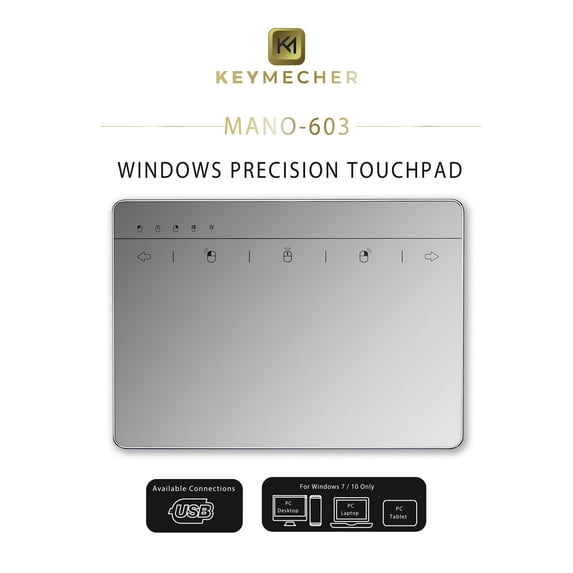
Keymecher MANO Multi-Gesture Wired Trackpad for Windows 7 and Windows 10, USB Slim Touchpad Mouse for Computer, Notebook, PC, and Laptop (Aluminum Silver, Support Windows Precision Touchpad)
Hero image 0 of Keymecher MANO Multi-Gesture Wired Trackpad for Windows 7 and Windows 10, USB Slim Touchpad Mouse for Computer, Notebook, PC, and Laptop (Aluminum Silver, Support Windows Precision Touchpad), 0 of 10

Keymecher MANO Multi-Gesture Wired Trackpad for Windows 7 and Windows 10, USB Slim Touchpad Mouse for Computer, Notebook, PC, and Laptop (Aluminum Silver, Support Windows Precision Touchpad)

5 stars out of 3 reviews
(5.0)|
3 ratings

Key item features

  • ▼ FLUID USER EXPERIENCE: Large glass top surface with advanced sensor provides incredible user experience, fast and sensitive response at your fingertips, fluid click on the screen, scroll pages up and down, pinch to zoom on photos and more. Indicators above the touch area enables you to read the status of USB connection and mouse keys easily.
  • ▼STABLE CONNECTION: The touchpad is ready to work when plugged into your computer, no additional driver needed. A reliable and stable connection through a USB cable enables you to use it freely without any connection problem.
  • ▼ HIGH PRECISION MULTI-TOUCH CONTROLS: Keymecher Trackpad supports with a full set of gestures, it provides the easy and natural control of your windows computer: click, scroll, drag and swipe through online pages; super comfortable to use with the ultra-smooth surface and ergonomic tilt design.
  • ▼ WITHOUT BATTERY: The number keypad can start to work once connected, no battery required, don’t have to worry about the touchpad will be out of power.
  • ▼WIDE COMPATIBILITY: Windows 10, Windows 7 PC, laptop, desktop, computers only. NOTE: Not work for Apple products.
Price when purchased online
Not Available

How do you want your item?

How do you want your item?
Not available
Report an issue with this seller

About this item

Product details

Specifications

Warranty

Warnings

Customer ratings & reviews

5 out of 5 stars
stars3 ratings3 reviews
How item rating is calculated
Filtered and sorted results would be available on the new 'Customer ratings & reviews' page.
Sort by |

Showing 1-3 of 3 reviews

Sep 17, 2020
Jan
5 out of 5 stars review

Verified Purchase

Perfect for Win10 gestures and desktop switching

I am using this specifically under Windows 10 where I remote desktop into a Linux machine via RGS, and the usually awesome Logitech Options software commands (mouse gestures) do NOT reach the windows machine when Linux is in focus. However, I have Linux on a 2nd desktop and need to be able to switch desktops, which I do via 4 finger swipe gestures on this trackpad, which is on the left of my keyboard. Try this setup! Very efficient. Trackpad itself is smooth and works just like the one on my Zbook (which is docked and out of reach).

Helpful?5PUUI2LGSHXL558758154
Sep 11, 2020
Oscar
5 out of 5 stars review

Verified Purchase

Great Trackpad for Linux (Even without gestures)

I'm using this trackpad on Manjaro Linux. So far, this is the best trackpad I have used compared to other non-apple wireless trackpads. I was currently using the original Apple Magic Trackpad 1. Not the new large one. I replaced that one with this wired version because I didn't want to keep using batteries. The new Apple Trackpad is just too expensive to not take advantage of all the gestures, since I'm using Linux. This Trackpad is an awesome replacement. It gives you basic trackpad features (no gestures). That's enough for me, as I use mostly keyboard shortcuts and separate MIDI controllers for most of my work. I recommend this trackpad for anyone who just wants basic and simple function on Linux. The build quality is top-notch. Very smooth and glassy, not tacky. The scrolling is also super smooth, unlike other trackpads I have used that seem to have a skip scroll like an old mouse scrolling wheel. I avoided the wireless version of this device because I'm pretty sure the Bluetooth version causes problem with Mac and Linux without the driver. Besides, no more charging or batteries to worry about. For my Linux community, you know we don't have to worry about trackpad gestures........there's always a way.

Helpful?5PUUI2LGSHXL558758154
May 11, 2021
adrianne
5 out of 5 stars review

Verified Purchase

Awesome but need a stylus pen

Helpful?5PUUI2LGSHXL558758154
