


Lenovo ideapad 320 15.6" Laptop, Windows 10, Intel Pentium N4200 Quad-Core Processor, 4GB RAM, 1TB Hard Drive
Key item features
Lenovo ideapad 320 15.6" Laptop:
Key Features and Benefits:
- 15.6" display
LED Backlight, HD Anti-Glare Display - Intel Pentium N4200 quad-core processor
1.10GHz (with Max Turbo Speed of 2.50GHz) - 4GB DDR3L SDRAM system memory (expandable to 8GB)
Gives you the power to handle most power-hungry applications and tons of multimedia work - 1TB SATA hard drive
Store 666,000 photos, 285,000 songs or 526 hours of video and more - 5 hours of battery life
Long-lasting battery life gives you all day to access your photos, videos, music and documents - Intel HD Graphics 505
- Weight: 4.84 lbs
Thin design you can easily take on the road - DVD-RW
Watch movies and read and write CDs and DVDs in multiple formats - 10/100Base-T Fast Ethernet, 802.11ac Wireless LAN
Connect to a broadband modem with wired Ethernet or wirelessly connect to a WiFi signal or hotspot with the 802.11ac connection built into your PC
Additional Features:
- 0.3 megapixel webcam
- 4-in-1 memory card reader
- Bluetooth 4.1
- 1 x DC-in port, 1 x Ethernet port, 1 x HDMI port, 1 x headphone/microphone jack, 1 x USB 2.0 port, 1 x USB 3.0 port
- 2-cell lithium-ion battery
- Dimensions: 14.88" x 10.24" x 0.90"
- Color: Plum Purple
Software:
- Genuine Microsoft Windows 10
- Microsoft Office 365 (30-day trial)
- McAfee LiveSafe (30-day trial)
- Backup and Restore options built into Windows allow you to create safety copies of your most important personal files, so you're always prepared for the worst
Support and Warranty:
- 1-year limited warranty; 24/7 technical assistance available online or toll-free by phone
- Restore discs are not included (unless specified by supplier). We recommend you use the installed software to create your own restore and backup DVD the first week you use the computer.
What's In The Box:
- Power cord and AC adapter
- 2-cell battery
- Quick Start Guide
To see the manufacturer's specifications for this product, click here.
To see a list of our PC Accessories, click here.
Trade in your used computer and electronics for more cash to spend at Walmart. Good for your wallet and the environment - click here.
ENERGY STAR®
Products that are ENERGY STAR-qualified prevent greenhouse gas emissions by meeting strict energy efficiency guidelines set by the U.S. Environmental Protection Agency and the U.S. Department of Energy. The ENERGY STAR name and marks are registered marks owned by the U.S. government, as part of their energy efficiency and environmental activities.
Specs
- BrandLenovo
- Proc. brandIntel
- ProcessorIntel Pentium N4200
- OSWindows 10
- RAM memory4 GB
- Screen size15.6"
Reviews summary
Pros
- : Offers good performance and features at a lower cost.
- : Has a sharp and durable look.
Neutral
- : Can handle casual games, but struggles with demanding titles.
Cons
- : Lasts less than expected, requiring frequent recharging.
- : May register unintended clicks, requiring adjustments.
How do you want your item?
About this item
Product details
Lenovo ideapad 320 15.6" Laptop:
Key Features and Benefits:
- 15.6" display
LED Backlight, HD Anti-Glare Display - Intel Pentium N4200 quad-core processor
1.10GHz (with Max Turbo Speed of 2.50GHz) - 4GB DDR3L SDRAM system memory (expandable to 8GB)
Gives you the power to handle most power-hungry applications and tons of multimedia work - 1TB SATA hard drive
Store 666,000 photos, 285,000 songs or 526 hours of video and more - 5 hours of battery life
Long-lasting battery life gives you all day to access your photos, videos, music and documents - Intel HD Graphics 505
- Weight: 4.84 lbs
Thin design you can easily take on the road - DVD-RW
Watch movies and read and write CDs and DVDs in multiple formats - 10/100Base-T Fast Ethernet, 802.11ac Wireless LAN
Connect to a broadband modem with wired Ethernet or wirelessly connect to a WiFi signal or hotspot with the 802.11ac connection built into your PC
Additional Features:
- 0.3 megapixel webcam
- 4-in-1 memory card reader
- Bluetooth 4.1
- 1 x DC-in port, 1 x Ethernet port, 1 x HDMI port, 1 x headphone/microphone jack, 1 x USB 2.0 port, 1 x USB 3.0 port
- 2-cell lithium-ion battery
- Dimensions: 14.88" x 10.24" x 0.90"
- Color: Plum Purple
Software:
- Genuine Microsoft Windows 10
- Microsoft Office 365 (30-day trial)
- McAfee LiveSafe (30-day trial)
- Backup and Restore options built into Windows allow you to create safety copies of your most important personal files, so you're always prepared for the worst
Support and Warranty:
- 1-year limited warranty; 24/7 technical assistance available online or toll-free by phone
- Restore discs are not included (unless specified by supplier). We recommend you use the installed software to create your own restore and backup DVD the first week you use the computer.
What's In The Box:
- Power cord and AC adapter
- 2-cell battery
- Quick Start Guide
To see the manufacturer's specifications for this product, click here.
To see a list of our PC Accessories, click here.
Trade in your used computer and electronics for more cash to spend at Walmart. Good for your wallet and the environment - click here.
ENERGY STAR®
Products that are ENERGY STAR-qualified prevent greenhouse gas emissions by meeting strict energy efficiency guidelines set by the U.S. Environmental Protection Agency and the U.S. Department of Energy. The ENERGY STAR name and marks are registered marks owned by the U.S. government, as part of their energy efficiency and environmental activities.
Specifications
Brand
Proc. brand
Processor
OS
Warranty
Warranty information
Warnings
Ingestion Hazard
Warning Text
 WARNING: Warning - This product contains chemicals known to the State of California to cause cancer and birth defects or other reproductive harm.
Check out these related products
Refurbished Dell 14" Latitude E6440 Laptop PC with Intel Core i7-4600M Processor, 16GB Memory, 256GB Solid State Drive and Windows 10 Pro $199.99
 $19999current price $199.99
Refurbished Dell 14" Latitude E6440 Laptop PC with Intel Core i7-4600M Processor, 16GB Memory, 256GB Solid State Drive and Windows 10 Pro
82.9 out of 5 Stars. 8 reviewsPre-Owned Dell E6430 14.0" Laptop, Windows 10 Pro, Intel Core i5-3320M Processor, 8GB RAM, 750GB Hard Drive $199.99
 $19999current price $199.99
Pre-Owned Dell E6430 14.0" Laptop, Windows 10 Pro, Intel Core i5-3320M Processor, 8GB RAM, 750GB Hard Drive
62.8 out of 5 Stars. 6 reviewsRestored Lenovo ThinkPad T430 14" Laptop, Windows 10 Pro, Intel Core i5-3320M Processor, 4GB RAM, 320GB Hard Drive (Refurbished) $189.99
 $18999current price $189.99
Restored Lenovo ThinkPad T430 14" Laptop, Windows 10 Pro, Intel Core i5-3320M Processor, 4GB RAM, 320GB Hard Drive (Refurbished)
15 out of 5 Stars. 1 reviewsPre-Owned Dell Latitude E6430 14" Laptop, Windows 10 Pro, Intel Core i5-3210M Processor, 4GB RAM, 320GB Hard Drive $199.99
 $19999current price $199.99
Pre-Owned Dell Latitude E6430 14" Laptop, Windows 10 Pro, Intel Core i5-3210M Processor, 4GB RAM, 320GB Hard Drive
253.3 out of 5 Stars. 25 reviewsUsed Lenovo ThinkPad T440 14" Laptop, Windows 10 Pro, Intel Core i5-4300U Processor, 8GB RAM, 240GB Solid State Drive $199.99
 $19999current price $199.99
Used Lenovo ThinkPad T440 14" Laptop, Windows 10 Pro, Intel Core i5-4300U Processor, 8GB RAM, 240GB Solid State Drive
133.2 out of 5 Stars. 13 reviewsPre-Owned Used HP Silver 14" EliteBook 8470P WA5-1056 Laptop PC with Intel Core i5-3210M Processor, 4GB Memory, 320GB Hard Drive and Windows 10 Home $189.99
 $18999current price $189.99
Pre-Owned Used HP Silver 14" EliteBook 8470P WA5-1056 Laptop PC with Intel Core i5-3210M Processor, 4GB Memory, 320GB Hard Drive and Windows 10 Home
63 out of 5 Stars. 6 reviewsPre-Owned HP EliteBook 8460P 14" Laptop, Windows 10 Pro, Intel Core i5-2520M Processor, 8GB RAM, 500GB Hard Drive $189.99
 $18999current price $189.99
Pre-Owned HP EliteBook 8460P 14" Laptop, Windows 10 Pro, Intel Core i5-2520M Processor, 8GB RAM, 500GB Hard Drive
192.6 out of 5 Stars. 19 reviewsPre-Owned Used Dell E6440 14" Laptop, Windows 10 Pro, Intel Core i5-4300M Processor, 8GB RAM, 500GB Hard Drive $155.00
 $15500current price $155.00
Pre-Owned Used Dell E6440 14" Laptop, Windows 10 Pro, Intel Core i5-4300M Processor, 8GB RAM, 500GB Hard Drive
483.7 out of 5 Stars. 48 reviewsUsed Dell Black 14" Latitude E6430 WA5-1034 Laptop PC with Intel Core i5-3210M Processor, 6GB Memory, 500GB Hard Drive and Windows 10 Home $199.99
 $19999current price $199.99
Used Dell Black 14" Latitude E6430 WA5-1034 Laptop PC with Intel Core i5-3210M Processor, 6GB Memory, 500GB Hard Drive and Windows 10 Home
263.6 out of 5 Stars. 26 reviewsPre-Owned Used Dell Latitude E6410 14" Laptop, Windows 10 Pro, Intel Core i5-520M Processor, 8GB RAM, 250GB Hard Drive $145.00
 $14500current price $145.00
Pre-Owned Used Dell Latitude E6410 14" Laptop, Windows 10 Pro, Intel Core i5-520M Processor, 8GB RAM, 250GB Hard Drive
21 out of 5 Stars. 2 reviewsPre-Owned Used Dell Latitude E7440 14" Laptop, Windows 10 Pro, Intel Core i5-4300U Processor, 8GB RAM, 128GB Solid State Drive $199.99
 $19999current price $199.99
Pre-Owned Used Dell Latitude E7440 14" Laptop, Windows 10 Pro, Intel Core i5-4300U Processor, 8GB RAM, 128GB Solid State Drive
24 out of 5 Stars. 2 reviewsPre-Owned Used Dell 14" Latitude E6420 Laptop PC with Intel Core i5 Processor, 4GB Memory, 500GB Hard Drive and Windows 10 Pro $166.66
 $16666current price $166.66
Pre-Owned Used Dell 14" Latitude E6420 Laptop PC with Intel Core i5 Processor, 4GB Memory, 500GB Hard Drive and Windows 10 Pro
144.1 out of 5 Stars. 14 reviews
Customer ratings & reviews
Reviews summary
Pros
- : Offers good performance and features at a lower cost.
- : Has a sharp and durable look.
Neutral
- : Can handle casual games, but struggles with demanding titles.
Cons
- : Lasts less than expected, requiring frequent recharging.
- : May register unintended clicks, requiring adjustments.
Customer photos
Showing 1-3 of 90 reviews
Excellent budget machine
If you are looking for something that is cheap but can handle almost any normal day to day task, this is a great computer. Would be great for a family laptop to use for homework, research, and just daily web browsing like facebook, youtube, and even Netflix.
Thank you for choosing the Lenovo IdeaPad 320-15 laptop. We are pleased to hear that the value and performance of the IdeaPad 320-15 meets your computing needs so well.
Newer Updated Laptop
Bought this as an early birthday present to myself. Even though I prefer Windows 7, the Windows 10 on this laptop is not as bad as I thought it would be. Has a great learning section supplied within the computer. Also has a talking Cortana which has been very helpful in the search section.
Thank you for choosing the Lenovo Ideapad 320-15 laptop. We are pleased to hear that the Ideapad 320-15 meets your computing needs so well.
exchanging for another
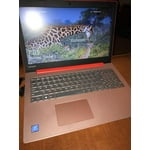
I ordered the Pretty Plum Purple. such a pretty laptop. i needed something for online classes, because i work nights and this would have had a perfect laptop. but i thought i did everything right until i wanted to go into PC mode and couldn't get there because windows needed to be updated did that for about 6hrs and still nothing. so i am going to return it and try another one. but the shipping was really fast and i would love this laptop. but will see on the next i will leave a review for that as well. but i would recommend before downloading and adding stuff to your laptop. go to updates and start from after original set up.
It sounds like there may have been an error during the updating process of Windows 10. This system is equipped with OneKey Recovery System. There is a very small pin hole on the left side of the device, right near the SD card slot on the device. You will need a pen to push this reset button. Plug the device in. Let the battery charge for about 15 minutes. Push the reset button. The system should boot to a choice screen where you can choose "Restore To Factory Default". Select this. It will delete everything from the hard drive except the original factory install of the operating system. You will need to reinstall all programs and files after the reset. If you don't have copies of the files, try to make one before you restore by selecting "Boot to desktop" and trying to back up your files.
