
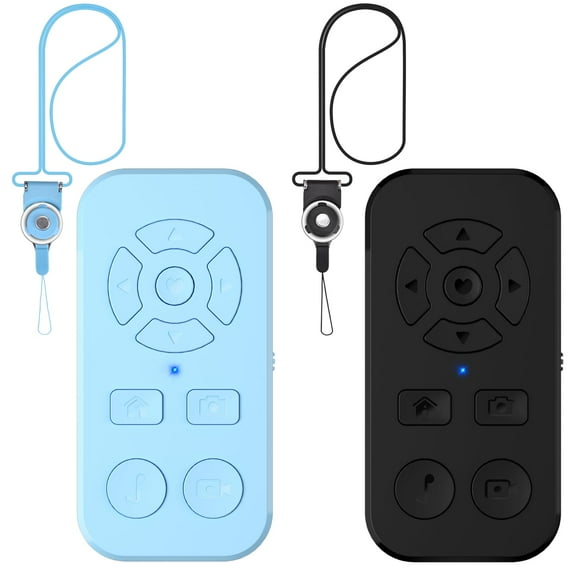
2Pack TikTok Scrolling Remote Control for iPhone and Android Smartphone, Bluetooth Page Turner for Kindle App, Camera Photo and Video Clicker for iPhone, and Neck Strap Include Black
Hero image 0 of 2Pack TikTok Scrolling Remote Control for iPhone and Android Smartphone, Bluetooth Page Turner for Kindle App, Camera Photo and Video Clicker for iPhone, and Neck Strap Include Black, 0 of 7

2Pack TikTok Scrolling Remote Control for iPhone and Android Smartphone, Bluetooth Page Turner for Kindle App, Camera Photo and Video Clicker for iPhone, and Neck Strap Include Black

1 star out of 1 review
(1.0)|
1 rating

Key item features

  • TikTok Video Scrolling Remote: you can use the TikTok remote to Swipe the next/last video, give a like, Volume +/-, left and right Swipe. free your hand with this Bluetooth remote. ❗Note: iOS devices need to open Settings>Accessibility>Touch>Turn on Assistive Touch before using.
  • One-Click Taking Photo: when you need to take self photo or a family photo, Just open your phone camera and press the camera icon button of the remote. don‘t need to ask a stranger to help. The max operation distance is 33 feet.
  • For Cellphone Kindle App Page Turner: the wireless remote can help you control the page-turning of the E-book APP, and enjoy a comfortable reading experience. ❗Note: ONLY available for Kindle APP on e-book, not for Kindle devices.
  • Customized Screen Click Button: Through this function, you can use this wireless remote control to control-click anywhere on the screen of your mobile phone. For example, you can control the TikTok video shooting button to shoot a video. Please check the instruction manual for specific operation methods.
  • Small Mini Remote: compatible with most smartphones: this Bluetooth remote is compatible with Samsung, iPhone, iPad, and tablet. Note: For iPhone or iPad need to open Settings>Accessibility> Touch>turn on Assistive Touch before it can be used normally, You need to make sure the IOS software is above V14.8 .Please restart the phone if still doesn't work
Price when purchased online
Not Available

How do you want your item?

How do you want your item?
Not available
Report an issue with this seller

About this item

Product details

Specifications

Customer ratings & reviews

1 out of 5 stars
stars1 rating1 review
How item rating is calculated
Filtered and sorted results would be available on the new 'Customer ratings & reviews' page.
Sort by |

Showing 1-1 of 1 review

Dec 1, 2024
TJK
Item details
Color: Black
Sold and shipped byENYAO Co.Ltd
1 out of 5 stars review

Verified Purchase

Junk!

Cheap! Included strap wasn't included. Manual wasn't in English. Contacted seller but no response. Cant take accountability for poor sale.

Helpful?5VYPUEMDP26E5407843362
