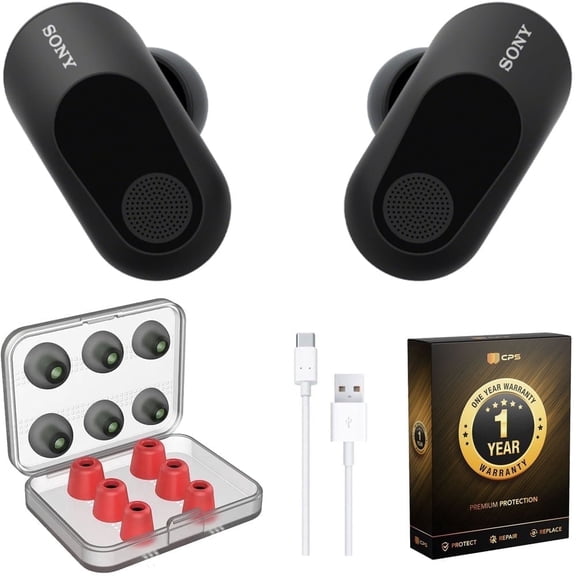
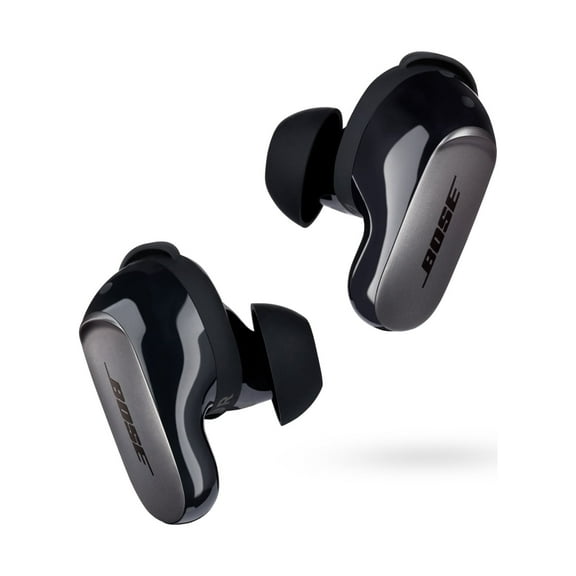
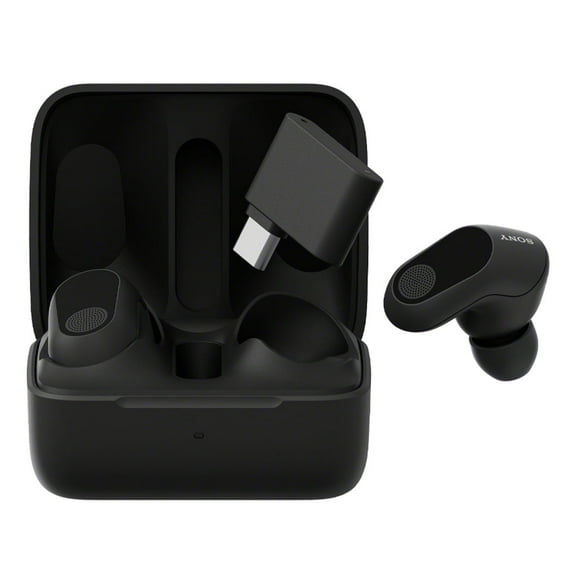
Open Box Sony INZONE Buds Truly Wireless Noise Cancelling Gaming Earbuds, 12 Hours Battery, for PC, PS5, 360 Spatial Sound, 30ms Low Latency, USB-C Dongle and LE Audio (LC3), WF-G700N Black
Hero image 0 of Open Box Sony INZONE Buds Truly Wireless Noise Cancelling Gaming Earbuds, 12 Hours Battery, for PC, PS5, 360 Spatial Sound, 30ms Low Latency, USB-C Dongle and LE Audio (LC3), WF-G700N Black, 0 of 11

Open Box Sony INZONE Buds Truly Wireless Noise Cancelling Gaming Earbuds, 12 Hours Battery, for PC, PS5, 360 Spatial Sound, 30ms Low Latency, USB-C Dongle and LE Audio (LC3), WF-G700N Black

|3 ratings
Condition
Open Box
Seller Rating
4.2 out of 5 stars

Key item features

Sony INZONE Buds Truly Wireless Noise Cancelling Gaming Earbuds, 12 Hours Battery, for PC, PS5, 360 Spatial Sound, 30ms Low Latency, USB-C Dongle and LE Audio (LC3), WF-G700N Black - (Open Box)
Current price is $115.00
Price when purchased online
Open Box
Out of stock

How do you want your item?

How do you want your item?
Out of stock
Report an issue with this seller

About this item

Product details

What is Open Box ?

Excellent condition with no signs of usage and still in its original packaging or generic packaging. Packaging can be open or show signs of wear, but original accessories are included. Instructions are included for appropriate categories.

What is the Walmart Pre-Owned Program?

Walmart Pre-Owned allows you to find previously owned, well-cared-for items from Walmart’s trusted & performance-managed sellers. Shopping Pre-Owned allows you to bring home the best-quality picks at even lower prices, in addition to extending the life of an item & reducing waste. Find your favorites & shop a range of conditions in every category.

See here for additional details & specific condition qualifications.

Why Walmart Pre-Owned?

Trusted sellers & quality items

Each Pre-Owned item listed comes from Walmart’s trusted performance-managed sellers, to ensure you get quality items.

Quality you can afford

Save even more on top brands & your most-loved items.

30-day free returns

Don’t love it? Most items offer a 30-day* free return policy, for added peace of mind.

Sustainability

Shopping Pre-Owned helps in extending the life of an item & reducing waste.

Product image for illustration purposes only. The item you receive may vary from the image in minor ways, such as slight differences in appearance, color, and/or design. *Exceptions apply during holiday season, and on certain electronics, collectibles, and jewelry.

Specifications

Warranty

Warnings

Customer ratings & reviews

3.7 out of 5 stars
stars3 ratings3 reviews
How item rating is calculated
Filtered and sorted results would be available on the new 'Customer ratings & reviews' page.
Sort by |

Showing 1-3 of 3 reviews

Feb 15, 2024
Lask6785
5 out of 5 stars review

Seller Verified Purchase

I've finally found a pair of Buds that work!!!!

I've only had the buds for a few weeks now. I usually wait a couple of months before I write & submit a review, but this time after using these practically non-stop for close to eight days, there is no reason to wait any longer. Let me preface this by saying that, for approx. a year now, I've been looking for a quality pair of Buds that I can use with my Playstation 5. I wanted a pair that would last longer than four to five hours. I had been holding off on buying the Inzone Buds as I already have the Inzone H9 headset and wasn't sure if the Inzone Buds would work that well. I've purchased FOUR different sets of buds. I have Buds that have a special way to mold themselves to your ear for an awesome fit. I have buds that were specifically designed for my gaming console. I have buds that are able to connect to my PS5, My cell, my laptop AND My PC all at the same time. YES, all these buds have awesome features, YET I'm still looking for that "special pair"...the pair that would connect to my PS5 without issues AND LAST for more than four to five hours. That has been the "quest" that i've been on for approx. a year now. FINALLY, MY JOURNEY HAS COME TO AN END WITH THE PURCHASE OF THESE InZone Buds!! I've set up the Inzone hub on my laptop and I'm able to experience everything these buds has to offer. It's also a plus that I'm able to use the same hub for my H9 HEADPHONES. All OF MY buds ARE from different manufacturers. It didn't matter who made them because on average every pair only lasted approx. four hours. FIVE HOURS IS the absolute longest one pair lasted. Upon receiving my InZone Buds and doing the unboxing, I noted the packaging was sufficient to provide enough cushion for the buds themselves. You get the buds along with the USB-C Dongle inside the case itself. The case comes with a short charge (Mine did anyhow) but you should hook it up and charge it to full capacity before doing anything with them to start. Along with the case with the buds in them you also get a short USB to USB-C chord, along with a few paper "booklets" containing "quick-start" guide, warranty info, etc. Once my battery was fully charged it was time to get in and see how well they work. Let me just say I was PLEASANTLY SURPRISED!!!! First I attempted to pair them with my phone (Z-Fold 5) . I remember reading on one of these reviews that you can't pair the Inzone Buds with your USB-C Phone unless you use the dongle. While that maybe be true with some phones, it's not entirely the case with ALL phones. If you have a "newer" phone that has the LE audio then you can connect WITHOUT USING THE USB-C DONGLE. Unfortunately any Apple products (I-phone & I-the Pads) DON'T utilize this setting so you are out of luck using these with any Apple products. I've only run into one "issue" so far and that is switching between "USB Transceiver" mode and "Bluetooth mode". I had the buds paired with my phone on Bluetooth mode and then used the Dongle in my PS5. Being that I don't have to use the dongle on my phone I couldn't figure out how to switch it to "USB Transceiver mode" in order to get sound on my console. I looked through all of the literature, that which was provided with the purchase & delivery, and also online. I even went into the hub to figure out if I could program it through the "touch" parameters. No Joy!! Finally I was just fed up and quickly touched both buds at the same time, and boom straight into USB transceiver mode we went. I haven't switched it off yet, in order to use it on my phone. One feature that I'm going to take advantage of is the one-time 30 minute call you get with a Sony rep in the department in which your product belongs too. Then I'll be able to figure out the minor "issue" I'm reluctant to address with the "USB transceiver mode' and Bluetooth. The first time I used them I put them on at 0053 (12:53 A.M.) and did a marathon session. I finally realized it was 11:25 A.M and the Buds were still going strong. Unlike ALL THE OTHER BUDS I never received the "Earbuds battery low". Especially the Buds that are made SPECIFICALLY for my PS Console, I start getting the "battery low" warning at about 3:45 to 4:00 hour mark. Since that first time I HAVE NEVER RECEIVED A BATTERY LOW WARNING AS OF YET!! I've been averaging between 11 and 12 hours each time. In fact, I stop playing and the buds are still going strong. I really like the noise cancellation feature. These other buds have all these different features, magnetic resonance in order to have better sounds, etc. I used the Hub and did the EQ manually, I attempt to mimic a FPS mode and so far so good. Also the hub has a "fit feature" where you let the app fit the buds to your ear making sure there isn't any "air loss" while in your ear and that the buds are actually in your ear correctly. Doing all this I'll put the sound of these buds up against any of the buds that I currently own, but will probably NEVER USE AGAIN!!! Well, after close to a year of looking and trying out every new pair of earbuds on the market, I've finally found the pair that suit my needs well. I don't have to worry about being in the middle of a boss fight and getting the dreaded "Earbuds battery running low" and then having to switch to a different pair or just not using anything and letting my soundbar take over. After this happening PRETTY MUCH EVERY SINGLE TIME I USE A PAIR OF EARBUDS, it gets so "old". I'm hoping that has pretty much come to an end. If these InZone Buds continue to function as they have EVERY SINGLE TIME FOR THE PAST WEEK AND A HALF, THEN I'll be using these for the foreseeable future!!!

Review from sony.com
Helpful?4P9RSNHIDUGK5330374339
reply from Sony North America Customer Support

Hi Lask6785, This is great! We're delighted to hear that you finally found the perfect buds that suit what you're looking for. We appreciate your detailed feedback and thank you for choosing Sony. Erin
Oct 18, 2025
Amdryl
3 out of 5 stars review

Can't decide

Fantastic earbuds until they weren't Lasted about a year before beginning to have somewhat frequent pairing issues requiring the case to be reset. Now, the left earbud no longer charges. Can't decide if I want to buy another pair

Review from sony.com
Helpful?4P9RSNHIDUGK5330374339
reply from Sony North America Customer Support

Hi Amdryl! Thank you for taking the time to share your feedback and experience with the INZONE Buds. We're happy to hear you found them to be fantastic while they were working, but we certainly regret the recent charging and pairing issues you've encountered. We understand how frustrating it is when a product doesn't perform consistently over time. We'd like to offer a few steps that often resolve these kinds of connectivity and charging problems before you decide on a new purchase: 1. Ensure the metal charging contacts on both the left earbud and inside the charging case well are clean and dry. Dust, sweat, or oils can sometimes create an invisible barrier. Gently wipe them with a clean, dry cotton swab. 2. Perform a full system reset on the buds by following the instructions in the link below: https://helpguide.sony.net/mdr/2977/v1/en/contents/TP1001273100.html?search=reset%20 3. Connect the buds to the INZONE Hub software on your PC and verify that the firmware is fully up-to-date. Sometimes, an update can improve charging and connection stability. If these troubleshooting steps do not resolve the issue with your left earbud not charging, we recommend contacting our technical support team. They can provide advanced diagnostics and explore warranty or service options based on your purchase date. Please reach out to them directly here: https://us.esupport.sony.com/support/s/support-contact?language=en_US&category=headphones Thank you for considering Sony products! Best regards, Dominick

Oct 21, 2023
4Bagger
3 out of 5 stars review

Does not work with your phone

Just be aware, these will not work with your phone unless you plug the adapter in. Good sound quality on PS5

Review from sony.com
Helpful?4P9RSNHIDUGK5330374339
reply from Sony North America Customer Support

Hi there, Thank you for choosing Sony! While we are glad to hear that you are happy with the sound quality of the WFG700N, we are sorry that it did not meet all of your expectations. Should you need assistance with your gaming headset, please contact us for help. Please email the below information to socialsupport@am.sony.com Apologies if you disclosed some of this information in your review and to customer service, we just want to ensure that we have your accurate details at the time of communication. Full Name: Username: Telephone Number: Model Number: Issue: Regards, Carl