

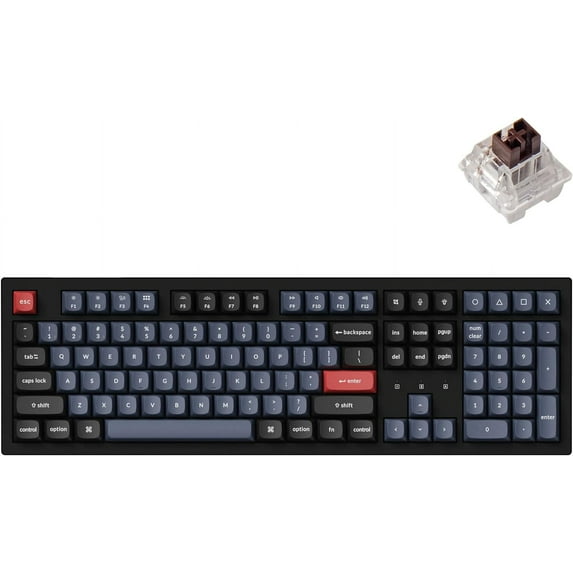
Keychron K10 Pro Wireless Custom Mechanical Keyboard, QMK/VIA Programmable Full-Size Bluetooth/Wired RGB Backlight with Hot-swappable Keychron K Pro Brown Switch Compatible with Mac Windows Linux
Key item features
- QMK/VIA Programmable: Keychron K10 Pro allows anyone to remap any key, and create macro commands, shortcuts, or combination keys through VIA. Simply connect the K10 Pro to your device with a cable, drag and drop your favorite keys or macro commands to remap any key you want on any system (macOS, Windows, or Linux). Note: User can remap a key on wired mode only. Once it's done, the keymap will work on both wireless and wired modes.
- Supports Wireless and Wired Mode: You can connect the K10 Pro with up to 3 devices wirelessly via its stable Broadcom Bluetooth 5.1 for seamless multitasking across your laptop, phone, and tablet. Switch among them swiftly, and it’s fully compatible with both Mac and Windows. The K10 Pro can last up to 100 hours (at lowest brightness) with a 4000 mAh big battery, which is one of the biggest in mechanical keyboards. It also has wired mode with USB Type-C connection.
- Hot-swappable Support: With the pre-lubed mechanical tactile brown switch providing unrivaled tactile responsiveness with up to 50 million keystroke lifespan. You can also hot-swap the K10 Pro with almost all of the 3pin and 5pin MX mechanical switches on the market (including Cherry, Gateron, Kailh, Panda, etc.) without soldering required. The PCB-mounted screw-in stabilizer for “big keys” such as space bar, shift, enter, and delete are designed for less wobbliness and smooth performance.
- Upgraded Typing Experience: The K10 Pro added sound-absorbing foam, a thick silicone dampening bottom pad, and steel plate provide responsive feedback and a peaceful typing sound. The south-facing RGB backlight is designed to better illuminate the keyboard backlight from the typist’s angle and it comes with double-shot PBT keycaps that aim to provide a more comfortable fingertip feel and excellent oil resistance.
Specs
- Keyboard techMechanical
- FeaturesCustomizable Keys
- WirelessY
- Computer keyboard typeStandard Keyboards
- BrandKeychron
- ColorBlack
How do you want your item?
About this item
Product details
QMK/VIA Programmable: Keychron K10 Pro allows anyone to remap any key, and create macro commands, shortcuts, or combination keys through VIA. Simply connect the K10 Pro to your device with a cable, drag and drop your favorite keys or macro commands to remap any key you want on any system (macOS, Windows, or Linux). Note: User can remap a key on wired mode only. Once it's done, the keymap will work on both wireless and wired modes.
Supports Wireless and Wired Mode: You can connect the K10 Pro with up to 3 devices wirelessly via its stable Broadcom Bluetooth 5.1 for seamless multitasking across your laptop, phone, and tablet. Switch among them swiftly, and it’s fully compatible with both Mac and Windows. The K10 Pro can last up to 100 hours (at lowest brightness) with a 4000 mAh big battery, which is one of the biggest in mechanical keyboards. It also has wired mode with USB Type-C connection.
Hot-swappable Support: With the pre-lubed mechanical tactile brown switch providing unrivaled tactile responsiveness with up to 50 million keystroke lifespan. You can also hot-swap the K10 Pro with almost all of the 3pin and 5pin MX mechanical switches on the market (including Cherry, Gateron, Kailh, Panda, etc.) without soldering required. The PCB-mounted screw-in stabilizer for “big keys” such as space bar, shift, enter, and delete are designed for less wobbliness and smooth performance.
Upgraded Typing Experience: The K10 Pro added sound-absorbing foam, a thick silicone dampening bottom pad, and steel plate provide responsive feedback and a peaceful typing sound. The south-facing RGB backlight is designed to better illuminate the keyboard backlight from the typist’s angle and it comes with double-shot PBT keycaps that aim to provide a more comfortable fingertip feel and excellent oil resistance.
- QMK/VIA Programmable: Keychron K10 Pro allows anyone to remap any key, and create macro commands, shortcuts, or combination keys through VIA. Simply connect the K10 Pro to your device with a cable, drag and drop your favorite keys or macro commands to remap any key you want on any system (macOS, Windows, or Linux). Note: User can remap a key on wired mode only. Once it's done, the keymap will work on both wireless and wired modes.
- Supports Wireless and Wired Mode: You can connect the K10 Pro with up to 3 devices wirelessly via its stable Broadcom Bluetooth 5.1 for seamless multitasking across your laptop, phone, and tablet. Switch among them swiftly, and it’s fully compatible with both Mac and Windows. The K10 Pro can last up to 100 hours (at lowest brightness) with a 4000 mAh big battery, which is one of the biggest in mechanical keyboards. It also has wired mode with USB Type-C connection.
- Hot-swappable Support: With the pre-lubed mechanical tactile brown switch providing unrivaled tactile responsiveness with up to 50 million keystroke lifespan. You can also hot-swap the K10 Pro with almost all of the 3pin and 5pin MX mechanical switches on the market (including Cherry, Gateron, Kailh, Panda, etc.) without soldering required. The PCB-mounted screw-in stabilizer for “big keys” such as space bar, shift, enter, and delete are designed for less wobbliness and smooth performance.
- Upgraded Typing Experience: The K10 Pro added sound-absorbing foam, a thick silicone dampening bottom pad, and steel plate provide responsive feedback and a peaceful typing sound. The south-facing RGB backlight is designed to better illuminate the keyboard backlight from the typist’s angle and it comes with double-shot PBT keycaps that aim to provide a more comfortable fingertip feel and excellent oil resistance.
Specifications
Keyboard tech
Features
Wireless
Computer keyboard type
Warranty
Warranty information
Please be aware that the warranty terms on items offered for sale by third party Marketplace sellers may differ from those displayed in this section (if any). To confirm warranty terms on an item offered for sale by a third party Marketplace seller, please use the 'Contact seller' feature on the third party Marketplace seller's information page and request the item's warranty terms prior to purchase.
Warranty url
Warnings
Ingestion Hazard
 WARNING: CA WARNING
Similar items you might like
Based on what customers bought
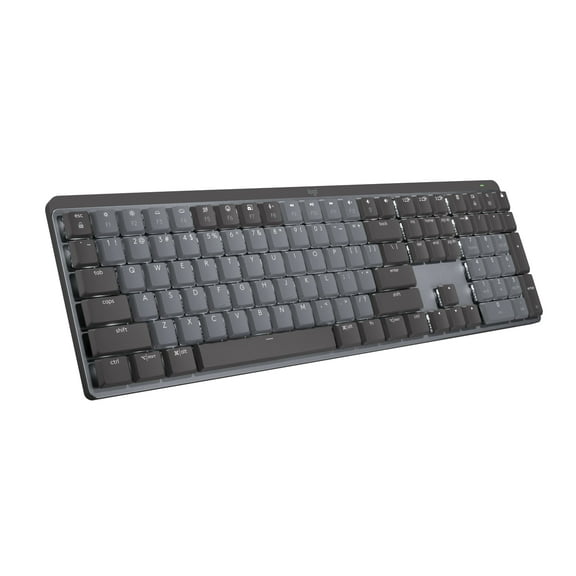
Open Box Logitech MX Mechanical Wireless Illuminated Performance Keyboard, Tactile Quiet Switches, Backlit Keys, Bluetooth, USB-C, macOS, Windows, Linux, iOS, Android, Metal, Graphite $149.95
 $14995current price $149.95
Open Box Logitech MX Mechanical Wireless Illuminated Performance Keyboard, Tactile Quiet Switches, Backlit Keys, Bluetooth, USB-C, macOS, Windows, Linux, iOS, Android, Metal, Graphite
3934.3 out of 5 Stars. 393 reviewsKeychron K10 Max Swappable RGB Backlight Banana Switch Wireless Mechanical Keyboard, Black $115.03
 $11503current price $115.03
Keychron K10 Max Swappable RGB Backlight Banana Switch Wireless Mechanical Keyboard, Black
Keychron V6 Max Wireless Custom Mechanical Keyboard, 2.4 GHz Bluetooth QMK Full Size RGB with Hot-Swappable Gateron Banana Switch for Mac Windows Linux $119.99
 $11999current price $119.99
Keychron V6 Max Wireless Custom Mechanical Keyboard, 2.4 GHz Bluetooth QMK Full Size RGB with Hot-Swappable Gateron Banana Switch for Mac Windows Linux
23 out of 5 Stars. 2 reviewsBest seller Wireless Keyboard with 7-Color RGB Backlit, Marvo Full-Size Computer Keyboard with Phone Tablet Holder, Rechargeable 2.4G Wireless Gaming Keyboard with Light up Keys, Compatible with Mac,Window,Black $19.59 Was $21.99
Best seller 2 optionsAvailable in additional 2 options$1959current price $19.59, Was $21.99$21.99
Wireless Keyboard with 7-Color RGB Backlit, Marvo Full-Size Computer Keyboard with Phone Tablet Holder, Rechargeable 2.4G Wireless Gaming Keyboard with Light up Keys, Compatible with Mac,Window,Black
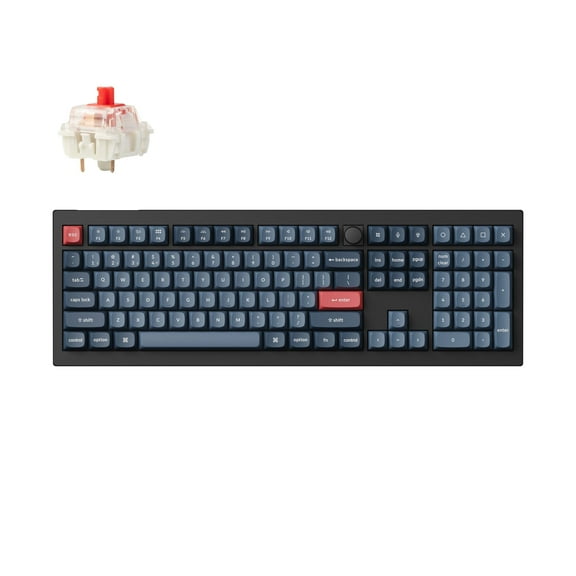
2504.3 out of 5 Stars. 250 reviewsKeychron V6 Max Wireless Custom Mechanical Keyboard, 2.4 GHz Bluetooth QMK Full-Size Layout RGB with Hot-swappable Gateron Red Switch Compatible with Mac Windows Linux $119.99
 $11999current price $119.99
Keychron V6 Max Wireless Custom Mechanical Keyboard, 2.4 GHz Bluetooth QMK Full-Size Layout RGB with Hot-swappable Gateron Red Switch Compatible with Mac Windows Linux
94.7 out of 5 Stars. 9 reviewsBest seller Logitech MX Mechanical Wireless Illuminated Performance Keyboard, Tactile Quiet Switches, Backlit Keys, Bluetooth, USB-C, macOS, Windows, Linux, iOS, Android, Metal, Graphite $149.00 Was $179.99
Best seller$14900current price $149.00, Was $179.99$179.99Logitech MX Mechanical Wireless Illuminated Performance Keyboard, Tactile Quiet Switches, Backlit Keys, Bluetooth, USB-C, macOS, Windows, Linux, iOS, Android, Metal, Graphite
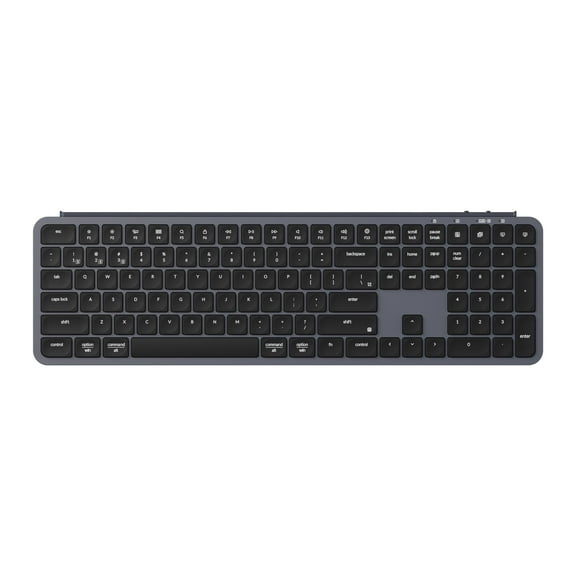
4274.2 out of 5 Stars. 427 reviewsKeychron B6 Pro 100% Layout Ultra-Slim Wireless Bluetooth 2.4 GHz/Wired Keyboard for Mac Windows Linux, Space Gray $44.99
 $4499current price $44.99
Keychron B6 Pro 100% Layout Ultra-Slim Wireless Bluetooth 2.4 GHz/Wired Keyboard for Mac Windows Linux, Space Gray
45 out of 5 Stars. 4 reviewsKeychron K10 Max Wireless Custom Mechanical Keyboard, QMK 2.4 GHz Bluetooth Full-Size with Hot-swappable Keychron Super Red Switch Compatible with Mac Windows Linux (RGB Backlit) $119.99
 $11999current price $119.99
Keychron K10 Max Wireless Custom Mechanical Keyboard, QMK 2.4 GHz Bluetooth Full-Size with Hot-swappable Keychron Super Red Switch Compatible with Mac Windows Linux (RGB Backlit)
14 out of 5 Stars. 1 reviewsKeychron B33 80% TKL Wireless Silent Keyboard, 2.4G/Bluetooth/Wired, for MacOS/Windows/Linux/, Black $34.99
 $3499current price $34.99
Keychron B33 80% TKL Wireless Silent Keyboard, 2.4G/Bluetooth/Wired, for MacOS/Windows/Linux/, Black
Keychron B1 Pro Ultra-Slim Wireless Bluetooth 2.4 GHz/Wired Keyboard for Mac Windows Linux Black $33.99 Was $39.99
 3 optionsAvailable in additional 3 options$3399current price $33.99, Was $39.99$39.99
Keychron B1 Pro Ultra-Slim Wireless Bluetooth 2.4 GHz/Wired Keyboard for Mac Windows Linux Black
94.7 out of 5 Stars. 9 reviewsKeychron B2 Pro 96% Layout Ultra-Slim Wireless Bluetooth 2.4 GHz/Wired Keyboard for Mac Windows Linux $39.99
 $3999current price $39.99
Keychron B2 Pro 96% Layout Ultra-Slim Wireless Bluetooth 2.4 GHz/Wired Keyboard for Mac Windows Linux
Keychron V3 Max TKL Wireless Mechanical Keyboard, QMK RGB Bluetooth/2.4 GHz/Wired, 87 Keys Hot-Swappable with Gateron Red Switch, Compatible with Mac Windows Linux $114.99
 $11499current price $114.99
Keychron V3 Max TKL Wireless Mechanical Keyboard, QMK RGB Bluetooth/2.4 GHz/Wired, 87 Keys Hot-Swappable with Gateron Red Switch, Compatible with Mac Windows Linux
44.8 out of 5 Stars. 4 reviewsBest seller Wagpak Large Print Backlit Keyboard - Wired USB Lighted Computer Keyboard for Laptops $21.99 Was $34.99
Best seller 3 optionsAvailable in additional 3 options$2199current price $21.99, Was $34.99$34.99
Wagpak Large Print Backlit Keyboard - Wired USB Lighted Computer Keyboard for Laptops
1754.2 out of 5 Stars. 175 reviewsLogitech MX Keys Mini Wireless Computer Keyboard, Backlit, Bluetooth, Pale Gray $79.39 Was $99.99
 $7939current price $79.39, Was $99.99$99.99
Logitech MX Keys Mini Wireless Computer Keyboard, Backlit, Bluetooth, Pale Gray
3484.4 out of 5 Stars. 348 reviewsBest seller Razer BlackWidow V3 Full Size Mechanical Gaming Keyboard for PC, Chroma RGB, Wrist Rest, Black $119.00 Was $139.00
Best seller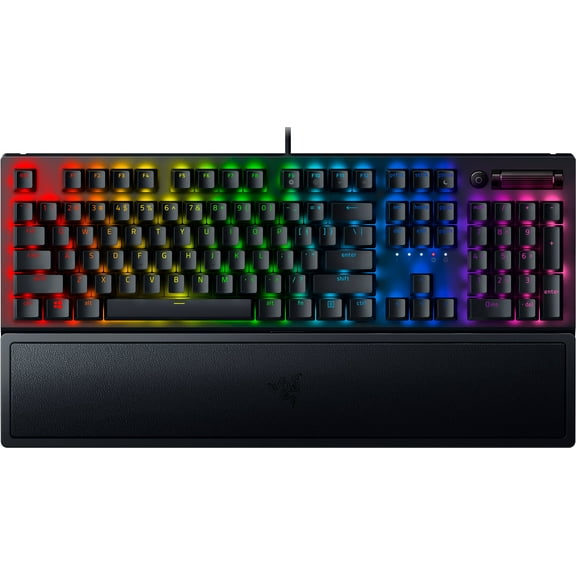 3 optionsAvailable in additional 3 options$11900current price $119.00, Was $139.00$139.00
Razer BlackWidow V3 Full Size Mechanical Gaming Keyboard for PC, Chroma RGB, Wrist Rest, Black
2434.7 out of 5 Stars. 243 reviewsLogitech MX Keys S Master Keyboard - Wireless Connectivity - Bluetooth - 32.81 ft - USB Interface - Windows 10, Windows 11, macOS 10.15, ChromeOS, Linux, iPadOS 14, Android 8.0 - English - Notebook... $109.99
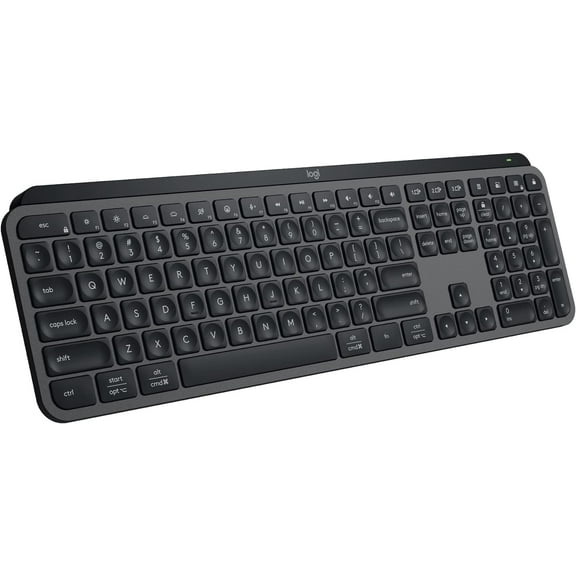 $10999current price $109.99
Logitech MX Keys S Master Keyboard - Wireless Connectivity - Bluetooth - 32.81 ft - USB Interface - Windows 10, Windows 11, macOS 10.15, ChromeOS, Linux, iPadOS 14, Android 8.0 - English - Notebook...
714.6 out of 5 Stars. 71 reviewsKeychron K3M-H1 K3 Max QMK VIA WL 75 Percent Custom Low Profile Gateron Wireless RGB Mechanical Keyboard with Red Switch, Black $122.11
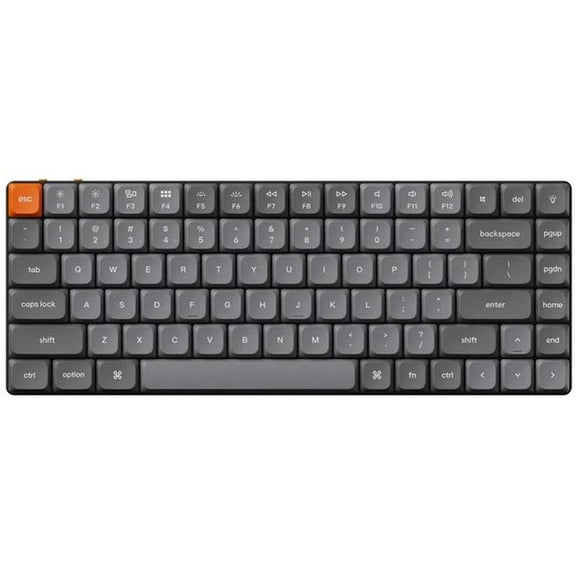 $12211current price $122.11
Keychron K3M-H1 K3 Max QMK VIA WL 75 Percent Custom Low Profile Gateron Wireless RGB Mechanical Keyboard with Red Switch, Black
LTC Nimbleback NB1041 PRO Wireless Mechanical Keyboard w/Display Screen & Knob, 2.4Ghz/ BT/USB-C Wired RGB 104 Keys Creamy Keyboard, 3-Layer Foam, Hot Swappable PCB, Software Support, Red Switch $99.99
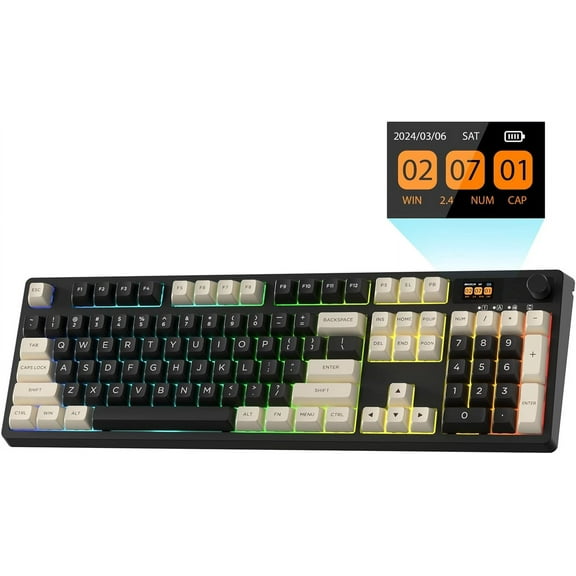 $9999current price $99.99
LTC Nimbleback NB1041 PRO Wireless Mechanical Keyboard w/Display Screen & Knob, 2.4Ghz/ BT/USB-C Wired RGB 104 Keys Creamy Keyboard, 3-Layer Foam, Hot Swappable PCB, Software Support, Red Switch
Keychron C1 Pro 8K QMK Wired RGB Hot Swappable Custom Mechanical Keyboard TKL, Banana Switch $54.99
 3 optionsAvailable in additional 3 options$5499current price $54.99
Keychron C1 Pro 8K QMK Wired RGB Hot Swappable Custom Mechanical Keyboard TKL, Banana Switch
35 out of 5 Stars. 3 reviewsZUOYA GMK26 QMK/VIA Gasket Number Pad Bluetooth 5.0/2.4ghz/Wired Hot Swappable Numpad Programmable for Win/Mac $80.00
 $8000current price $80.00
ZUOYA GMK26 QMK/VIA Gasket Number Pad Bluetooth 5.0/2.4ghz/Wired Hot Swappable Numpad Programmable for Win/Mac
Customer ratings & reviews
Filtered and sorted results would be available on the new 'Customer ratings & reviews' page.
Showing 1-3 of 11 reviews
Amazing first mechanical keyboard
I can't believe the quality and feel. I'm a work from home office worker always typing for work. This was worth every penny for the improved feel. I do a little gaming but mostly productivity. What's great: - I love the weight and keyfeel. I got the brown switches. I didn't know a keyboard could be like this. - Detachable cable is nice so I can use wireless - Battery life - Keycap material and feel What could be better: - I'd prefer a dedicated media volume or scrolling wheel - I wish the key caps were a little see through so I could type in the dark and see the keys
Awesome keyboard
I bought this to complement my Cherry wired keyboard that I use for work. This has ended up completely replacing the other keyboard because of it's usefulness. I bought the RGB-B version with the Red key switches. I first found out about the keyboard on 2-8 and ordered 2-10. It arrived 2-15 a day earlier than I was expecting. Pros: - I like that I can attach it to my work and personal laptop. It also pairs with my Apple TV so I can actually type to search on my TV. And since it's a quick key combo to switch devices, I can be working on my work laptop, switch to the TV to search for a movie, and then switch back to my work keyboard. - Relatively quiet, though the death glares from my wife would indicate it's noisier than the Cherry keyboard I replaced (used Silent MX Switches). Minor because unlike the Cherry keyboard, I can simply replace the switches as this is hot-swappable. This feature also allows me to switch out certain keys for more tactile keys like the Caps-Lock key. - Keyboard has some heft to it. Some people may dislike a heavy keyboard (especially a wireless one), but I like the heavy, sturdy feel of this keyboard. - I like the shape and styling of the key caps. Has a sort of retro feel. Also really like the red accent keys for Esc and Enter. - Supports VIA out of the box which makes it pretty much drag and drop to reconfigure the keyboard. I really like that I can still reconfigure the keyboard even from my locked down work laptop. And once it's programmed, I can switch between any device quickly and simply and still have my programmed macros. - Not related to the keyboard, but related to Keychron as a company: I found the keyboard on 2-8 and emailed them late in the evening around 9pm to ask some questions. It took 20 minutes to receive an informative response to my questions. It is hard to receive that kind of response to questions from a lot of companies and I was very impressed by how fast they responded. In addition, from the date I ordered until I received the item only took 5 days (4 if you consider I ordered very late in the evening on the 10th). Cons - The keys are not shine through key caps. I didn't realize that when I bought it and found it out while trying to game at night. Although I could make out the keys, It was difficult to determine which keys are which. Not a complete deal breaker, but would have been nicer to have shine through keys. - There are few extra key caps included. Keyboard came configured for MacOS and included 2 windows keys and 2 Alt keys. No other key caps were included. Would be nice to at least get a few alternative key caps to have to choose from. - This is EXTREMELY minor as I'm sure it will be rectified soon, but the VIA profile has not been updated in VIA yet so every time I want to reconfigure the keyboard, I have to re-import the keyboard definition file into VIA. I was unaware until today (2-17-2023) that this was released very early this month, so I'm assuming it just hasn't been updated yet. I have not seen any pull requests yet to add it, however. Overall, this keyboard has exceeded my expectations. There are a couple things I would like to change like the switches and key caps, but they are all easily replaced. I like that I am no longer tethered to my computer as well. I also would love to have the ability to replace the four shape keys with encoders like on the Q6 keyboard. It would also be nice if the metal case options that are available for the Q6 was available for the K10 Pro, but I'm guessing it's because metal might interfere with the wireless signal.
It has almost everything i wanted
I've got the version with White Backlight thanks to my own mistake, but its fine, i still LOVE IT. Initially, it caught my eye mainly because of the design. The color scheme and shape of the keycaps... it has the right combination of light retro look and modern feel. And not only does it look good, but it also feels well made, sturdy, and practical. I have only a few, very minor things to nitpick about, and most (if not all) are just a thing of preference... 1.) The cable is short (~1m?) I don't think the length of the cable is mentioned in the specs, unless i somehow missed it. The cable is only slightly over 1 meter long, which is rather short, but ultimately, it depends on your setup AND whether you even want to use it (except for charging while not using the board). 2.) About the little surface LED There is one thing that should be made clear in the specs/description. The three little surface LEDs, located above the arrow keys, are NOT status indicators for Num/Scroll/Caps lock as one might think (which is exactly what i thought, and it played a significant role in my decision whether to get this board, or some other). The first LED from left, is a battery charge indicator (green when fully charged, red when low or low and charging?, and yellow when.. just low? something like that). The LED in the middle, is a Bluetooth connection indicator - Off or it shines blue when BT is On. The LED on the right, is a Caps lock status indicator - Off or it shines blue if the Caps lock is On. It is also worth mentioning, that the first LED (the battery/charging indicator), cannot be completely controlled via QMK (according to what i was told in KC Discord, and what i discerned myself while tinkering with the QMK source code). It is always ON (only changes color), which can be a bit annoying if like me, you are used to seeing these kind of keyboard LED lit up only when some *lock key is ON, resulting in frequently recurring split-second confusion until you realize "oh, its just the charging LED". You do not even have means to switch it OFF via QMK, you can only make it look yellow (which works only while it is currently shining green and you set a BAT_LOW_LED_PIN to its ON state). I was hoping to hijack this LED, and use it as a Num lock indicator, and use other means to show the battery/charging status (lighting up number of backlight LED in the number row, depending on how many % the battery has, when certain key combination is pressed). So, unfortunately, the best you can do here is to have it indicate Num lock On state by a yellow color, but that will work ONLY if the battery is fully charged making the LED shine green (if you use only cable, not BT wirelss, then that would be almost always true, but who does that, right? :)). Good news is, you do have full QMK control over the Caps lock indicator LED, and over the Bluetooth LED - so if desired, you can hijack that one to use as a Scroll lock indicator (provided, you can live without a BT indicator). 3.) About the weight This is purely a thing of preference. Some people will like it, some won't, some may simply not care. It is no secret that the fully assembled board weighs ~1.478 Kg (~3.258 pounds), but if you are new to this and mostly used to some generic cheap membrane keyboards which weigh WAY LESS, you may find this one surprisingly heavy. I would argue, that most people who are new to this, can read about the weight hundred times, but until they actually get their hands on this or similarly heavier board, they probably have no idea what that number really means. I am used to often slightly push the keyboard around, adjusting its position ever so slightly by pushing on the keys from one side or the other, and i immediately realized i need to get rid of this habit, unless i want to risk probably destroying the key caps or switches over time by doing this. So, as far as i am concerned, the weight does get in the way - but that's just me, your mileage will vary. 4.) About the sound and feel I got the fully assembled, White backlight version, with Keychron K Pro Red switches. This is obviously a completely subjective topic, so i can only say that I find the sound pleasant, even if a bit too "loud" for MY taste (i prefer silence more than a specific sound, so don't read this as "OMG this board is so loud!", but like other mechanical keyboards not designed to be silent out of the box, you probably want at least some silent switches if you want to use this in an office you share with other people). I find the typing smooth, but my opinion has probably very little worth, because i am new to mechanical keyboards in general, so what the hell do i know. Sometimes, rather rarely, i do press some keys unintentionally, but i think i will get used to it soon, and i think i might prefer even lighter switches but with slightly longer reaction. That's all i can think of right now.
