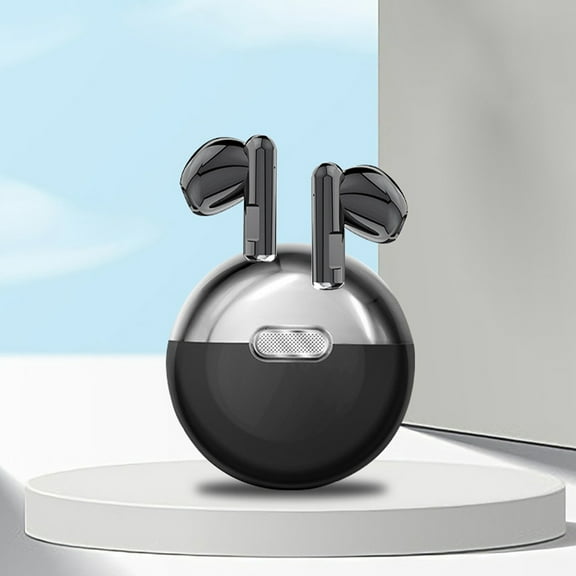
M-U8 Bluetooth 5.0Headset Wireless Earphones Mini Earbuds Stereo Headphones
Features:
9D surround sound, 5.0dual-ear chip, large capacity, true wireless Bluetooth headset.
Graphene bass diaphragm, HIFI high-frequency technology, 10MM speaker unit.
HD call, 5.0 automatic boot pairing, built-in active noise reduction IC.
Functions: one-button operation, high-definition call, play pause, hang up, summon, volume adjustment, songs, power on, power on, automatic pairing, intelligent noise reduction, no delay in the game.
Light and wear: the use of high-polymer composite headphone, both metal-like dazzling light, but also can achieve non-inductive wear!
Product Description:
Hot point :
1. Noise Canceling, 9D Stereo surround Sound
2. Bluetooth version: 5.0
3. Connection distance: 10 meters
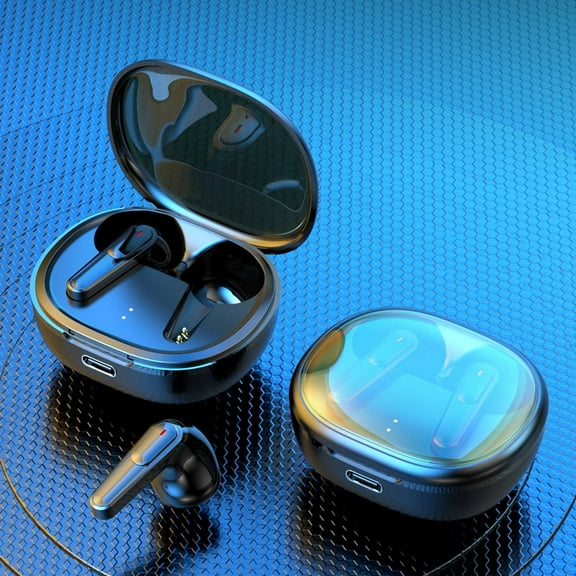
4. LED display function, you can directly understand the power and charging situation
5. Bluetooth V5.0, support automatic pairing and most Bluetooth devices
6. Ultra-mini body for a comfortable wearing experience
7. Function: HIFI sound quality. Volume adjustment, emergency mobile power, binaural calls,
Automatic interconnection, memory matching, intelligent noise reduction
Product parameters:
Model: m-u8
Style: true wireless Bluetooth headset
Transmission distance: 10M
Bluetooth: 5.0 Bluetooth
Call duration: 4-8 hours
Charging time: 1 hour
Support protocol: A2DP / AVRCP / HFP / HSP
Cumulative playback: 150h
Operating instructions for Bluetooth headset
Question 1: how to connect the headset receiving it?
Binaural connection:
1. removing the two earphones from the charging compartment at the same time, the red and blue lights of the two earphones will flash alternately. When one earphone is no longer flashing, the red and blue light of one headset will flash. At this time, the interconnection of the two ears is successful.
2. Open the mobile phone Bluetooth to search for the Bluetooth name "m-u8"
3 Click Bluetooth name m-u8 to connect to use binaural stereo.
Single ear connection:
1 open the charging compartment and take out the single headset. At this time, the headset will automatically turn on and red and blue flashing lights.
2. Open the Bluetooth search and click Connect
Question 2 how to charge the headset & charging cabin?
Headphone charging: 1. The headset will be charged automatically when put into the charging compartment
2. The red light of headset charging is on, and it is off when full
Charging in charging chamber: LED display screen of charging cabin shows that the headset is fully charged and displays
Package includes:
Earphone * 2,
ear cap * 4,
charging cable * 1,



 WARNING: