

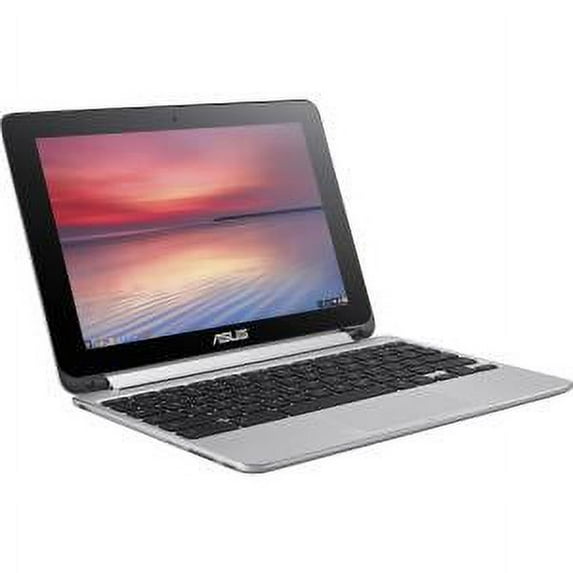
ASUS C100PA-DB02 10.1" Touchscreen Flip Chromebook PC 1.80 GHz 4 GB RAM 16GB SSD
Key item features
Specs
- BrandASUS
- Proc. brandRockchip
- ProcessorRockchip RK3288
- OSChrome OS
- RAM memory4 GB
- Screen size10.1 in
How do you want your item?
About this item
Product details
Specifications
Brand
Proc. brand
Processor
OS
Warranty
Warranty information
Similar items you might like
Based on what customers bought
Best seller Lenovo 300e Touchscreen Chromebook 2 in 1 Intel CPU 4GB RAM 32GB SSD $61.99
Best seller $6199current price $61.99
Lenovo 300e Touchscreen Chromebook 2 in 1 Intel CPU 4GB RAM 32GB SSD
3273.8 out of 5 Stars. 327 reviewsAsus Chromebook CX22NA 11.6'' - Intel Celeron N3350 - 4GB RAM 16GB Storage - ChromeOS - Gray $59.99
 $5999current price $59.99
Asus Chromebook CX22NA 11.6'' - Intel Celeron N3350 - 4GB RAM 16GB Storage - ChromeOS - Gray
ASUS - CX14 14" FHD Chromebook Plus Laptop with Google AI - Intel Core 3 - 8GB Memory - 128GB eMMC - Misty Grey $379.00
 $37900current price $379.00
ASUS - CX14 14" FHD Chromebook Plus Laptop with Google AI - Intel Core 3 - 8GB Memory - 128GB eMMC - Misty Grey
64.3 out of 5 Stars. 6 reviewsMP11 - Lenovo N21 11.6" LED Chromebook Intel Celeron 2.16GHz Dual Core 4GB 16GB SSD $69.99
 $6999current price $69.99
MP11 - Lenovo N21 11.6" LED Chromebook Intel Celeron 2.16GHz Dual Core 4GB 16GB SSD
23 out of 5 Stars. 2 reviews2017 Acer Chromebook Spin 11 R751T 11.6" Celeron 1.1GHz 4GB RAM 32GB SSD $56.99
 $5699current price $56.99
2017 Acer Chromebook Spin 11 R751T 11.6" Celeron 1.1GHz 4GB RAM 32GB SSD
763.7 out of 5 Stars. 76 reviewsLenovo 100E 2nd Gen Chromebook, 11.6 HD Display, Chrome OS, 4 GB Memory, 32G, AMD A4-9120C Fast Processor, 82CD0000US $59.99
 $5999current price $59.99
Lenovo 100E 2nd Gen Chromebook, 11.6 HD Display, Chrome OS, 4 GB Memory, 32G, AMD A4-9120C Fast Processor, 82CD0000US
133.9 out of 5 Stars. 13 reviewsAsus Chromebook C214M 2 IN 1. 11.6'' - Intel Celeron N4000 - 4GB RAM 32GB Storage - ChromeOS - Gray $70.99
 $7099current price $70.99
Asus Chromebook C214M 2 IN 1. 11.6'' - Intel Celeron N4000 - 4GB RAM 32GB Storage - ChromeOS - Gray
Lenovo Chromebook 100e 11.6" Celeron N3350 1.1GHz 4GB RAM 64GB SSD - Black $55.99
 $5599current price $55.99
Lenovo Chromebook 100e 11.6" Celeron N3350 1.1GHz 4GB RAM 64GB SSD - Black
423.3 out of 5 Stars. 42 reviewsLenovo N21 11.6" Chromebook Intel Celeron N2840 (2.16 GHz) 2 GB Memory 16 GB SSD Chrome OS $89.99
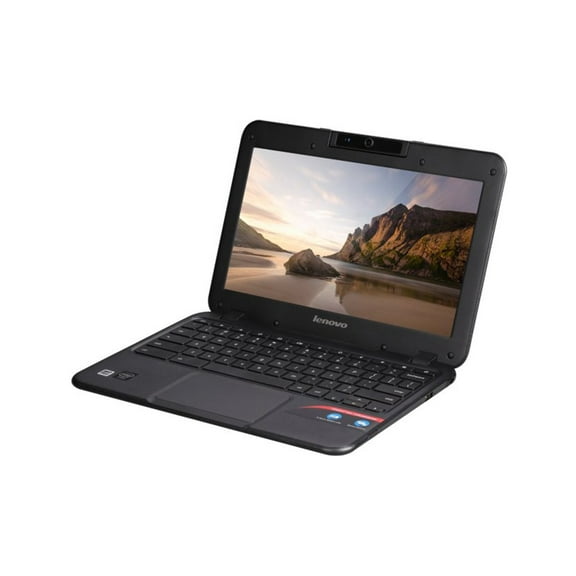 $8999current price $89.99
Lenovo N21 11.6" Chromebook Intel Celeron N2840 (2.16 GHz) 2 GB Memory 16 GB SSD Chrome OS
203.7 out of 5 Stars. 20 reviewsOpen Box ASUS Chromebook CX1 14 inch FHD Laptop Intel Celeron N4500 4GB RAM 128GB eMMC Silver $119.88
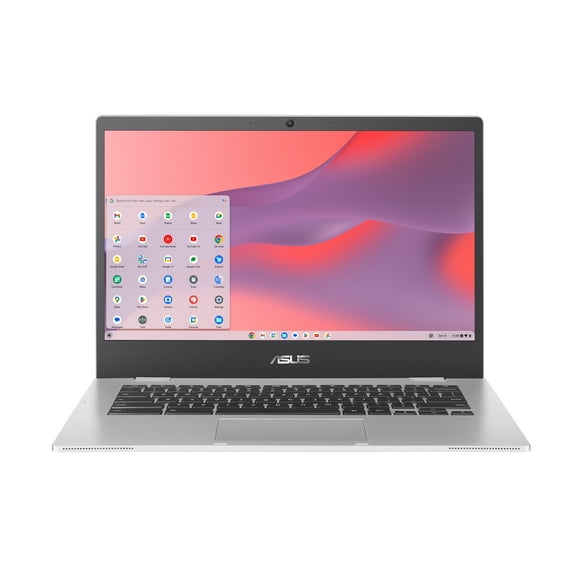 $11988current price $119.88
Open Box ASUS Chromebook CX1 14 inch FHD Laptop Intel Celeron N4500 4GB RAM 128GB eMMC Silver
2454.5 out of 5 Stars. 245 reviewsAsus Chromebook C214M 2 IN 1. 11.6'' - Intel Celeron N4000 - 4GB RAM 32GB Storage - ChromeOS - Gray $70.99
$7099current price $70.99Asus Chromebook C214M 2 IN 1. 11.6'' - Intel Celeron N4000 - 4GB RAM 32GB Storage - ChromeOS - Gray
15 out of 5 Stars. 1 reviewsAsus Chromebook C202SA-YS02 Intel Celeron N3060 1.6GHz 4GB RAM 16GB SSD, Blue(Scratch and Dent) $48.98
 $4898current price $48.98
Asus Chromebook C202SA-YS02 Intel Celeron N3060 1.6GHz 4GB RAM 16GB SSD, Blue(Scratch and Dent)
583.8 out of 5 Stars. 58 reviewsAsus Chromebook CX22NA 11.6'' - Intel Celeron N3350 - 4GB RAM 16GB Storage - ChromeOS - Gray $64.99
$6499current price $64.99Asus Chromebook CX22NA 11.6'' - Intel Celeron N3350 - 4GB RAM 16GB Storage - ChromeOS - Gray
Asus Chromebook C214M 2 IN 1. 11.6'' - Intel Celeron N4000 - 4GB RAM 32GB Storage - ChromeOS - Gray $70.99
$7099current price $70.99Asus Chromebook C214M 2 IN 1. 11.6'' - Intel Celeron N4000 - 4GB RAM 32GB Storage - ChromeOS - Gray
HP Chromebook 11 G5 11" Google Chromebook, 1.60 GHz Intel Celeron, Laptop, 4GB DDR3 RAM, 16GB SSD, Chrome OS $54.99
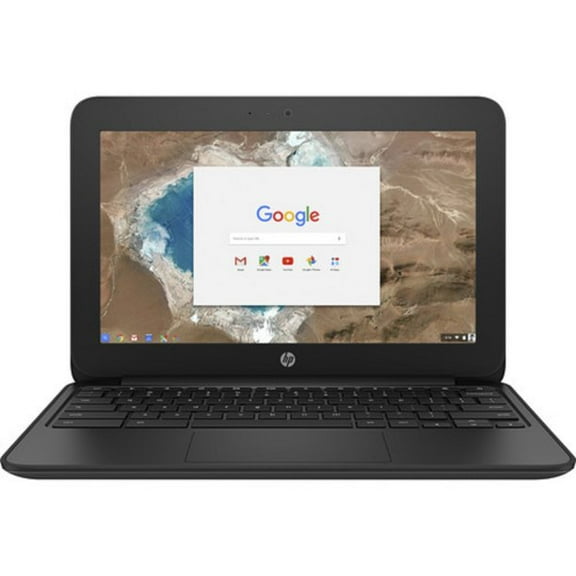 $5499current price $54.99
HP Chromebook 11 G5 11" Google Chromebook, 1.60 GHz Intel Celeron, Laptop, 4GB DDR3 RAM, 16GB SSD, Chrome OS
993.8 out of 5 Stars. 99 reviewsAsus Zenbook 14 OLED 14" Touchscreen Laptop, AMD Ryzen AI 7 350, 16GB RAM, 1TB SSD, Windows 11 Home, UM3406KA-PS76T $1,330.49
 $1,33049current price $1,330.49
Asus Zenbook 14 OLED 14" Touchscreen Laptop, AMD Ryzen AI 7 350, 16GB RAM, 1TB SSD, Windows 11 Home, UM3406KA-PS76T
Asus Chromebook C214M 2 IN 1. 11.6'' - Intel Celeron N4000 - 4GB RAM 32GB Storage - ChromeOS - Gray $70.99
$7099current price $70.99Asus Chromebook C214M 2 IN 1. 11.6'' - Intel Celeron N4000 - 4GB RAM 32GB Storage - ChromeOS - Gray
Customer ratings & reviews
Customer photos

Showing 1-3 of 21 reviews
Great for college!
I would highly recommend this Chromebook. I got this computer for my daughter because I loved the bright display, long battery life, and the price! Since my daughter is 17 and starting college in a couple of months, she needed a light weight computer with a lot of storage, and the 16GB hard drive is perfect for storing her word documents, powerpoints, excel spreadsheets, and pictures. The computer is definitely light enough that she can bike across campus with ease. My daughter loves to make movies and the touchscreen comes in handy for editing her videos. Also, the high resolution of this Chromebook makes her movies look super vivid and crisp. Since her school recommends to use gmail and google chrome, this computer works perfectly for her. Her favorite part about this Chromebook is definitely the fact that it can flip around and turn into a tablet because she can edit photographs, play games, and watch Netflix on the go. Overall, this Chromebook is super easy to use, compatible, sleek, and fun! My daughter loves it and I am extremely happy with the experience.
A unique and inexpensive option for a Laptop
I never even knew what a Chromebook or Android was until I got this for my 8 year old daughter to use. She has been asking for a “laptop” since all the older kids have one and she really wanted her own device mainly to access the internet to play games with a keyboard and browse You Tube videos. I didn't want to spend the money for a laptop and little did I know a device like this existed. Here are some simple definitions to start off: Chromebook= A laptop running Chrome OS as its operating system. The chromebook is designed to be used primarily while connected to the internet and most applications and data live online in the cloud (Google drive). Chrome operating system- Googles operating system designed to mainly let you browse the web so it won't take up much memory and will be faster and easier to use. Android= mobile operating system developed by Google for creating apps and games used on smartphones and tablet computers Here are all the great features that I love about this Chromebook: -Easy to use. You just have to connect to Wi-Fi and sign in with your gmail account. I couldn't believe that the instructions were just a few lines on 1 page of a small manual. They don't include documentation about other features such as the apps so they encourage you to go to google store online to research. -Operation. Starts up very fast- only takes a few seconds. The screen is crisp with vivid colors. (The 2.10” ips display makes it a nicer display). The speakers have good sound. Compact, Lightweight and Durable- The chromebook weighs only 2 lbs. It is easy to carry around and is sturdy (the case is all metal). -Long battery life. You can get 8-10 hours of use between charges -Keyboard and Touchscreen. You can use it like a traditional laptop with the keyboard or it can fold in half (flips 360 degrees) to be a tablet (looks similar to an iPad). It easily moves from tablet mode to keyboard mode with the windows going full screen when the keyboard flips backward. (Keyboard disables when in tablet mode.) Touchscreen and keyboard are responsive so you don't have to press down hard. There is an icon on the bottom right corner to switch between windows. You just tap on the screen to start typing and you will get an onscreen keyboard. You can also use handwriting to type with fingers or stylus. (Real time handwriting recognition is server based so need to be online to do this). There is also voice typing so you can either dictate into your document or say commands. -Everything is stored in the cloud. Photos, music and documents are stored safely in the cloud (Google Drive) so you don't have to worry about losing them -Updates are automatic. Very easy maintenance since the latest features are automatically there each time you open your chromebook so you don't have to worry about downloading them AND the latest virus protection is already built-in and updated for you. No downloading any updates to the software! -Easy access. You can access your files and photos on your Chromebook from anywhere just by logging into your gmail account. -Share your Chromebook. This is great for school work where many teachers are now requiring their students to do their homework using apps on Chromebook operating system such as Google Docs. -Apps. The most commonly used apps are already built into the chromebook (see picture). All you have to do is click on the search icon on the bottom left corner and select the “All Apps” link. It has everything from Chrome (browser for surfing the web), Google Docs (similar to Word docs), Google Sheets (similar to excel), Google Calendar (automatically added from your gmail account), Chrome Web Store (to browse or search for Apps, Games and more), Google Play (listen to free curated radio or listen to music from your iTunes library). This Chrome store is easier to navigate than the Apple Ap Store. The experience seems much simpler and more intuitive to use. You can also download apps including free apps such as Google Hangout (video chat) and Awwapp.com (Drawing app). Since all your documents are saved to the cloud there is no files to worry about saving or backing up. -Parental Control. I haven't tried this yet but apparently Google provides an integrated parental control in Chrome to allow you control you kids' Chrome browser usage or to lock down their usage BUT you have to create a separate Chrome user profiles for your kids and then manage this on your account. -Camera. I was surprised to learn that this laptop had a Camera with features such as filters, mirroring, timer and taking multi-shots, Overall, my 8 year old daughter loves this laptop as it gives her everything she needs to have fun and play games online or watch videos/movies and listen to music. Since she is only in 2nd grade the only homework assignment they have is to go on specific educational websites to do optional enrichment programs. It will also be beneficial for her to do other school work once she is old enough to start getting online assignments especially since they will probably require apps that are already built into this computer. I love that the price of this chromebook is a fraction of the price of a laptop and it's lightweight and durable for her to carry around with her. It also doesn't heat up like many laptops do with extended usage. Love! Love! #Parent2Parent
Fine product, great value
Excellent alternative to higher priced hybrids (laptop+tablet) for "casual computing" where all you need is your browser. All things web with no maintenance, files to worry about saving/backing up, etc. Has the benefit of a keyboard when a touchscreen is annoying, but also can be used in quasi-tablet mode, with the keyboard serving as a built-in stand. Some have said the keyboard is too small, but it has to fit the device and for its size it's quite usable. Screen is crisp with fairly vivid colors, with sufficient resolution for most casual web surfing. The only knock is that the screen surface is a bit shiny, which can cause glare in certain lighting conditions. Surprisingly well-made for the price, this is a great deal. Highly recommended.
