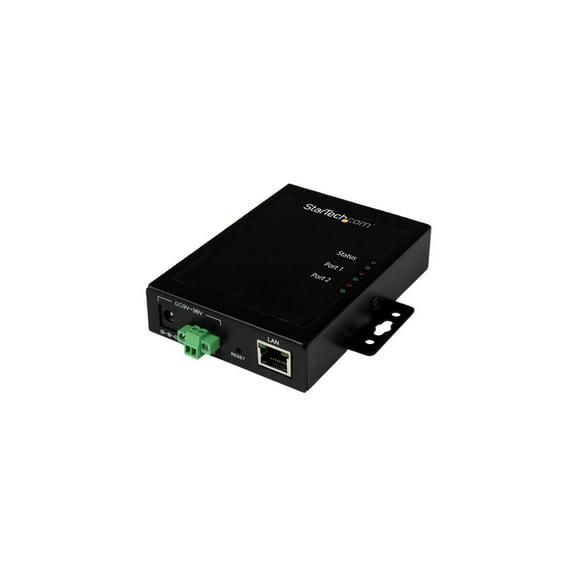
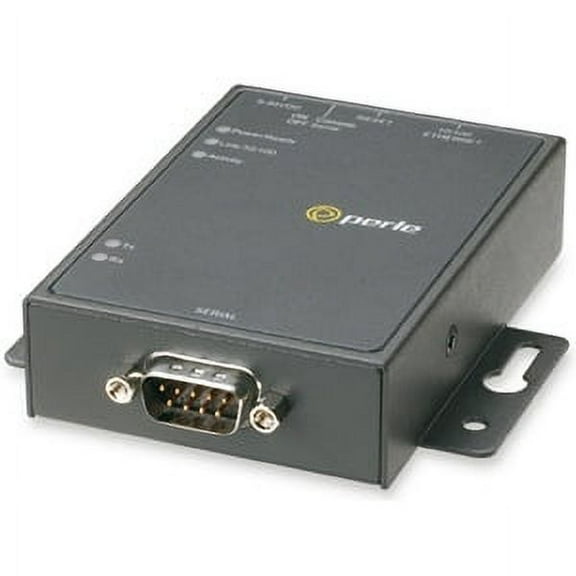
StarTech.com 1 Port RS-232 Serial to IP Ethernet Device Server, DIN Rail Mountable
Hero image 0 of StarTech.com 1 Port RS-232 Serial to IP Ethernet Device Server, DIN Rail Mountable, 0 of 4

StarTech.com 1 Port RS-232 Serial to IP Ethernet Device Server, DIN Rail Mountable

|7 ratings

Key item features

  • StarTech.com 1 Port RS-232 Serial to IP Ethernet Device Server, DIN Rail Mountable
  • StarTech.com 1 Port RS-232 Serial to IP Ethernet Device Server, DIN Rail Mountable
  • StarTech.com 1 Port RS-232 Serial to IP Ethernet Device Server, DIN Rail Mountable
Current price is $84.72$84.72/count
Price when purchased online
Out of stock

How do you want your item?

How do you want your item?
Out of stock
Report an issue with this seller

About this item

Product details

Specifications

Warranty

Warnings

Customer ratings & reviews

2.4 out of 5 stars
stars7 ratings7 reviews
How item rating is calculated
Filtered and sorted results would be available on the new 'Customer ratings & reviews' page.
Sort by |

Showing 1-3 of 7 reviews

Dec 29, 2021
parbo
5 out of 5 stars review

Works great, Tough to configure

This port server is rock solid once it is set up properly. The manual is not helpful in this area, but a little refresher on all the RS-232 settings and you should be good to go. The problem is that most all configuration options are available which makes the device flexible but also can be confusing with too many options. Also, this comes with a downloadable driver/interface, so you don't need to purchase any 3rd party software to spoof a port and connect to the device on the network.

Review from startech.com
Helpful?33PB0KZTOD3B39137821
Jul 25, 2023
AO57
4 out of 5 stars review

Good product; bad documentation

This piece of kit works well in a lab environment to connect a serial balance to the network; however, setup consisted largely of me working out how to set up the product in the first place. The manual is wholly inadequate, but the product itself works well. A couple of pointers for people struggling to set up their own one: -Download VCOM. It's available under 'Drivers & Downloads' on this page. -Connect the product to your PC directly, using an ethernet cable. Ensure it is powered on. -On your PC, go to Network & Internet > Change adapter options > Ethernet > Properties > IPv4 > Manual Settings -Set your own IP to 192.168.1.70, subnet to 255.255.255.0, gateway to 192.168.1.1 -Open VCOM, hit Search -Select your device, click configure, use admin + 00000 -Set desired settings for whatever you're going to be hooking the product up to (recommend disabling CLI and Telnet). -Press 'OK' at the bottom of the list and wait a minute. -Go back to Network & Internet and MAKE SURE you set it back to Automatically assign IP Address under IPV4. -Plug out the product from your PC and connect it to whatever you want to use it for. Hope this helps!

Review from startech.com
Helpful?33PB0KZTOD3B39137821
Aug 10, 2015
JoSkBe
2 out of 5 stars review

Does What It Is Supposed to I Think...

I have been testing this device in a lab scenario. I agree with the other review that the manual is a joke. It tells you how to mount the device to a rack and install the software, but nothing about what features the NETRS232 offers or what the settings/configurations do. This device has some cool features, but features that will go unused due to the lack of supporting documentation. The manual available under the support tab is the same useless manual. This is typically not an issue due to all the supporting documentation that can be found on the web, however all links I have found for this device direct me back to the original manual. Besides the manual I am having an issue when trying to gain access to a Cisco Catalyst switch. I can access the switch remotely, however the server is sending extra commands that are messing with communications. For example, ever time I enter a command it repeats the line. I can't even do a full show run, it cuts the output off after the first page due to it sending extra messages... I have tried to correct said issue via trial and error due to the lack of manual/online supporting documentation.

Review from startech.com
Helpful?33PB0KZTOD3B39137821
reply from Supplier Response

Dear JoSkBe, Thank you for reviewing our NETRS232 Serial to IP Ethernet Device Server. We also appreciate your feedback regarding our manual; we are frequently trying to update and improve our documentation, and feedback such as this is very helpful. It seems your Cisco switch is configured in a manner so that messages are displayed on the console as soon as they are produced, often appearing in the middle of command input and output. Please try entering the “logging synchronous” global configuration command on your switch, as this will alter the display of these messages to the console. When this command is enabled, messages will only appear after you press Return. We're always here to help with our free lifetime technical support. If this didn't resolve your issue please feel free to contact us any time and be sure to reference case # 303-264607. You can also respond here and we will be sure to follow up! Customer Support StarTech.com http://www.startech.com/techsupport