

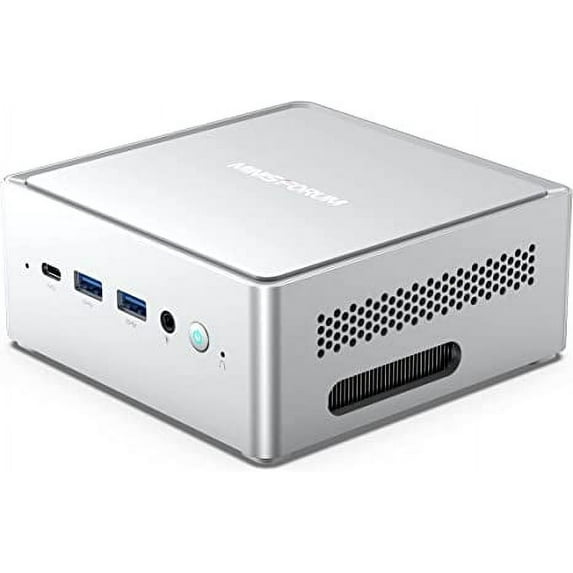
Mini PC NPB7 Windows 11 Intel Core i7-13700H Processor up to 5.0 GHz 16GB RAM DDR4 512GB PCIe4.0 SSD Dual 2.5 G RJ45 LAN Mini Desktop Computer
Key item features
- 【Excellent Performance】The MINISFORUM NPB6 Mini PC is equipped with Core i7-13700H(14 cores/20 threads/up to 5.0GHz) Processor. With Intel UHD Graphics (the graphics frequency up to 1.40GHz), it offers an excellent performance of Internet and Office applications, Monitors, Projects and TVs.
- 【4K Quad Screen Output】 This i7 Mini PC is Equipped with 2x HDMI (4K@60Hz) and 2x USB-C (4K@60Hz) Outputs, you can connect ultra HD screens to 4 displays at the same time. Increase work efficiency by expanding multiple workspaces. It can be used for various applications such as video wall systems, digital signage, professional AV systems, and security fields.
- 【Large and Expandable Capacity】This Mini Computer comes with DDR5 8/16GBx2 memory(up to 64GB) + M.2 2280 512GB PCIe 4.0 SSD storage (up to 2TB). It supports ultra-high speed PCIe 4.0 SSD, the read and write speed is about 4 times faster than SATA SSD, the operating system and games will run faster. It also equipped with one 2.5-inch SATA HDD (SATA 3.0 6.0Gb/s) slots, you can easily store movies/digital camera photos without worrying about running out of space.
- 【2.5G RJ45 Port】 With 2.5Gbps dual LAN ports, it expands its functions and improved performance of computer to a large extent and allow you to use more networks such as software routers (OpenWRT / DD-WRT / Tomato etc.), firewalls, NAT, network isolation etc. 2.5Gbps LAN is applied in various scenes such as homes, offices, large enterprises, high-speed applications, and high-speed broadband environments. Measured read and write speeds for gigabit networks are around 120MB/s. 2.5Gbps LAN can achieve 2.5 times faster read/write speed.
- 【Package Contents and Warranty】 1x NPB7 Mini PC, 1x HDMI cable, 1x US Power Adapter, 1x Manual, 1x SATA cable for 2.5" HDD.
Specs
- Proc. brandIntel
- Graphic cardIntel Iris Xe Graphics
- Ram memory16 GB
- HD typeSolid State
- BrandMINISFORUM
- HD capacity512 GB
How do you want your item?
About this item
Product details
MINISFORUM Venus Series NPB7 Mini PC
Processor: Intel Core i7-13700H Processor, 14 Cores/20 Threads (24M Cache, up to 5.0 GHz)
Graphics: Intel Iris Xe Graphics eligible (Graphics Frequency 1.50 GHz)
System: Windows 11
Memory: DDR5 Dual channel (SODIMM Slots×2, up to 64GB, frequency up to 5200MHz)
Storage: M.2 2280 PCIe4.0 SSD ×1 (up to 2TB)
Storage Expansion: 2.5-inch SATA HDD Slot ×1 (SATA 3.0, 6.0Gb/s)
Wireless Connectivity: M.2 2230 WIFI Support (Wi-Fi 6E, BT 5.2)
Video Output: HDMI (4K@60Hz) ×2; USB4 (4K@60Hz)×2
Audio Output: HDMI ×2; Audio Jack ×1
Power: DC 19V (adapter included)
Ports & Buttons:
- RJ45 Gigabit Ethernet Port ×2
- USB3.2 Gen1 Type-A Port ×2 (Rear)
- USB4 Port ×2 (Rear)
- USB3.2 Gen2 Type-A Port ×2 (Front)
- USB3.2 Gen2 Type-C ×1 (Data Transfer)
- DC Jack ×1
- HDMI ×2
- Audio Jack ×1
- DMIC ×1
- Clear CMOS ×1
- 【Excellent Performance】The MINISFORUM NPB6 Mini PC is equipped with Core i7-13700H(14 cores/20 threads/up to 5.0GHz) Processor. With Intel UHD Graphics (the graphics frequency up to 1.40GHz), it offers an excellent performance of Internet and Office applications, Monitors, Projects and TVs.
- 【4K Quad Screen Output】 This i7 Mini PC is Equipped with 2x HDMI (4K@60Hz) and 2x USB-C (4K@60Hz) Outputs, you can connect ultra HD screens to 4 displays at the same time. Increase work efficiency by expanding multiple workspaces. It can be used for various applications such as video wall systems, digital signage, professional AV systems, and security fields.
- 【Large and Expandable Capacity】This Mini Computer comes with DDR5 8/16GBx2 memory(up to 64GB) + M.2 2280 512GB PCIe 4.0 SSD storage (up to 2TB). It supports ultra-high speed PCIe 4.0 SSD, the read and write speed is about 4 times faster than SATA SSD, the operating system and games will run faster. It also equipped with one 2.5-inch SATA HDD (SATA 3.0 6.0Gb/s) slots, you can easily store movies/digital camera photos without worrying about running out of space.
- 【2.5G RJ45 Port】 With 2.5Gbps dual LAN ports, it expands its functions and improved performance of computer to a large extent and allow you to use more networks such as software routers (OpenWRT / DD-WRT / Tomato etc.), firewalls, NAT, network isolation etc. 2.5Gbps LAN is applied in various scenes such as homes, offices, large enterprises, high-speed applications, and high-speed broadband environments. Measured read and write speeds for gigabit networks are around 120MB/s. 2.5Gbps LAN can achieve 2.5 times faster read/write speed.
- 【Package Contents and Warranty】 1x NPB7 Mini PC, 1x HDMI cable, 1x US Power Adapter, 1x Manual, 1x SATA cable for 2.5" HDD.
Specifications
Processor
Proc. brand
Graphic card
Ram memory
Warranty
Warranty information
Please be aware that the warranty terms on items offered for sale by third party Marketplace sellers may differ from those displayed in this section (if any). To confirm warranty terms on an item offered for sale by a third party Marketplace seller, please use the 'Contact seller' feature on the third party Marketplace seller's information page and request the item's warranty terms prior to purchase.
Warnings
 WARNING: none
Similar items you might like
Based on what customers bought
In 25+ people's carts HP OmniDesk Slim Desktop PC Intel Core i5 16GB RAM 512GB SSD Windows 11 Home Meteor Silver $599.00 Was $759.99
In 25+ people's carts $59900current price $599.00, Was $759.99$759.99
HP OmniDesk Slim Desktop PC Intel Core i5 16GB RAM 512GB SSD Windows 11 Home Meteor Silver
1674.1 out of 5 Stars. 167 reviewsIn 25+ people's carts Dell RGB Desktop Computer - Hex Core Intel i5 (3.2) | 16GB DDR4 RAM | 500GB SSD Solid State | Windows 11 Professional | 24in LCD Monitor | Home or Office PC $399.99 Was $429.99
In 25+ people's carts $39999current price $399.99, Was $429.99$429.99
Dell RGB Desktop Computer - Hex Core Intel i5 (3.2) | 16GB DDR4 RAM | 500GB SSD Solid State | Windows 11 Professional | 24in LCD Monitor | Home or Office PC
1103.6 out of 5 Stars. 110 reviewsBest seller HP OmniDesk Slim Desktop PC Intel Core i3 8GB RAM 512GB SSD Windows 11 Home Meteor Silver $479.00
Best seller$47900current price $479.00HP OmniDesk Slim Desktop PC Intel Core i3 8GB RAM 512GB SSD Windows 11 Home Meteor Silver
1864 out of 5 Stars. 186 reviewsHP - OmniDesk Desktop - Intel Core Ultra 5 - 16GB DDR5 Memory - 1TB SSD - Dark Wood $759.99
 $75999current price $759.99
HP - OmniDesk Desktop - Intel Core Ultra 5 - 16GB DDR5 Memory - 1TB SSD - Dark Wood
1854.2 out of 5 Stars. 185 reviewsDell Tower ECT1250 Desktop, Intel Core Ultra 5 225(10-core ), 16 GB DDR5 RAM,512GB SSD, Wi-Fi 6,Windows 11 Pro, Black $652.20 Was $699.99
 3 optionsAvailable in additional 3 options$65220current price $652.20, Was $699.99$699.99
Dell Tower ECT1250 Desktop, Intel Core Ultra 5 225(10-core ), 16 GB DDR5 RAM,512GB SSD, Wi-Fi 6,Windows 11 Pro, Black
25 out of 5 Stars. 2 reviewsGMKtec Gaming PC, AMD Ryzen 9-8945HS(Up to 5.2GHz), 32GB RAM 2TB SSD, Mini Desktop Computer, Dual NIC 2.5GbE LAN, HDMI/Oculink/USB4x2, NucBox K11 $839.99
 2 optionsAvailable in additional 2 options$83999current price $839.99
GMKtec Gaming PC, AMD Ryzen 9-8945HS(Up to 5.2GHz), 32GB RAM 2TB SSD, Mini Desktop Computer, Dual NIC 2.5GbE LAN, HDMI/Oculink/USB4x2, NucBox K11
234.4 out of 5 Stars. 23 reviewsHP OmniDesk Desktop AMD Ryzen 7, 16 GB;1 TB SSD Windows 11 Home $789.97
 16 optionsAvailable in additional 16 options$78997current price $789.97
HP OmniDesk Desktop AMD Ryzen 7, 16 GB;1 TB SSD Windows 11 Home
414.8 out of 5 Stars. 41 reviewsMINISFORUM UM870 Slim Mini PC AMD Ryzen 7 8745H Processor 32GB RAM 1TB SSD Mini Computer $303.00
 8 optionsAvailable in additional 8 options$30300current price $303.00
MINISFORUM UM870 Slim Mini PC AMD Ryzen 7 8745H Processor 32GB RAM 1TB SSD Mini Computer
244.5 out of 5 Stars. 24 reviewsGMKtec Gaming PC, K11 AMD Ryzen 9 8945HS(8C/16T, Up to 5.2GHz), 32GB DDR5 RAM 1TB Mini Desktop Computer, USB4x2, Oculink, Dual NIC 2.5GbE LAN $899.99
 2 optionsAvailable in additional 2 options$89999current price $899.99
GMKtec Gaming PC, K11 AMD Ryzen 9 8945HS(8C/16T, Up to 5.2GHz), 32GB DDR5 RAM 1TB Mini Desktop Computer, USB4x2, Oculink, Dual NIC 2.5GbE LAN
454.6 out of 5 Stars. 45 reviewsEVOUNIC Gaming PC Computer Desktop Intel i7 Xeon E5 3.20GHz RTX 3050 16GB RAM 512GB SSD 1TB HDD WiFi6 BT5.4 ARGB Fan x9 Windows 11 Gaming Computer Tower for Gamer,Streaming $738.88
 $73888current price $738.88
EVOUNIC Gaming PC Computer Desktop Intel i7 Xeon E5 3.20GHz RTX 3050 16GB RAM 512GB SSD 1TB HDD WiFi6 BT5.4 ARGB Fan x9 Windows 11 Gaming Computer Tower for Gamer,Streaming
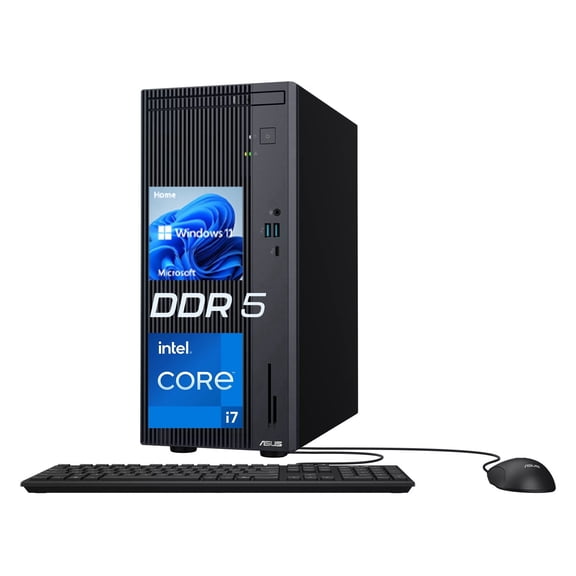
15 out of 5 Stars. 1 reviewsASUS V500 Tower Desktop, Intel Core i7-13620H, 16GB DDR5, 512GB SSD, Wired KB & M, Windows 11 Home $759.00
 5 optionsAvailable in additional 5 options$75900current price $759.00
ASUS V500 Tower Desktop, Intel Core i7-13620H, 16GB DDR5, 512GB SSD, Wired KB & M, Windows 11 Home
HP OmniDesk Desktop Intel Core i5 14th gen, 16 GB;512 GB SSD Windows 11 Home $859.99 Was $1,049.99
 $85999current price $859.99, Was $1,049.99$1,049.99
HP OmniDesk Desktop Intel Core i5 14th gen, 16 GB;512 GB SSD Windows 11 Home
1934.2 out of 5 Stars. 193 reviewsDell Tower Desktop, Intel® Core™ Ultra 7, 16 GB, DDR5, 1 TB, Black, Windows 11 Home $999.99
 $99999current price $999.99
Dell Tower Desktop, Intel® Core™ Ultra 7, 16 GB, DDR5, 1 TB, Black, Windows 11 Home
26914.5 out of 5 Stars. 2691 reviewsHP Slim Desktop Tower, Intel Pentium, 8GB Memory, 256GB SSD, Windows 11 Home, Black, S01-aF2023w $449.99
 4 optionsAvailable in additional 4 options$44999current price $449.99
HP Slim Desktop Tower, Intel Pentium, 8GB Memory, 256GB SSD, Windows 11 Home, Black, S01-aF2023w
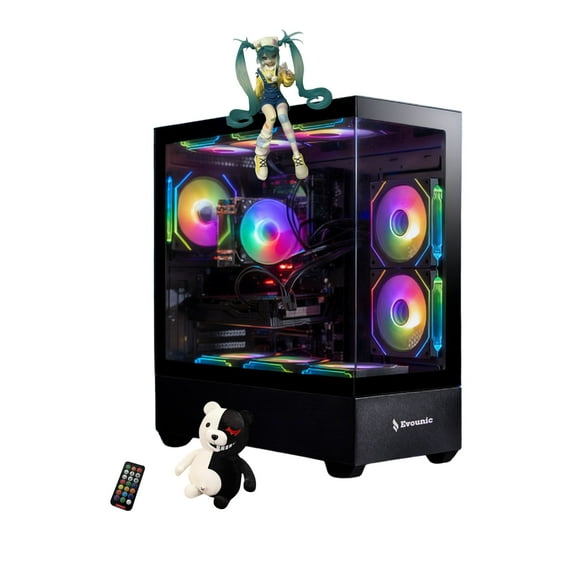
3324.1 out of 5 Stars. 332 reviewsPowerful Gaming PC Desktop – Intel i7-9700K, 16GB RAM, GTX 1660, 512GB SSD, 1TB HDD, 650W PSU, Wi-Fi 6, Bluetooth 5.4, Windows 11 Pro, ARGB Fans x9 $758.88
 $75888current price $758.88
Powerful Gaming PC Desktop – Intel i7-9700K, 16GB RAM, GTX 1660, 512GB SSD, 1TB HDD, 650W PSU, Wi-Fi 6, Bluetooth 5.4, Windows 11 Pro, ARGB Fans x9
32.7 out of 5 Stars. 3 reviewsHP OmniDesk Desktop Intel Core Ultra 5, 16 GB;1 TB SSD Windows 11 Home $579.99 Was $629.99
 3 optionsAvailable in additional 3 options$57999current price $579.99, Was $629.99$629.99
HP OmniDesk Desktop Intel Core Ultra 5, 16 GB;1 TB SSD Windows 11 Home
1874.2 out of 5 Stars. 187 reviewsMINISFORUM UM690L Slim Mini PC AMD Ryzen 9 6900HX 32GB RAM 1TB SSD, HDMI/DP/USB4 Outputs, 2.5G LAN $431.00 Was $431.00
 12 optionsAvailable in additional 12 options$43100current price $431.00, Was $431.00$431.00
MINISFORUM UM690L Slim Mini PC AMD Ryzen 9 6900HX 32GB RAM 1TB SSD, HDMI/DP/USB4 Outputs, 2.5G LAN
104.9 out of 5 Stars. 10 reviewsHP OmniDesk Desktop| Intel Core Ultra 5 225| 16GB DDR5| 512GB SSD|Wifi-6| Dual Monitor Support| Windows 11 Pro| Dark Wood $699.99
 $69999current price $699.99
HP OmniDesk Desktop| Intel Core Ultra 5 225| 16GB DDR5| 512GB SSD|Wifi-6| Dual Monitor Support| Windows 11 Pro| Dark Wood
HP 22" All-in-One Desktop Computer Intel Quad-Core Processor FHD Display 16GB DDR5 RAM, 640GB Storage WiFi 6 Bluetooth Business AIO Windows 11 Pro $399.00
 3 optionsAvailable in additional 3 options$39900current price $399.00
HP 22" All-in-One Desktop Computer Intel Quad-Core Processor FHD Display 16GB DDR5 RAM, 640GB Storage WiFi 6 Bluetooth Business AIO Windows 11 Pro
4054.3 out of 5 Stars. 405 reviewsHP OmniDesk Desktop| Intel Core Ultra 5 225| 16GB DDR5| 1TBB SSD|Wifi-6| Dual Monitor Support| Windows 11 Pro| Dark Wood $785.00
 $78500current price $785.00
HP OmniDesk Desktop| Intel Core Ultra 5 225| 16GB DDR5| 1TBB SSD|Wifi-6| Dual Monitor Support| Windows 11 Pro| Dark Wood
Customer ratings & reviews
Filtered and sorted results would be available on the new 'Customer ratings & reviews' page.
Showing 1-3 of 3 reviews
Verified Purchase
If you are here, congrats...you have found IT!!!
This is one very nice computer. QUIET, powerful, cheap, small, drives up to three displays without an external dock of any kind. What's not to like? If you're a gamer, you can spend an extra thousand bucks or more on a similar laptop with a dedicated graphics card. But if you don't play games, this computer is the best value in terms of bang/buck you are going to find. I used a SP brand 1TB NVME v4 SSD (system supports v3, but v4 works!). I ordered 64GB of G.Skill RAM that got lost in shipping. So I temporarily borrowed a 8GB stick of the same brand to set it up and test it. Even with just 8GB of RAM, this thing is a BEAST running Windows 11 pro. Two minor problems. 1) I added two "recycled" (from previous computers I've owned) 1TB mechanical hard drives. There is no instruction on how to hook them up. Even with a youtube video to explain it, it's not obvious that you are doing it "right" until after you close up the box and test it. The proprietary SATA cables are too short, and flimsy, and there is no way to tell that they are properly connected, even after you learn how to properly connect them. 2) I installed a clean image of Windows 11 Pro, downloaded straight from Microsoft. As such, I had to source drivers on my own. Yes, there are some drivers on the minisforum support site, but they are terribly old. And as I found out the hard way, newer drivers are not easy to install if you install the older drivers first. Live and learn. Also, I couldn't figure out how to get WLAN working. There were NO drivers I could find for the wireless card on the minisforum support site! Yeah, they listed AMD something drivers for WLAN, ***But that did not match the hardware***. The hardware is pretty nice, Mediatek MT7921, or something like that. But there's no driver for it on minisforum support, I had to download a driver from Lenovo. (!!!) Now, to be fair, I could have used the AMD WLAN driver on the minisforum support site. But I didn't know that (at the time of installation). It turns out, AMD hired Mediatek to design and manufacture the WLAN card in the HM90 mini computer. So, the AMD WLAN driver in the support section should work fine! But if you look at the WLAN card, there is no mention of AMD anywhere...it is a Mediatek card!!! That's why I was looking for a Mediatek driver on the minisforum support site, and I could not locate one. It was there, but it wasn't labelled "mediatek", it was labelled "AMD". Confusing.
Verified Purchase
Great bang for the buck
I am not a heavy gamer for what I use this for it is way overpowered but I apply the condom theory to it. It would have cost me around 1200 to make a comparable machine extremely pleased.
Verified Purchase
not what I thought I was getting
I was pretty hyped about the features boasted about on this miniPC until I received it and started to read the instructions on how to install the RAM and SSD hard drive that did not come with the computer! Turns out the default purchase option is a shell that comes with ports and motherboard/ processor but no memory or hard drive (which you would have to purchase separately, then install yourself). With 20/20 hindsight it seemed obvious now what barebone option meant, but when I showed this to family member and coworkers they were surprised also. Even the customer service guy who reviewed my return was suprised. So be careful to select the option right for you. Also after reading the other reviews of driver issues, I would avoid this one unless you are pretty computer savvy and have some experience in modifying hardware/software. If you are more of a home/work office computer guy like me and don't plan on decking out your computer, maybe something more plug and play would be the better way to go.
