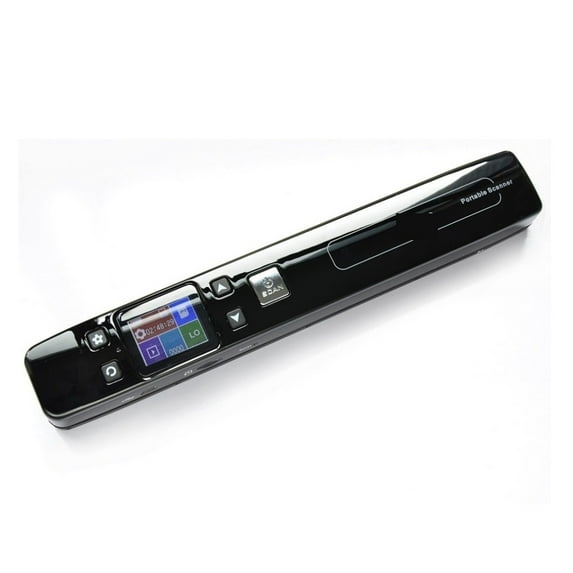
Transform your physical archives into high-quality digital files with this professional document scanner. Engineered for speed and precision, this versatile computer scanner is the perfect solution for digitizing everything from loose office papers to thick bound volumes. Whether you need a specialized book scanner with curve-flattening technology or a high-speed scanner for documents to clear your desk clutter, our devices ensure crisp, searchable results every time. Compact and efficient, it’s an essential tool for students, educators, and professionals looking to streamline their digital workflow.
Feature
Color: White/black
Resolution: 1050DPI/ 600DPI/ 300DPI
Image Sensor: A4 color contact image sensor
Scan Size: A4
Scan Width: 225mm
File Format: JPG/ PDF
LCD: 480 * 320 HD TFT LCD
Auto Power Off: 3 minutes
USB Port: USB 2.0 high speed
Power Supply: Rechargeable built-in 900mAh Lithium-polymer
External Memory: TF card (No include)
Charge Time: 2 -3hours
Charge Type: USB
Item Weight: 396g
Portable USB Document Scanner built in real time scanning detector to avoid image distortion, the speed controller can scan one A4 paper within 3 seconds. It support save in format of PDF and JPG, you can modify scanned documents by Windows Imaging, PHOTO Shop and other similar image modification OCR software.
OCR function installedThe OCR software can transfer JPEG to Word etc kinds of format, it is easy to operate and carry. Makes your office work moreefficientandconvenient. (Support Windows system only)
Easy data conversionThis scanner is useful when you want to scan meetings'newspaper articles, paper documents, etc. it is a compact model, scanner that is optimal for carrying. It is easy to store and manage, and business efficiency will be up!
for eCompact and lightweight design, comes with a special pouch that is convenient to carry and store. We will not let you take time and effort for storage.
Scanning rangeScan size It is wide, and it corresponds to various sizes such as A4, photographs, business cards and postcard size. You can easily extract only the necessary parts of the document.
Auto SaveSince it is attached to the 16G card, the scanned data will be saved on the card as it is. It is for people who want to use and carry on the go, such as business scenes. Since it can be used as a single unit without connecting to a personal computer, it can be used in various places such as home, office, going out and so on.
How to connect your smart phone and tablet to the Scanner WI-FI?
1). Press the "Menu" key enter setup mode.
2).Select Link by the "Down" key.
3). Press the key to startup the .
4).When the is started up, the LCD screen will display .After you've activated the smart phone and tablet's Wi-Fi radio, you can connect to the scanner's network. The method can vary, depending on which type is your phone or tablet.
Scanner Wi-Fi features the scanner. Obey these steps to connect to the Scanner Wi-Fi network:
1). k the Apps on the Home screen.
2). Open the app.
3). Choose Wi-Fi.
4). The Wi-Fi appears.
5). k the scannerxxx from the network list on the screen.
6). After it connect successfully, open your web browser, and enter the address 192.168.10.1 in the Web address field and hit return to reach the Wi-Fi's home page.
7). The Wi-Fi's home page will ask you for a username and password ( Default username:admin ) ( Default password:admin )
Then you can view and download the pictures scanned in Scanner
Package content
-1x Document Scanner
-1x CD Driver
-1x Carry Bag
-1x User Manual