


SAMSUNG 43" Class Curved widescreen WQHD PLS Panel 3,840 x 1,200 Monitor - LC43J890DKNXZA
Key item features
- Expansive Display: This 43-inch curved widescreen monitor with a 32:10 aspect ratio offers a 3840 x 1200 WQHD resolution, effectively replacing two 24-inch (16:10) monitors without bezel blind spots.
- Seamless Connectivity: Featuring two USB Type-C ports, DisplayPort, HDMI, and multiple USB inputs, it supports data, video, audio, and power transmission over a single cable, along with built-in 5-watt stereo speakers.
- Enhanced Productivity: The integrated KVM switch allows control of two connected devices with one keyboard and mouse, while Picture-by-Picture enables simultaneous display from two PCs for effortless collaboration.
- Optimized Multitasking: Easy Setting Box software facilitates splitting the screen into up to six customizable windows, providing an instant view of multiple projects.
- Comfortable Viewing: A curved VA panel with a 120Hz refresh rate (adjustable to 60Hz), Eye Saver Mode, and Flicker-Free technology reduces eye strain and fatigue for extended use.
- Ergonomic Design: The monitor features a swivel, tilt, and height-adjustable stand for personalized comfort, and is VESA-compatible for alternative mounting options.
Specs
- Screen size43 in
- Resolution3,840 x 1,200
- Refresh rate120.00 Hz
- DisplayLCD
- Aspect32:9
- Response time4 ms
Reviews summary
Pros
- : Offers clear image with wide color gamut.
- : Speakers produce clear audio with adequate volume.
- : Reduces blue light emission for eye comfort.
Neutral
- : Can be gentle on eyes, but may soften image quality.
Cons
- : Monitor's connectivity is restricted by few hdmi, displayport, and usb ports.
- : Slower switching between sources and formats is experienced.
How do you want your item?
About this item
Product details
- Goodbye to Bezel Blindspots: At 43" diagonal screen size and 32:10 aspect ratio, the CJ89 is equal to two 24" (16:10) monitors. With no bezel blind spots, perfectly matched image quality, and fewer cables it's a smart alternative to dual monitor setups
- Connect and Collaborate: Picture-by-Picture lets you display input from two PCs simultaneously for effortless collaboration with colleagues or clients. Simply connect a second device such as a laptop to instantly view its display side by side with your primary PC's display.
- Built-In KVM Switch: When two devices are connected to the CJ89, its built-in KVM switch lets you control them both using just one keyboard and mouse. Multitask efficiently and save desk space.
- Split Screen Your Way: Easy Setting Box software makes splitting the monitor workspace into multiple windows a snap. Partition the screen into up to six windows with just a mouse click for an instant view of all your projects. You can also adjust the window sizes for a fully customized view.
- Two USB Type-C Ports: USB Type-C transmits data, video and audio, and power all over a single cable.
- Multiple Inputs: Featuring DP, HDMI, USB and two USB Type-C inputs, the CJ89 lets you connect almost any device you can imagine. And with built-in 5-watt stereo speakers, you can be sure that whatever you, your colleagues, or your clients bring to the table, your monitor is up to the task.
- Curved for Comfort: The CJ89's curved display lets your eyes maintain a constant focus across the entire screen, resulting in less fatigue and a more comfortable viewing experience
- 120Hz Refresh Rate: The 120Hz screen refresh rate provides flawlessly smooth scenes and can be adjustable to 60Hz for optimized monitor performance.
- Eye Saver ModeL Samsung's Eye Saver Mode reduces fatigue-inducing blue light emissions and its Flicker-Free technology suppresses screen flicker, allowing you to work for longer with less strain on your eyes.
- Optimized View: The swivel/tilt and height-adjustable stand offer all the flexibility you need to position the screen for maximum comfort. The panel's VESA Standard mount also offers the option of mounting on VESA-compatible arms.
- Aspect Ratio: 32:10
- Contrast Ratio: 3000:1
- 5ms Response Time
- 3840 x 1200 Resolution
- Display Size: 43"
- LED Backlit
- VA Panel Technology
- 16.7 Million Colors
- Viewing Angle: 178° (H) and 178° (V)
- 43" Ultra Wide Curved Display
- Brightness: 300 cd/m2
- Stereo Speaker
- Operating System Compatibility: Windows 10
- Power Input: 100 to 240 V
- Refresh Rate: 120 Hz
- Ports: 2x USB Type C, Display Port, HDMI, Audio Out Jack, 2x USB 2.0 and 1x USB 3.0
Specifications
Screen size
Resolution
Refresh rate
Display
Warranty
Warranty information
Please be aware that the warranty terms on items offered for sale by third party Marketplace sellers may differ from those displayed in this section (if any). To confirm warranty terms on an item offered for sale by a third party Marketplace seller, please use the 'Contact seller' feature on the third party Marketplace seller's information page and request the item's warranty terms prior to purchase.
Warnings
Warning Text
 WARNING: WARNING: Reproductive Harm - www.P65Warnings.ca.gov
Similar items you might like
Based on what customers bought
Rollback Deco Gear 49" White Curved Ultrawide Monitor, 3840×1080, 32:9, 144Hz, 1ms, HDR, Adaptive Sync, VRR, PIP/PBP, Dual HDMI 2.1, Dual DisplayPort 1.4, Gaming & Work, White $449.99 Was $499.99
Rollback SponsoredNow$44999current price Now $449.99, Was $499.99$499.99You save $50.00You save$50.00
Deco Gear 49" White Curved Ultrawide Monitor, 3840×1080, 32:9, 144Hz, 1ms, HDR, Adaptive Sync, VRR, PIP/PBP, Dual HDMI 2.1, Dual DisplayPort 1.4, Gaming & Work, White
Shipping, arrives in 3+ daysDeco Gear 49" Curved Ultrawide Gaming Monitor, 32:9 WDFHD 3840×1080, 144Hz, 3ms, VA Panel, HDR, Adaptive Sync, USB-C, HDMI, DisplayPort, PIP/PBP, 1800R Curve $499.99
 Sponsored$49999current price $499.99
Deco Gear 49" Curved Ultrawide Gaming Monitor, 32:9 WDFHD 3840×1080, 144Hz, 3ms, VA Panel, HDR, Adaptive Sync, USB-C, HDMI, DisplayPort, PIP/PBP, 1800R Curve
Shipping, arrives in 3+ daysIn 100+ people's carts LG 34" Curved UltraWide WQHD 1440p HDR 10 100Hz Monitor, Black, 34WR50QK-B $249.00 Was $279.00
In 100+ people's carts $24900current price $249.00, Was $279.00$279.00
LG 34" Curved UltraWide WQHD 1440p HDR 10 100Hz Monitor, Black, 34WR50QK-B
6754.3 out of 5 Stars. 675 reviewsBest seller SAMSUNG Odyssey Neo G7 43" Mini 4K UHD 144 Hz 1ms AMD FreeSync Premium Pro Smart Gaming Monitor with HDR600 - LS43CG700NNXZA $499.99 Was $899.99
Best seller $49999current price $499.99, Was $899.99$899.99
SAMSUNG Odyssey Neo G7 43" Mini 4K UHD 144 Hz 1ms AMD FreeSync Premium Pro Smart Gaming Monitor with HDR600 - LS43CG700NNXZA
4224.5 out of 5 Stars. 422 reviewsSharp PN-E659 65" 4K UHD Professional Display $913.25 Was $997.15
 $91325current price $913.25, Was $997.15$997.15
Sharp PN-E659 65" 4K UHD Professional Display
LG 32" 4K UHD IPS Touchscreen Smart Monitor Swing with Rolling Stand, 32U889SA-W $999.99
 $99999current price $999.99
LG 32" 4K UHD IPS Touchscreen Smart Monitor Swing with Rolling Stand, 32U889SA-W
334.4 out of 5 Stars. 33 reviewsIn 50+ people's carts Samsung 27" Essential S3 (S36GD) FHD 100Hz Curved Monitor - LS27D36DGANXZA $139.00
In 50+ people's carts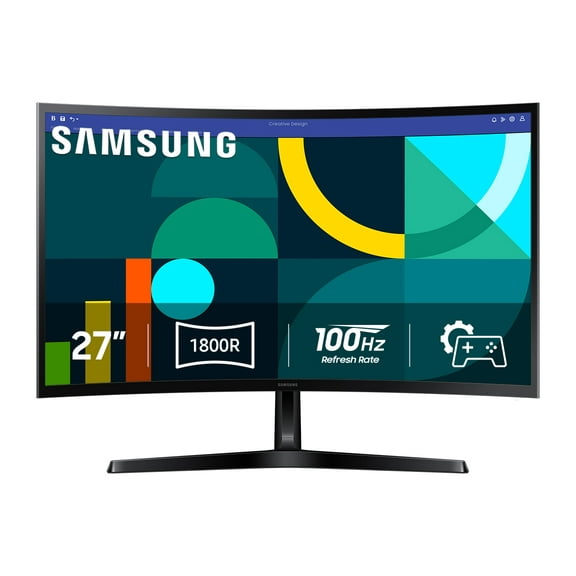 Sponsored$13900current price $139.00
Samsung 27" Essential S3 (S36GD) FHD 100Hz Curved Monitor - LS27D36DGANXZA
20494.4 out of 5 Stars. 2049 reviewsSave with Delivery as soon as 1 hourShipping, arrives tomorrowPickup as soon as tomorrow
Best seller Samsung 32-Inch Essential S3 FHD 100Hz Curved Monitor - LS32D39CGANXZA $199.00
Best seller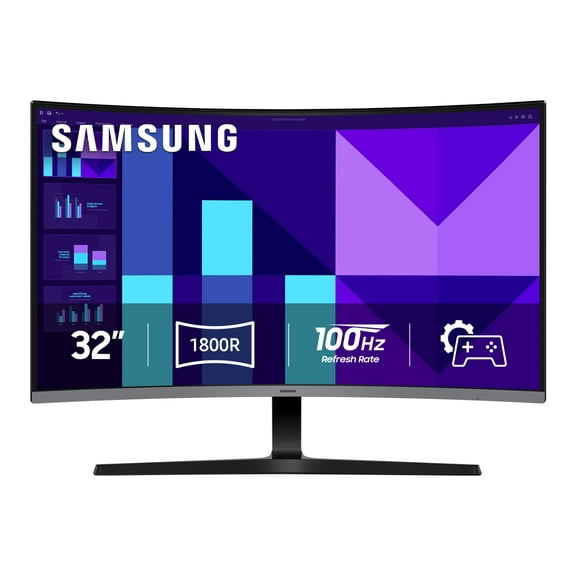 Sponsored$19900current price $199.00
Samsung 32-Inch Essential S3 FHD 100Hz Curved Monitor - LS32D39CGANXZA
4034.4 out of 5 Stars. 403 reviewsSave withDelivery as soon as 1 hourShipping, arrives tomorrowPickup as soon as tomorrowReduced price Deco Gear Curved 49” Super Ultrawide Gaming Monitor, 32:9 WDFHD 3840×1080, 144Hz, 3ms, 3000:1 VA, HDR400, Adaptive Sync, USB-C 65W, HDMI/DP, PBP/PIP, KVM, 1800R $499.99 Was $599.99
Reduced price 5 optionsAvailable in additional 5 options$49999current price $499.99, Was $599.99$599.99
Deco Gear Curved 49” Super Ultrawide Gaming Monitor, 32:9 WDFHD 3840×1080, 144Hz, 3ms, 3000:1 VA, HDR400, Adaptive Sync, USB-C 65W, HDMI/DP, PBP/PIP, KVM, 1800R
2024.4 out of 5 Stars. 202 reviewsALOGIC Edge 34" 21:9 Ultrawide QHD (3440x1440) 100Hz Monitor with USB-C and 90W Power Delivery $912.36
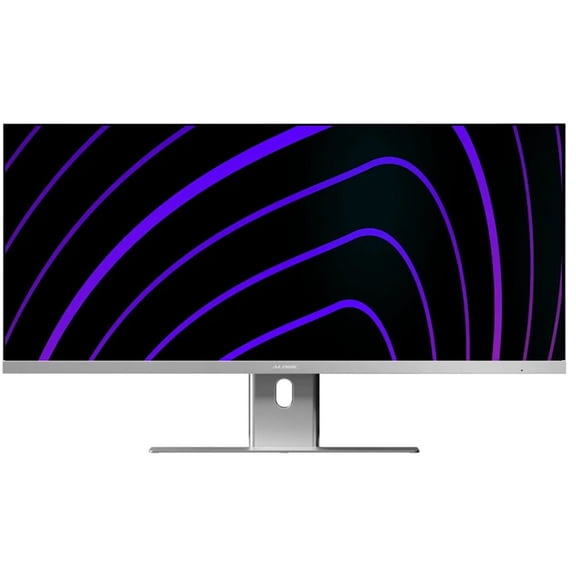 $91236current price $912.36
ALOGIC Edge 34" 21:9 Ultrawide QHD (3440x1440) 100Hz Monitor with USB-C and 90W Power Delivery
Philips Brilliance 499P9H 48.8" Dual Quad HD (DQHD) Curved Screen WLED LCD Monitor, 32:9, Textured Black $1,049.78 Was $1,199.99
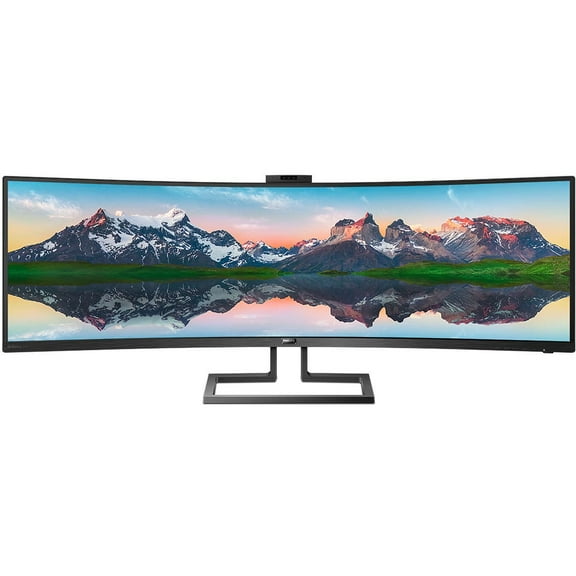 $1,04978current price $1,049.78, Was $1,199.99$1,199.99
Philips Brilliance 499P9H 48.8" Dual Quad HD (DQHD) Curved Screen WLED LCD Monitor, 32:9, Textured Black
213.3 out of 5 Stars. 21 reviewsRestored Samsung S36CG Series 27" 100Hz Curved Monitor 100Hz 4ms Black LS27D36CGANXZA (Refurbished) $89.99
 $8999current price $89.99
Restored Samsung S36CG Series 27" 100Hz Curved Monitor 100Hz 4ms Black LS27D36CGANXZA (Refurbished)
Suevery 30" 200Hz Curved Gaming Monitor, WFHD 2560x1080, 1500R,21:9, FreeSync, Low Blue Light, Wall-Mountable, HDMI/DP, Black $159.69 Was $249.99
 $15969current price $159.69, Was $249.99$249.99
Suevery 30" 200Hz Curved Gaming Monitor, WFHD 2560x1080, 1500R,21:9, FreeSync, Low Blue Light, Wall-Mountable, HDMI/DP, Black
2753.7 out of 5 Stars. 275 reviewsSamsung 34" Odyssey G5 Ultra-Wide Curved Monitor, 165Hz, 1ms, FreeSync (LC34G55TWWNXZA) $249.00
 $24900current price $249.00
Samsung 34" Odyssey G5 Ultra-Wide Curved Monitor, 165Hz, 1ms, FreeSync (LC34G55TWWNXZA)
Samsung ViewFinity S6 S34C654UAN 34" Class UW-QHD Curved Screen LCD Monitor - 21:9 - Black $559.49 Was $589.99
 $55949current price $559.49, Was $589.99$589.99
Samsung ViewFinity S6 S34C654UAN 34" Class UW-QHD Curved Screen LCD Monitor - 21:9 - Black
34" Curved Monitor WQHD $827.49
$82749current price $827.4934" Curved Monitor WQHD
65" Display Crystal UHD $1,401.49
 $1,40149current price $1,401.49
65" Display Crystal UHD
53 out of 5 Stars. 5 reviewsSharp 32" Professional Grade Display $780.26
 $78026current price $780.26
Sharp 32" Professional Grade Display
Restored Samsung Odyssey 32" G5 QHD Curved Monitor 165Hz 1000R 1ms Black LS32CG554ENXZA (Refurbished) $159.99
 $15999current price $159.99
Restored Samsung Odyssey 32" G5 QHD Curved Monitor 165Hz 1000R 1ms Black LS32CG554ENXZA (Refurbished)
Samsung The Movingstyle Essential - 32" 4K UHD Smart Monitor with Adjustable Rolling Stand - F-LS32FM70-MSR $549.99 Was $699.99
 $54999current price $549.99, Was $699.99$699.99
Samsung The Movingstyle Essential - 32" 4K UHD Smart Monitor with Adjustable Rolling Stand - F-LS32FM70-MSR
364.7 out of 5 Stars. 36 reviews

Customer ratings & reviews
Reviews summary
Pros
- : Offers clear image with wide color gamut.
- : Speakers produce clear audio with adequate volume.
- : Reduces blue light emission for eye comfort.
Neutral
- : Can be gentle on eyes, but may soften image quality.
Cons
- : Monitor's connectivity is restricted by few hdmi, displayport, and usb ports.
- : Slower switching between sources and formats is experienced.
Customer photos


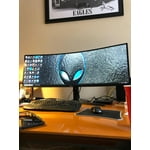
Showing 1-3 of 33 reviews
Surrounded by the Samsung 43” CJ890
The Samsung 43” CJ890 Super Ultra-Wide Curved Monitor is an impressive display. I find it easy to use the work area in three different sections. It is well-sized for having a full-page presentation slide next to a full-page text document and running a browser or mail application. All at the same time. The visual impact of moving an application window feels like the application window is on the inside of a glass sphere. Fully-immersed is an apt expression of the experience – very different than staring at our small mobile devices. I am reviewing this product as an Insider… Assembly was a piece of cake and the box protected the unit really well. The USB-C output has a 95-Watt charge capability, so my computer draws power from the display. I put my white PC charger in the closet and reduced clutter; though, I have had to get accustomed to the charging capability going away when the display is turned off. I like the additional outputs on the display, very simple to charge a mobile device, plug in a keyboard, etc. and the removable backside panel hides it all very well. Even my 4K webcam sits on top with more stability than my old 28” display. The device is certified with Windows and worked flawlessly with my two MBPs – something I had concerns about. The speakers are surprisingly good for a display, though I realized that some of my PC USB-C outputs apparently don't support audio out. I like the eye saver mode – having learned that our eyesight is easily compromised by too much blue light and not enough healing long-wavelength near-infrared. This is my new favorite display and it is all because of the experience of the curved immersive experience. Now I need one for the office! [This review was collected as part of a promotion.]
Sweet! Enjoying it
I bought this on 12 May. I was contemplating the 49 inch. The 43 inch is wide enough for me. I'm able to open and view multiple documents at once. This is especially import for spreadsheets. This may not be ideal for gamers but I'm not a gamer. So if you need more space to work, I recommend consider this model. I'm happy with my purchase.
Best Productivity Monitor on the Market
Purchased this monitor for undergraduate coding and engineering workstation. The compatibility between systems is incredible. PROS: I am able to charge my laptop and phone through two usb-c cords, display out from the laptop and desktop at the same time. Star Citizen plays at 60+ FPS on build 3.3, and may be the most beautiful digital experience I've ever witnessed. CONS: When using headphones in-direct to the monitor there is a slight while. Could be bad contacts, but using the headphones with either the desktop or laptop directly does not replicate the noise. 21:10 is a crazy aspect ratio. If you are using this, it's because you really enjoy ultra-wide. Expect content for common ratios to play a little wonky every once in a while. OTHER: The KVM switch is great, though as many people know the switch is not instantaneous. I find myself switching between source, while paired to both the keyboard and mouse to be the most effective use.
