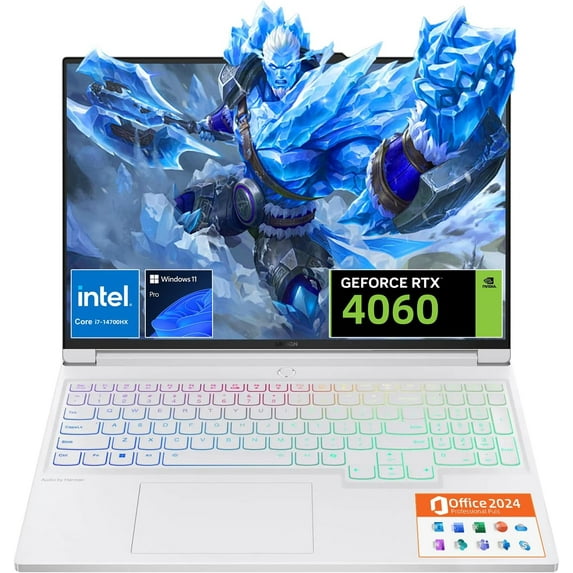
Lenovo Legion 7i Gaming Laptop, NVIDIA RTX 4060, Intel Core i7-14700HX, 16” LCD IPS WQXGA 240Hz, 64GB DDR5, 4TB SSD, Wi-Fi 6E, Windows 11 Pro - MS Office Pro 2024, Fingerprint, Backlit Keyboard
Hero image 0 of Lenovo Legion 7i Gaming Laptop, NVIDIA RTX 4060, Intel Core i7-14700HX, 16” LCD IPS WQXGA 240Hz, 64GB DDR5, 4TB SSD, Wi-Fi 6E, Windows 11 Pro - MS Office Pro 2024, Fingerprint, Backlit Keyboard, 0 of 7

Lenovo Legion 7i Gaming Laptop, NVIDIA RTX 4060, Intel Core i7-14700HX, 16” LCD IPS WQXGA 240Hz, 64GB DDR5, 4TB SSD, Wi-Fi 6E, Windows 11 Pro - MS Office Pro 2024, Fingerprint, Backlit Keyboard

Key item features

  • 🔥 【Legion 7i Gaming Beast】Unmatched Performance Dominate with the 14th Gen Intel Core i7-14700HX (20 cores, 28 threads, up to 5.5GHz Turbo) and NVIDIA GeForce RTX 4060 (8GB GDDR6), amplified by Lenovo AI Engine+ for 30% FPS boost in AAA titles. Engineered for gamers and creators, the #LenovoLegion 7i redefines gaming supremacy with precision-tuned power!
  • 🎮 【Legion TrueVision 16"" WQXGA Display】Immersive Clarity Command a 16-inch IPS WQXGA (2560x1600) panel with 240Hz refresh rate, 500-nit HDR400, and 100% sRGB color accuracy. Lenovo Quad-View Anti-Glare Tech + Dual Low Blue Light Certification ensures eye comfort during marathon sessions. See every detail, day or night!
  • ❄️ 【Legion ColdFront 4.0 Cooling】Stay Frosty, Stay Loud Unleash 175W sustained power with dual-turbine fans, 6nm composite heat pipes, and liquid metal thermal paste. Features a 1080p FHD webcam with E-Shutter for privacy, per-key RGB Backlit Keyboard, and a Hyper-responsive Touchpad for mouse-like precision.
  • ⚡ 【64GB DDR5 + 4TB PCIe 4.0 SSD】Future-Proof Power Blaze through multitasking with dual-channel DDR5 RAM and 4TB Gen4 SSD. Store your AAA library, 8K edits, or VR projects effortlessly. Dual M.2 slots let #LegionNation upgrade on demand!
Price when purchased online
Not Available

How do you want your item?

How do you want your item?
Not available
Report an issue with this seller

About this item

Product details

Specifications

Customer ratings & reviews

4.7 out of 5 stars
stars423 ratings277 reviews
How item rating is calculated

Customer photos

  • +93 images
Filtered and sorted results would be available on the new 'Customer ratings & reviews' page.
Sort by |

Showing 1-3 of 277 reviews

Jun 24, 2025
unboxed4213
5 out of 5 stars review

Seller Verified Purchase

Nice laptop, but where's my other control key?

[This review was collected as part of a promotion.] I've had this for about a month so far and am pretty happy with it. RAM and storage are both upgradable, so I upgraded RAM to 32GB and added an additional 2TB SSD right off the bat. It is pretty heavy and does have a little bit of flex, especially if you're trying to pick it up with one hand. Definitely not the most portable, but battery life is quite good if you're just doing web browsing or similar. Screen looks good, though if you're using it in bright/sunlit environments it might feel a little dim. As far as performance goes, I mostly play flight sims, and it handles everything I've thrown at it extremely well. Fans can be pretty loud, but it's definitely a massive upgrade from my previous GTX 1060 laptop. The biggest negative that comes to mind right now is that there's no right control button. There are two areas next to the copilot key and the up arrow key where they could have potentially put one, but I guess they didn't feel like it? Not the biggest deal for most applications, but in some games (at least that I've played) right and left control occasionally have distinct functions, so not having right control is definitely annoying. You can use Microsoft Powertoys to remap copilot to right control, but it's still an odd and slightly annoying omission.

Review from lenovo.com
Helpful?7E0BV8Q8Z0ZO16048055017
Jun 11, 2025
Madachu
5 out of 5 stars review

Seller Verified Purchase

exactly what i wanted with almost no compromise

[This review was collected as part of a promotion.] there are very few mid to high end laptops with ryzen procesors that meet all the requirements i had and this one got them all 16:10 screen, great cooling, solid build quality etc, and the only thing that i would be happier is if it had more usb A ports and at the side, and not all of them on the back

Review from lenovo.com
Helpful?7E0BV8Q8Z0ZO16048055017
Aug 5, 2024
RSK86
5 out of 5 stars review

Seller Verified Purchase

A Multi-Function Laptop for Work and Gaming

I'd been researching for a new laptop on and off for close to 2 years. Primary use was for high-performance work on video, audio and imaging softwares such as Premiere Pro, Audition and Photoshop. Having been a Mac user (still am, iMac desktop) for over 20 years, I didn't want to replace my old macbook pro with the current slew of over-priced mac models regardless of what many would deem as a longterm investment (and they are, but the price is purely unethical). It just wasn't worth it. Especially when I stumbled upon Lenovo, their track record, and what would eventually be my purchase: Legion Slim 5 Gen 9 (16" AMD). At one-third of Apple's price, I've been able to get the best of both worlds with both my professional work and leisurely use i.e. gaming. After 3-4 weeks of use, I cannot really complain about much, if anything at all. *Boots up fast and loads my applications within seconds. *Fan speeds/noise are kept to a minimum thanks to the 'silent mode'. *Battery life is very good during general browsing use. *Charging speed from 0-100% takes around 30 minutes. *Sleek battery charger, preserving storage space. *DPC latency is phenomenal - no lag or drop-off during audio recording at all. *Sound is surprisingly dynamic through the speakers, even though I mostly use monitor headphones. *Plays every demanding game without a hitch on recommended-settings. *Laptop comes with minimal and necessary software (perfect for those who appreciate no clutter). *Can get warm around the spacebar, but it's dependent on the mode (i.e. silent, auto, performance).

International review
Review from lenovo.com
Helpful?7E0BV8Q8Z0ZO16048055017