
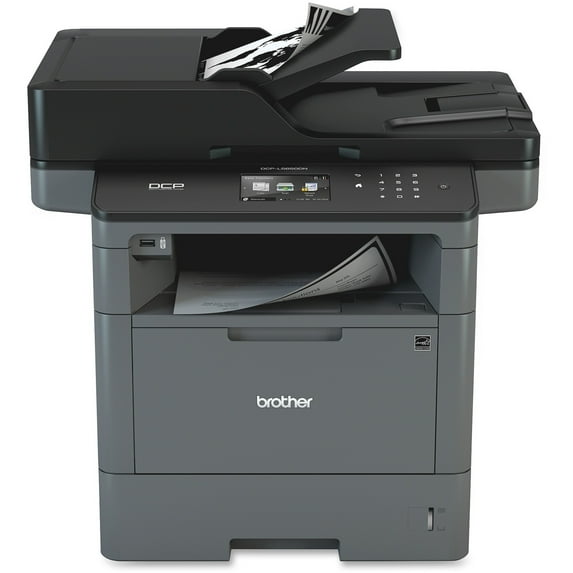
Brother DCP-L5650DN Laser Multifunction Printer, Monochrome, Duplex
Hero image 0 of Brother DCP-L5650DN Laser Multifunction Printer, Monochrome, Duplex, 0 of 2

Brother DCP-L5650DN Laser Multifunction Printer, Monochrome, Duplex

3.8 stars out of 21 reviews
(3.8)|
21 ratings

Key item features

Brother DCP-L5650DN Laser Multifunction Printer, Monochrome, Duplex
  • Fast, high-quality printing and copying. With print and copy speeds of up to 42 pages per minute (Based on one-sided printing. Change from default setting required), this high-performance multi-function copier is ideal for busy offices.
  • Advanced duplex capabilities. Automatic two-sided printing helps save paper. Plus, the 70-page capacity duplex auto document feeder scans both sides of the page in a single-pass for two-sided monochrome scanning up to 56ipm.
  • Cost-efficient output. Help lower your operating costs via a high-yield 8,000-page? replacement toner cartridge (approx. yield based on ISO/IEC 19752).
  • Built-in networking. Share the DCP-L5650DN with multiple users on your network via its Gigabit Ethernet interface.
  • Fast scanning with advanced features. Help increase your productivity with monochrome scanning up to 28ipm. Plus, support for multiple scan-to destinations such as E-mail, SSH Server (SFTP), SharePointĀ®, Network Folder (CIFS), and more.
  • Legal-size document glass. Easily copy or scan bound materials or up to legal-size documents.
  • Flexible paper handling. Easily handle your large print jobs via an adjustable 250-sheet capacity paper tray and 50-sheet capacity multi-purpose tray. Additional optional paper trays are available in 250-sheet or 520-sheet capacities enabling users to configure the printer with multiple trays in a way that best meets their application requirements - up to 1,340-sheet total capacity.
  • 3.7" color Touchscreen display. Allows for easy menu navigation and creation of up to 48 customized shortcuts. Plus, scan to popular business cloud services? directly from the Touchscreen (?Requires an Internet connection and an account with desired service)
  • Advanced security features. Network user authentication to help protect against unauthorized access to the device.
Price when purchased online
Not Available

How do you want your item?

How do you want your item?
Not available
Report an issue with this seller

About this item

Product details

Specifications

Warranty

Customer ratings & reviews

3.8 out of 5 stars
stars21 ratings18 reviews
How item rating is calculated
Filtered and sorted results would be available on the new 'Customer ratings & reviews' page.
Sort by |

Showing 1-3 of 18 reviews

Feb 7, 2020
luba1957
5 out of 5 stars review

Never a problem!

I did a lot of investigating before I chose my DCP-L5650DN. It had all the features I needed and some I am still discovering after 3 years! Awesome product.

Review from brother-usa.com
Helpful?5465F341WMCI125389386
Nov 3, 2024
Hollywood Rock LLC
5 out of 5 stars review

I have the best machine

Great machine with a excellent results, this equipment is one of my best tool in order to do my Day.

Review from brother-usa.com
Helpful?5465F341WMCI125389386
Oct 28, 2020
Brother DCP
5 out of 5 stars review

it is so easy to use

I like this copier because it was easy to set up and easy so easy to use. I purchased the correct item for my household. In this pandemic era I have all that I need, can type up letters and other things, print them and fax things that I would normally have to be in an office to do. I love it.

Review from brother-usa.com
Helpful?5465F341WMCI125389386
