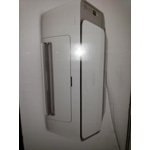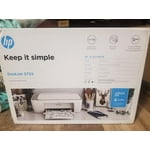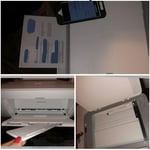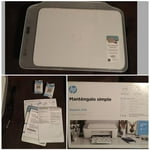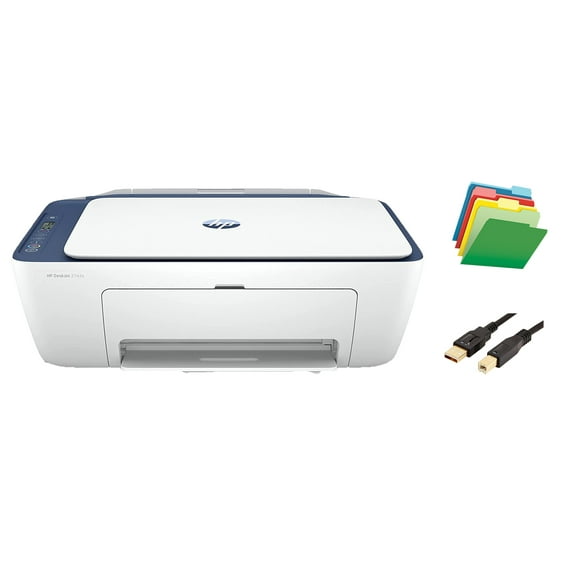
H-P DeskJet 27 Series Printer, All-in-One Color Inkjet Printer, Print Copy Scan, Wireless USB Connectivity, Mobile Printing, up to 9ppm, 4800 x 1200 dpi, with MTC Printer Cable and File Folders
Hero image 0 of H-P DeskJet 27 Series Printer, All-in-One Color Inkjet Printer, Print Copy Scan, Wireless USB Connectivity, Mobile Printing, up to 9ppm, 4800 x 1200 dpi, with MTC Printer Cable and File Folders, 0 of 5

H-P DeskJet 27 Series Printer, All-in-One Color Inkjet Printer, Print Copy Scan, Wireless USB Connectivity, Mobile Printing, up to 9ppm, 4800 x 1200 dpi, with MTC Printer Cable and File Folders

Key item features

  • 【3-in-1 Printer】H-P DeskJet 2742e Wireless Inkjet All-in-One Printer is a feature-rich printer designed for your home and work needs. The H-P DeskJet 2742e can be used as a printer, scanner and copier.
  • 【Best Printing Speed】Black and white printing speed up to 9ppm, color printing speed up to 5ppm. Canon all-in-one printers can greatly improve office efficiency and provide you with high-speed, high-volume printing.
  • 【Mobile Printing】The H-P DeskJet 2742e is designed for wireless functionality, allowing you to print, scan, and copy everyday documents from your phone anytime, anywhere with the ​H-P Smart app printing service.
Price when purchased online
Not Available

How do you want your item?

How do you want your item?
Not available
Report an issue with this seller

About this item

Product details

Specifications

Customer ratings & reviews

3.8 out of 5 stars
stars1,245 ratings786 reviews
How item rating is calculated

Reviews summary

Pros

  • : Priced lower than similar products.
  • : Simple setup and operation.
  • : Suitable for small, basic printing needs.
  • : Printing results have decent color accuracy.

Neutral

  • : Can be quick, but may require technical expertise.
  • : Can be economical, but also prone to rapid depletion.
Generated by AI

Customer photos

  • +40 images
Filtered and sorted results would be available on the new 'Customer ratings & reviews' page.
Sort by |

Showing 1-3 of 786 reviews

Oct 31, 2020
Nicoleslayer
5 out of 5 stars review

I'm happy with this

I have had so many printers in my life, many Hp printers. Sometimes it can be cheaper to buy a new printer instead of just ink especially for a young person.. But since Hp has the affordable instant ink program (that works with this printer) you won't need to do that. They have plans as low as $2.99 depending on how much ink you use. This printer works great and so does the scanner. You can use it wireless or with a USB cable but the USB is not included in the box. It does come with ink. Before I got it I wondered if it would be easy to connect to my phone. However this printer was easy to set up, connect and I haven't had any problems printing. I recommend it. It does exactly what I need it to do so I'm happy. It seems durable and I believe it will last a long time. I love that it is a wireless printer.

Incentivized Review
Helpful?3NDU3SH0IH1F1111574654
Oct 14, 2020
gregjames2000
5 out of 5 stars review

Super easy to set up WIFI

This is a great little printer for the occasional print job when you need color. The instant ink option will make it very convenient because you will never run out of ink. When your ink levels get low, the printer will send the information to HP and they will automatically order extra cartridges so you never run out. Setup was easier than any printer I have ever had. With Wifi and a smartphone, you don't need a separate cable to communicate with your computer or your smartphone. Everything is done seamlessly through the wifi. To set up the printer, HP gives you the web address so you can download the app to your Android or Apple phone. The app will prompt you to connect to your wifi. Once done, it will find your printer and walk you through the setup process. After I set the printer up, I realized that nowhere in the literature or app did it show me when or how to install the printer cartridges. Since I have set up printers in the past, I figured it out. I didn't do the test page. But, I did print a pdf file that I had on my smartphone. This printer did a great job. It was relatively quiet and quick. The small footprint allows this to fit nicely on a table. With the convenience of Wifi, you can have the printer across the room from your computer or smartphone. I highly recommend this product.

Incentivized Review
Helpful?3NDU3SH0IH1F1111574654
Oct 31, 2020
bpayne
5 out of 5 stars review

Great Printer!

I have the Hewlett Packard Deskjet 2722 printer. This printer is simple to set up and simple to use. You have several capabilities with this one. The device will print, scan, or copy. It connects via a dual band WiFi with self reset and it has a USB port. The paper tray is a nice size and will hold up to sixty sheets of letter size paper. It has a nice LCD screen with buttons, making it easy to navigate. You can choose to print in color or solid black and the ink cartridges required are the HP67 or the HP67XL for a larger capacity cartridge. The printer is white in color and is approximately 16.7x11.97 in size. The printer is pretty easy to set up. You use your smartphone and download the HP Smart app. Follow the easy directions in the app. Once you have the app you can connect and print from most any device, which is a very convenient feature to have. The printer can be connected to IOS or Android devices so regardless of the phone you use, you should be good. I think you will be pleased with the size and quality of this printer. It is great for general printing around your home or, if you are like me, printing screenshots off your phone. Give this printer a try!

Incentivized Review
Helpful?3NDU3SH0IH1F1111574654