


Logitech G502 X Wired Gaming Mouse - LIGHTFORCE hybrid optical-mechanical primary switches, HERO 25K gaming sensor, compatible with PC - macOS/Windows - White
Key item features
- Icon Reinvented: From the legacy of Logitech's most popular G502 design, the G502 X wired gaming mouse is reimagined and redesigned with the latest innovations in gaming technology
- LIGHTFORCE Switches: All-new hybrid optical-mechanical switch technology for incredible speed and reliability, as well as precise actuation with crisp response, for hours of performance gaming
- HERO 25K Sensor: Incredibly precise down to the sub-micron for high-precision accuracy with zero smoothing/filtering/acceleration for high gaming performance every time on the computer
- Customizable DPI-Shift: Features a reversible and removable DPI-shift button for precise customization depending on your grip and preference
- Hyperfast Scroll Wheel: Switch between hyper-fast free spin and precise ratcheting mode, and tilt left and right for two additional personalizable controls
- Lightweight Design: Thin-wall exoskeleton for minimum material and maximum rigidity, lightened scroll wheel, and more to achieve 89 grams
- Color Options: Available in black and white colorways
Specs
- BrandLogitech
- Mouse typeGaming Mice
- ColorBlack
- ConnectionUSB
- Motion detectOptical
- Buttons9
- Free shipping
 Free 30-day returns

(Only one option can be selected at a time)
How do you want your item?


More seller options (15)
About this item
Product details
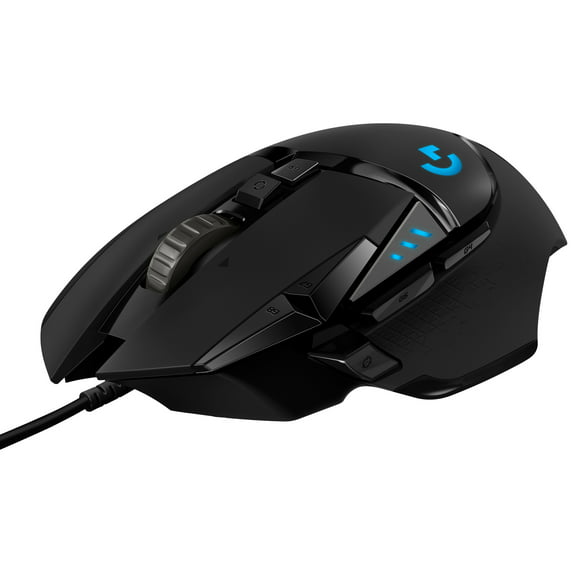
G502 X Gaming Mouse is the world’s most popular mouse. G502 X is reinvented and redesigned with the latest innovations in gaming technology, featuring all-new hybrid optical-mechanical switch technology: LIGHTFORCE. Now, incredible speed and reliability, as well as precise actuation are one. With HERO 25K sub-micron sensor, redesigned/reversible/removable DPI-shift button, redesigned scroll wheel with dual hyper-fast and precise ratchet modes, and thin-wall molding and weight reduction to reduce weight. Available in black and white colorways.
- Icon reinvented: From the legacy of Logitech's most popular G502 design, the G502 X wired gaming mouse is reimagined and redesigned with the latest innovations in gaming technology
- LIGHTFORCE switches: All-new hybrid optical-mechanical switch technology for incredible speed and reliability, as well as precise actuation with crisp response, for hours of performance gaming
- HERO 25K gaming sensor: Incredibly precise down to the sub-micron for high-precision accuracy with zero smoothing/filtering/acceleration for high gaming performance every time on the computer
- Redesigned DPI-shift button: This wired optical gaming mouse features a reversible and removable DPI-shift button for precise customization depending on your grip and preference
- Redesigned hyperfast scroll wheel: Switch between hyper-fast free spin and precise ratcheting mode, and tilt left and right for two additional personalizable controls
- Weight reduced: Thin-wall exoskeleton for minimum material and maximum rigidity, lightened scroll wheel, and more to achieve 89 grams
- Make your choice: Available in black and white colorways
Specifications
Brand
Mouse type
Color
Connection
Warranty
Warranty information
Please be aware that the warranty terms on items offered for sale by third party Marketplace sellers may differ from those displayed in this section (if any). To confirm warranty terms on an item offered for sale by a third party Marketplace seller, please use the 'Contact seller' feature on the third party Marketplace seller's information page and request the item's warranty terms prior to purchase.
Warnings
State Chemical Disclosure
Similar items you might like
Based on what customers bought
Open Box Razer Naga V2 Pro Wireless Gaming Mouse: Interchangeable Side Plate w/ 2, 6, 12 Button Configurations, Focus 20K DPI Optical Sensor, Fastest Gaming Mouse Switch, Chroma RGB Lighting $151.20
 Sponsored$15120current price $151.20
Open Box Razer Naga V2 Pro Wireless Gaming Mouse: Interchangeable Side Plate w/ 2, 6, 12 Button Configurations, Focus 20K DPI Optical Sensor, Fastest Gaming Mouse Switch, Chroma RGB Lighting
Shipping, arrives in 3+ daysOpen BoxBest seller Logitech G502 HERO High Performance Wired Gaming Mouse, HERO 25K Sensor, 25,600 DPI, RGB, Adjustable Weights, Black $49.90 Was $69.99
Best seller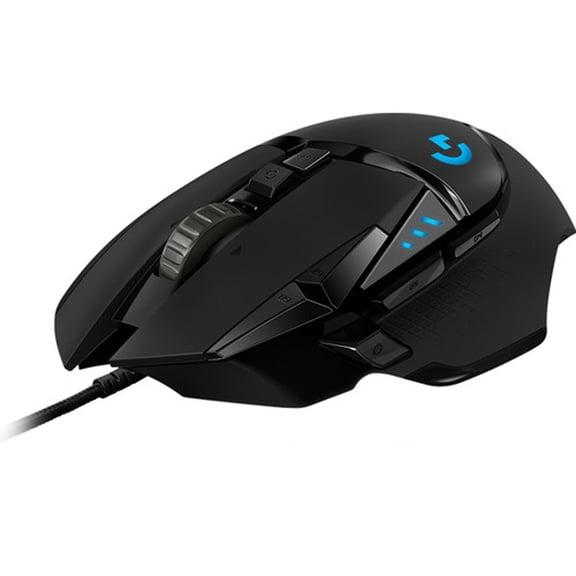 $4990current price $49.90, Was $69.99$69.99
Logitech G502 HERO High Performance Wired Gaming Mouse, HERO 25K Sensor, 25,600 DPI, RGB, Adjustable Weights, Black
10834.4 out of 5 Stars. 1083 reviewsBest seller Logitech Full Size Wireless Mouse, Silver, Walmart Exclusive $16.88
Best seller 3 optionsAvailable in additional 3 options$1688current price $16.88
Logitech Full Size Wireless Mouse, Silver, Walmart Exclusive
4894.6 out of 5 Stars. 489 reviewsLogitech G502 X Wired Gaming Mouse - LIGHTFORCE hybrid optical-mechanical primary switches, HERO 25K gaming sensor, compatible with PC - macOS/Windows $72.97 Was $99.99
 $7297current price $72.97, Was $99.99$99.99
Logitech G502 X Wired Gaming Mouse - LIGHTFORCE hybrid optical-mechanical primary switches, HERO 25K gaming sensor, compatible with PC - macOS/Windows
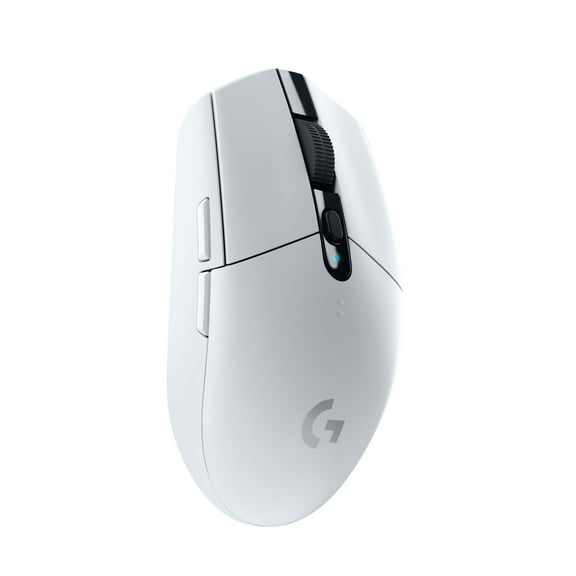
424.2 out of 5 Stars. 42 reviewsLogitech G305 LIGHTSPEED Wireless Gaming Mouse, Hero 12K Sensor, 12,000 DPI, Lightweight, 6 Programmable Buttons, 250h Battery Life, On-Board Memory, PC/Mac - White $64.89
 $6489current price $64.89
Logitech G305 LIGHTSPEED Wireless Gaming Mouse, Hero 12K Sensor, 12,000 DPI, Lightweight, 6 Programmable Buttons, 250h Battery Life, On-Board Memory, PC/Mac - White
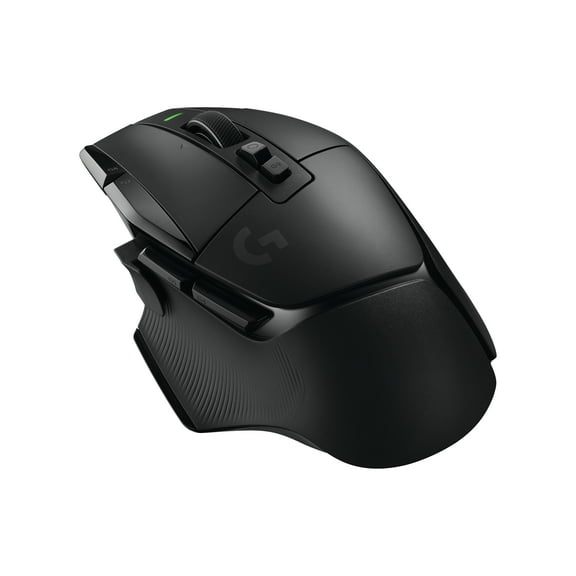
Logitech G502 X LIGHTSPEED Wireless Gaming Mouse - Optical mouse with LIGHTFORCE hybrid optical-mechanical switches, HERO 25K gaming sensor, compatible with PC - macOS/Windows - Black $99.99 Was $159.99
 $9999current price $99.99, Was $159.99$159.99
Logitech G502 X LIGHTSPEED Wireless Gaming Mouse - Optical mouse with LIGHTFORCE hybrid optical-mechanical switches, HERO 25K gaming sensor, compatible with PC - macOS/Windows - Black
404.4 out of 5 Stars. 40 reviewsRazer DeathAdder Essential Wired Optical Gaming Mouse Hello Kitty Edition $59.00
 $5900current price $59.00
Razer DeathAdder Essential Wired Optical Gaming Mouse Hello Kitty Edition
74.7 out of 5 Stars. 7 reviewsPre-Owned Logitech G703 LIGHTSPEED Wireless Gaming Mouse w/ HERO 25K Sensor, LIGHTSYNC RGB, POWERPLAY Compatible, Lightweight 95g 10g Optional, 100-25,600 DPI, Rubber Side Grips $68.99
 $6899current price $68.99
Pre-Owned Logitech G703 LIGHTSPEED Wireless Gaming Mouse w/ HERO 25K Sensor, LIGHTSYNC RGB, POWERPLAY Compatible, Lightweight 95g 10g Optional, 100-25,600 DPI, Rubber Side Grips
194.3 out of 5 Stars. 19 reviewsRestored Logitech G502 X Plus Lightspeed Wireless Optical Mouse - White (Refurbished) $74.99
 $7499current price $74.99
Restored Logitech G502 X Plus Lightspeed Wireless Optical Mouse - White (Refurbished)
Logitech G502 LIGHTSPEED Wireless Gaming Mouse, HERO 25K Sensor, 25,600 DPI, RGB, Adjustable Weights, 11 Programmable Buttons, Long Battery Life, On-Board Memory, PC / Mac $72.18 Was $109.00
 $7218current price $72.18, Was $109.00$109.00
Logitech G502 LIGHTSPEED Wireless Gaming Mouse, HERO 25K Sensor, 25,600 DPI, RGB, Adjustable Weights, 11 Programmable Buttons, Long Battery Life, On-Board Memory, PC / Mac
2654.5 out of 5 Stars. 265 reviewsLogitech G502 X Lightspeed Wireless Gaming Mouse - LIGHTFORCE hybrid optical-mechanical switches, HERO 25K gaming sensor, compatible with PC - macOS/Windows - White $125.00 Was $159.99
 $12500current price $125.00, Was $159.99$159.99
Logitech G502 X Lightspeed Wireless Gaming Mouse - LIGHTFORCE hybrid optical-mechanical switches, HERO 25K gaming sensor, compatible with PC - macOS/Windows - White
264.3 out of 5 Stars. 26 reviewsBest seller HyperX Pulsefire Fuse - Wireless Gaming Mouse $49.97
Best seller $4997current price $49.97
HyperX Pulsefire Fuse - Wireless Gaming Mouse
224.3 out of 5 Stars. 22 reviewsRazer Cobra Lightweight Wired Gaming Mouse with Razer Chroma™ RGB, Pokémon Kanto Starters Edition $59.00
 $5900current price $59.00
Razer Cobra Lightweight Wired Gaming Mouse with Razer Chroma™ RGB, Pokémon Kanto Starters Edition
63 out of 5 Stars. 6 reviewsLogitech G309 LIGHTSPEED Wireless Gaming Mouse, Lightweight, LIGHTFORCE Hybrid Switches, HERO 25K Sensor, 300 Hour Battery Life With AA Battery, 6 Programmable Buttons, PC & Mac - White $49.95 Was $58.49
 $4995current price $49.95, Was $58.49$58.49
Logitech G309 LIGHTSPEED Wireless Gaming Mouse, Lightweight, LIGHTFORCE Hybrid Switches, HERO 25K Sensor, 300 Hour Battery Life With AA Battery, 6 Programmable Buttons, PC & Mac - White
154.7 out of 5 Stars. 15 reviewsE-YOOSO X-39 USB Wired RGB Gaming Mouse 16400 DPI PAW3327 19 buttons programmable game Optical mice for Computer PC Laptop $51.50
 $5150current price $51.50
E-YOOSO X-39 USB Wired RGB Gaming Mouse 16400 DPI PAW3327 19 buttons programmable game Optical mice for Computer PC Laptop
Wireless Mouse,Dual Wireless Rechargeable Gaming Mouse for PC/Mac/Laptop/Gamers,2.4GHz with USB Receiver,Bluetooth 5.2,7 RGB Light,3 Adjustable DPI,Black $17.99 Was $29.99


 $1799current price $17.99, Was $29.99$29.99
Wireless Mouse,Dual Wireless Rechargeable Gaming Mouse for PC/Mac/Laptop/Gamers,2.4GHz with USB Receiver,Bluetooth 5.2,7 RGB Light,3 Adjustable DPI,Black
124.7 out of 5 Stars. 12 reviewsLogitech G102 Mouse USB Wired Gaming Mouse 8000 DPI Rainbow Optical Effect Screen For PC/Mac Computer and Laptop - Black $50.00
 3 optionsAvailable in additional 3 options$5000current price $50.00
Logitech G102 Mouse USB Wired Gaming Mouse 8000 DPI Rainbow Optical Effect Screen For PC/Mac Computer and Laptop - Black
SteelSeries AEROX 3 Wired 2022 Edition, Black $69.99
 $6999current price $69.99
SteelSeries AEROX 3 Wired 2022 Edition, Black
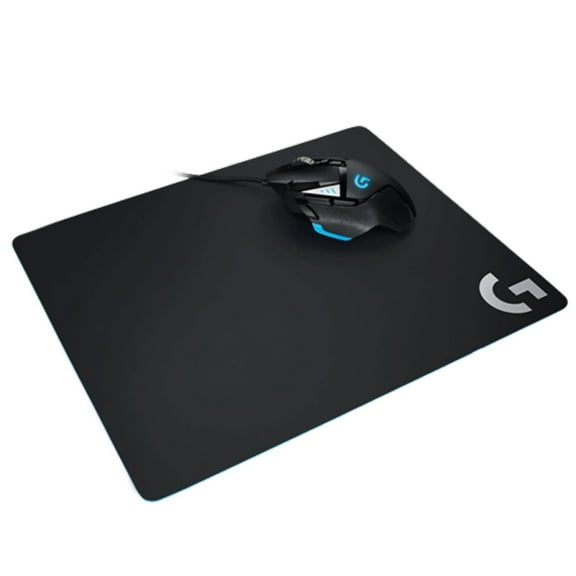
514.7 out of 5 Stars. 51 reviewsLogitech 910-005973 G502 HERO Mouse and G240 Mouse Pad Bundle $59.00
 $5900current price $59.00
Logitech 910-005973 G502 HERO Mouse and G240 Mouse Pad Bundle
644.3 out of 5 Stars. 64 reviews

Customer ratings & reviews
Filtered and sorted results would be available on the new 'Customer ratings & reviews' page.
Showing 1-3 of 22 reviews
Verified Purchase
The G in G502X stands for G.O.A.T.E.D
Coming from someone who’s used Razer mice, the Logitech G502X is really good in the hands, and the numerous buttons on the mouse are nice editions… I don’t mind the wire as I prefer wired mice, but there’s a wireless variant. Only wish the wire was braided tho… BUT, there’s definitely a reason why this mouse is recommended!
Thanks for sharing your positive experience with the G502 X and highlighting its comfort and features. We appreciate your feedback regarding the preference for a braided cable; insights like yours are valuable. It's great to hear you understand why it's a popular choice!
Seller Verified Purchase
Great hardware, minor issues
9.5/10. Hardware is great. Big fan of the number of buttons and free scroll features. One issue I’ve been having is that on start up the DPI is sometimes not consistent with my settings, however, given a minute or two, the software will fix this. Another issue I had is that the extension/addon to the side button was confusing and difficult to install, and therefore I did not put it on the mouse. Both minimal issues, great mouse otherwise.
Verified Purchase
Better than my Razer Mouse.
I love the comfort of this mouse, I love all the buttons it has. Mouse 4 and Mouse 5 side buttons like most gaming mouse. But a third side button that can alter your DPI while holding it or act as a shift button to alter all the other buttons except the scroll wheel button near the scroll wheel which changes the scroll wheel from normal to smooth rolling and fast scrolling. Normal is good for games. Fast Scrolling is good for doom scrolling lol. But the scroll wheel itself is changeable and all other buttons are changeable. And in the app you can change all the buttons aside from shift version. And there is a per game button assignment that normally changes the minute you enter the game. Sometimes you gotta change it manually. There are also two buttons next to and built to the side of the left click mouse button. There is a button behind the scroll wheel which I talked about and there is a button behind that. And the scroll button not only scrolls forward and backward but you can press it left and right too. Making for lots of customization. However, I hate this one problem. I need to use two mice to set the shift controls because if I set the left mouse click to a different control while it is shifted then I cannot point and click. So either I need to do that one last or just not do it at all. And for some games it isn't necessary. I also added shortcuts to xbox guide on PC and copilot when in desktop mode. Macro's are optional. But available. Imagine having the entire quick select from Fortnite on your mouse without altering the left and right mouse click. Frees up your keyboard fingers for things that matter. Not that quick select doesn't matter. And you don't even need the shift button. But I recommend putting the settings to default cause if there is a way to change it up on the g hub app for the mouse I wouldn't know. And for me I put reload on mouse 4 which is the bottom side mouse button. or backward button. mouse 5 is usually pickaxe for me. upper button on the side of left click is usually quick select 1, bottom is quick select 2, left wheel is quick select 3, right wheel is quick select 4, lower button underneath scroll button is quick select 5. There is no charging it is wired. Logitech is excellent and might even be better than Razer imo. Surprisingly so. It is extremely accurate with it's laser. Lightning fast response time and scroll wheel.
We’re so happy to hear that our product is working well for you. Your review helps us understand what we’re doing right and where we can grow. Thank you for being part of the Logitech community and for taking the time to share your thoughts.
