Walmart Wellness Benefits

Use your benefits to the max

Use your benefits to the max

Add your card to shop thousands of eligible must-have items.

How to activate your card

QR code

Scan the card's QR code, click the link & follow the directions.

Online

Go to your Walmart Account & add your card information.

Call

Call the number on the back of your card. See FAQ for details.

How to shop

Pick the way that works best for you.

Online at Walmart.com

Online at Walmart.com

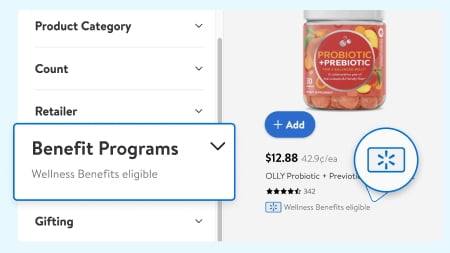
Look for this badge on eligible items

You can also use the top Benefits Program filter dropdown to find them.

Add them to your cart

Check out with your Wellness Benefits Card.

By app


By app

Open the app & go to the “Benefits Program Center”

Enter your Wellness Benefits Card information.

Enter the item ID/name of the products you would like in the top search bar

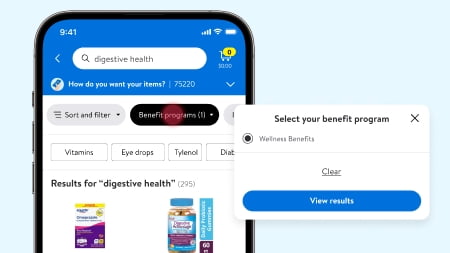
When you are on the search results page, click on the “Benefits programs” & select your program.

Add the eligible item you searched for to your cart
When you are finished, check out with your Wellness Benefits Card.

In-store

In store

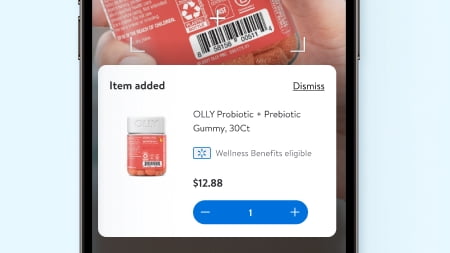
Check the price & eligibility of an item using the Walmart app

Open the app, go to “Services” & scan the in-store barcode.

Swipe your Walmart Benefits Card at any register during checkout

Note: your card must be activated for it to work.

Frequently Asked Questions

Who do I call for any questions?

How do I activate my card and add it to my Walmart.com Wallet?

How can I find eligible items on Walmart.com?

What types of products are not covered?

How do I track the balance of my benefit funds and when they expire?

Do unused benefit funds expire?

How do I shop with my benefit funds in-store?

Are shipping costs covered with this program?

Do I pay sales tax or tax on delivery or shipping charges?

What if my purchase costs more than my benefit funds?

Where is my order?

Can I return, exchange, or request a refund on products?

What happens if my card is lost, stolen or damaged?