

Walmart Pay

Touch-free payments
Leave cards & cash at home!


Get started with Walmart Pay
Step by step, we make it easy.


More about Walmart Pay
Top technology on your side
Your data is secure with us
Forms of payment
Walmart Pay FAQ
Location sharing troubleshooting guide
About Walmart Pay - Walmart.com
How to use Walmart Pay
Walmart Pay lets you speed up the checkout process when you shop at Walmart stores. Use it to securely store your debit, credit, & Walmart gift card information. You'll use your smartphone to check out instead of pulling out your cards, cash, or loose change.
Getting ready
- Download the Walmart app.
- Open the app.
- Tap Walmart Pay.
- Choose your preferred payment method. If you've already loaded credit cards, debit cards, or gift cards, you'll see them displayed. Choose the one you want to use with Walmart Pay. You can change this at any time. If you haven't added any payment methods yet or want to use a different one, add a credit, debit, or gift card.
- Set up a a PIN that you'll use each time you check out. You can also set up Touch ID at this time for an extra layer of security & quicker access.
At the store checkout
- Shop as usual and go to any checkout lane.
- Scan your items.
- Use any Electronic Benefits Transfer (EBT) balances, such as WIC & SNAP before using Walmart Pay.
- Open your Walmart app & tap Walmart Pay. Use Touch ID or enter your passcode.
- Your preferred method of payment will show at the bottom of the screen. If you have a gift card, that amount will automatically be used for payment first, unless you have that feature turned off. If you'd like, you can tap to change to a different card.
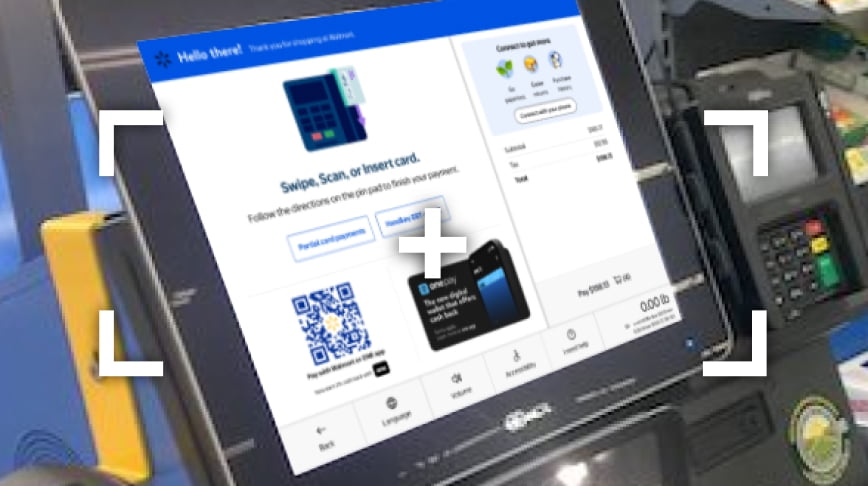
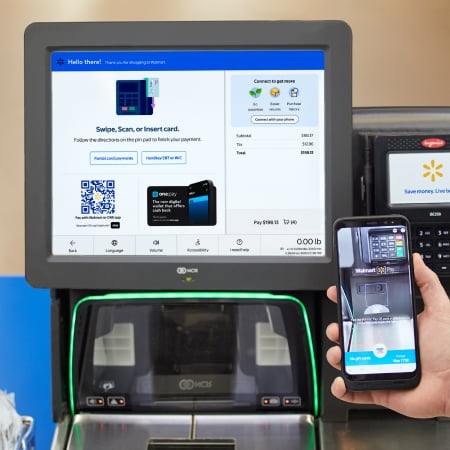
- To pay, hold your phone over the QR code that's displayed on the register.
- Listen for the chime that indicates your purchase is confirmed. You'll also receive a notification on your phone when your e-receipt is ready.
- You're all set! There's no need to wait for a paper receipt; your e-receipt is stored in the app.
Benefits of using Walmart Pay
- Convenient touch-free payment: To protect you & others, Walmart Pay lets you check out totally touch-free.
- Simple returns: When you have a return, you don't have to worry about finding your paper receipt. All of your receipts remain in the app for you to access any time.
- Green-friendly: By eliminating paper receipts, you're making one more contribution to energy conservation & a more eco-friendly Earth. We use several layers of security to make sure your payment & personal information remain private. Our hardware — the checkout scanners — don't use your phone technology instead of near-field communication (NFC). This means the signal created when you use Walmart Pay doesn’t transmit to any financial institution. It only sends a message to Walmart's server to say it's fine to make the purchase. Also, your PIN or TouchID is required each time you make a purchase. This ensures that no one else can use Walmart Pay if you lose your phone. You also enter the PIN on your phone instead of on the register PIN pad, so it’s harder for anyone to see your PIN as it’s entered. Furthermore, your information is always encrypted over secure networks, & your card information is never sent to the store itself.
- Budget-friendly: Because all of your Walmart purchases are kept in one place, you'll be able to quickly see how much you're spending each month on your groceries, household goods, & other purchases.
What Walmart Pay can’t do
Walmart Pay works in all Walmart stores, but it doesn't work at Walmart fuel pumps or Murphy USA gas stations. This is because the app doesn't connect directly to your bank. For the same reason, you can't use Walmart Pay to receive cash back at the checkout at Walmart stores, & it can’t be used in Sam's Clubs.