
PC and Laptop Finder

Find your ideal laptop today

Work or play, gaming or daily use—find your perfect match.Find your PC
Intel

Shop top laptops

Powered by Intel

FAQ

How do I pick the right laptop for school?

Quick guide to choose a school laptop:

  • Match it to classes: Choose a lightweight, long‑battery machine for note‑taking and video calls; pick a more powerful option if you need specialized software for design or coding.
  • Portability and battery: Aim for a balance between screen size and weight so it’s easy to carry between classes.
  • Comfort and durability: Look for a comfortable keyboard and a tough build if it will travel often.
  • Storage and speed: Solid‑state storage and enough memory help with fast startup and multitasking.
  • Try before you buy: Use in‑store displays or the PC Laptop Finder to compare features and pick up in store if you want to test it.

Walmart offers online filters, in‑store pickup, and protection plans that can help with choices and peace of mind.

Which specs matter for everyday use?

Specs that matter day to day:

  1. Processor: A current midrange processor helps with web browsing, streaming, and office apps.
  2. Memory (RAM): More RAM makes switching between apps smoother.
  3. Storage type: A solid‑state drive (SSD) usually boots faster and loads apps quicker than older disk drives.
  4. Battery life: Look for estimated all‑day battery if you’re often away from power.
  5. Display and webcam: A clear screen and reliable camera matter for meetings and streaming.
  6. Ports and connectivity: Ensure the laptop has the ports you need (USB, HDMI, headphone jack) or plan to use adapters.

Use the PC Laptop Finder filters on Walmart.com to compare these specs side by side and prioritize what matters most for your routine.

When should I buy a laptop for the best deals?

Timing tips to find better laptop deals:

  • Seasonal sales: Back‑to‑school and major holiday periods often have promotions and rollbacks.
  • New model arrivals: When newer models come out, previous models may be discounted or cleared.
  • Watch clearance and open‑box: Clearance sections and certified refurbished options can offer savings without brand‑new pricing.
  • Set alerts and compare: Use wishlists or price‑tracking tools and check Walmart’s online deals page regularly.

Buying when you actually need a laptop is often better than waiting indefinitely; pair timing with the features you require to get the most value. Walmart’s online filters and in‑store clearance can help you spot good opportunities.

How can Walmart help with laptop setup?

Ways Walmart can help after purchase:

  • In‑store pickup and basic help: If you pick up in store, associates can point you to resources and accessories that ease setup.
  • Protection plans and support: Protection plans and warranty options are available at checkout for additional repair or replacement coverage.
  • Online resources: Walmart.com includes product pages, FAQs, and how‑to content to guide initial setup and software updates.
  • Return and exchange: If something isn’t right, review Walmart’s return policy for your options and timelines.

If you want hands‑on setup help, check the store’s available services or contact customer service for guidance on next steps and recommended accessories.

How do I keep my laptop running smoothly?

Everyday maintenance to keep performance steady:

  • Software updates: Install system and app updates regularly to get performance and security improvements.
  • Manage storage: Remove unused files and apps and keep some free disk space to avoid slowdowns.
  • Watch background apps: Limit startup programs and background processes to free memory.
  • Physical care: Keep vents clear, avoid blocking airflow, and clean the keyboard and screen gently.
  • Protect and back up: Use a surge protector, run periodic backups, and consider a protection plan for repairs.
  • Security: Use reputable security tools and be cautious with downloads and links.

These steps can help extend usable life and reduce interruptions, though results may vary with usage and environmental conditions.

Show less

About PC and Laptop Finder - Walmart.com

PC and Laptop Finder

If you're in the market for a new PC or laptop, Walmart can help. Whether you're going to use it for work, school, entertainment, or all of the above, you'll be able to shop a wide assortment of computers, laptops, and tablets all at everyday low prices. Not sure where to start? Use the Find Your PC to get suggestions for your perfect match.

What kind of PC or laptop should I get?

Here, you'll be able to find a wide assortment of PCs, laptops, ultrabooks, and Chromebooks that can suit your needs. You can shop by brand or by use. Some examples are:

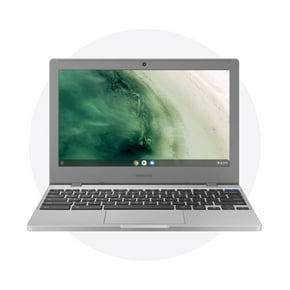
  • Daily use: These laptops can blend in perfectly, whether you're using them for work or for personal use. They're great for checking your email, storing files and photos, and browsing the web.
  • Entertainment: For those who love to stream, here you can find laptops and PCs that can help you create, connect, and binge watch. These are ideal for storing photos and videos, multi-tab browsing, presentations, and are streaming friendly.
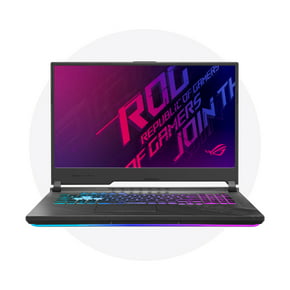
  • Work and play: Play well with others with a gaming laptop. Great for both working and playing, gaming PCs and laptops can feature cloud computing, virus protection, and long-lasting battery life.
  • Productivity: You deserve a computer that works as hard as you do. Made for multitaskers, these PCs and laptops can edit photos and videos, collaborate with others, stream content freely, and design and create a multitude of projects.
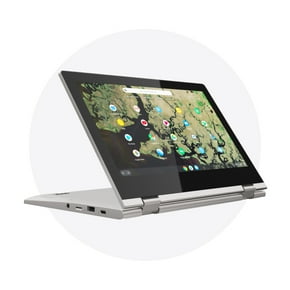
  • On-the-go: If you're looking for something that you can take with you around the house or office, on the train, or anywhere you go, check out the selection of laptops and tablets that are perfect for on-the-go. Travel light and spend lighter with access to all your apps, browsing from anywhere, and portable video streaming.

Don't forget to check out the selection of PC and laptop accessories, so you can get the most out of your machine. From sleeves and cases to speakers and headphones, you'll be able to find everything you need to work hard and play hard at Walmart.