

AppleCare for iPhone
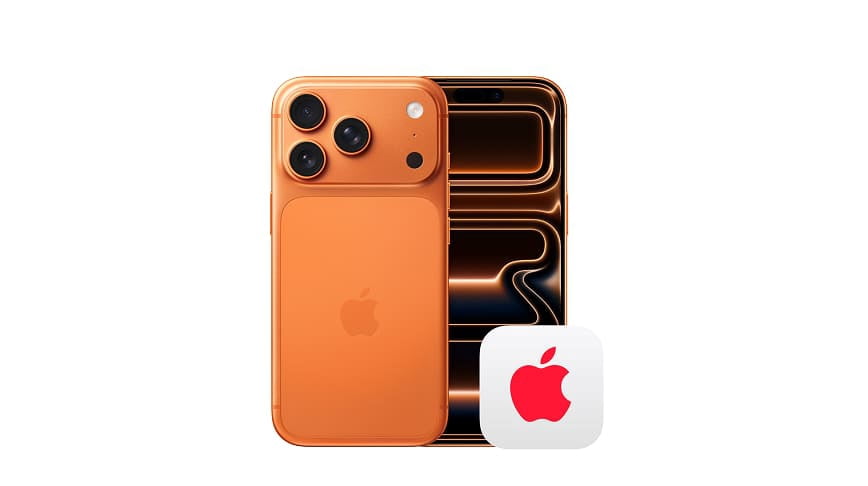
AppleCare+ for iPhone
AppleCare+ for iPhone provides additional technical support and hardware coverage, including accidental damage protection.

Protection and support for your Apple products





About AppleCare for iPhone - Walmart.com
With applecare for iphone, you can compare coverage choices, payment terms, and service options before you commit to a plan. You also get clear guidance for recent iPhone generations, including iPhone 12, iPhone 13, iPhone 14, and iPhone 15.
If you're choosing protection for a new phone, you likely want simple answers about damage coverage, theft protection, and support access. You'll also want to know how to add coverage through Walmart and what each plan type means in practice.
How to choose applecare for iphone
When you compare plan types, you'll usually start with Standard AppleCare+ or AppleCare+ with Theft and Loss. Your choice affects whether you want protection focused on accidental damage only or broader coverage that includes theft and loss events.
You'll also want to check your device generation before you choose a plan. Your iPhone 12, iPhone 13, iPhone 14, or iPhone 15 needs the matching coverage option for a smooth setup.
- You can choose between accidental damage coverage and added theft and loss protection.
- You can compare monthly recurring payments with a two-year upfront term.
- You can review deductibles for screen damage, other accidental damage, and theft or loss claims.
- You can confirm support access, battery service options, and claim service locations before purchase.
As you narrow your options, you should look at how you use your phone every day. If your phone travels often, your needs may differ from someone who mainly uses a device at home.
What to look for in an applecare+ iphone plan
An applecare+ iphone plan can help you understand the difference between repair-related coverage and theft-focused coverage. You'll want to compare what happens with cracked screens, other accidental damage, and eligible theft or loss situations.
For coverage scope, you should check whether your plan includes accidental damage, battery service, and 24/7 tech support. You may also want theft and loss protection if your phone spends a lot of time in transit.
When you compare deductibles, you'll see set amounts tied to common claim types. You can expect one deductible for screen damage, another for other accidental damage, and a separate amount for theft or loss.
If you're focused on screen repairs, you should review the screen damage deductible first. If you're planning for broader incidents, you should also compare the deductible for other accidental damage and theft claims.
How payment term and device generation affect your choice
You can choose monthly recurring billing or a two-year upfront term, and that decision shapes how you plan your coverage. If you prefer predictable monthly charges, you may lean one way, while a single upfront term may fit another buying style.
You'll also want to confirm that your selected plan matches your iPhone generation. If you're shopping for applecare iphone 13 or applecare for iphone 12, matching the plan to the device matters.
For newer devices, you may compare the same plan structure across iPhone 14 and iPhone 15 models. That makes it easier for you to review coverage scope and payment terms without guessing about compatibility.
If you're wondering how much is apple care for iphone 13, you should look at both term type and deductible details. Your total ownership picture depends on the recurring or upfront cost and the claim fee structure.
How iphone care works when you need service
When you think about iphone care, you should also think about service convenience. You'll want to know how to file a claim, where service happens, and what support you can access when your phone needs attention.
You may look for service through an Apple Authorized Service Provider, which means you have a recognized repair path. You'll also want OEM parts, because they help keep your device aligned with the original build.
If you need help with setup, connectivity, or account questions, you can also look at included 24/7 tech support access. That support element matters if you use your phone for work, travel, or daily coordination.
Battery service is another decision point you should review before you choose a plan. If you keep your iPhone for years, that part of coverage may matter as much as accidental damage support.
How to add apple care for iphone and common use cases
If you want to add apple care for iphone during your Walmart purchase, you should check the eligible plan options tied to your device. You can then compare plan type, payment term, and deductible level in one place.
If you want to get apple care for iphone after buying a device, you should review the eligibility window first. Your timing can determine whether post-purchase enrollment is still available for your iPhone.
You might choose Standard AppleCare+ if you mainly want support for drops, cracked screens, and other accidental damage. You might choose AppleCare+ with Theft and Loss if your routine includes commuting, frequent travel, or shared spaces.
If your household upgrades often, you may focus on iPhone 15 or iPhone 14 coverage with monthly billing flexibility. If you keep devices longer, you may prefer comparing a two-year term with battery service and support access.
When you're comparing plans for a teen's phone, you may pay close attention to screen damage and accidental damage deductibles. When you're covering your primary work phone, you may focus on tech support access and service convenience.
By understanding applecare for iphone before checkout, you can choose a plan that matches your device, routine, and claim expectations. You'll leave with clearer coverage details and fewer surprises if you ever need service.