

Refurbished Desktops in Shop Desktops By Type
















About Refurbished Desktops in Shop Desktops By Type - Walmart.com
You often need used desktop computers fast for work, class, or a reliable home setup. Walmart makes it simple to compare towers, small form factors, and all-in-ones in one place.
Look for business-class builds with upgrade room, tested ports, and straightforward pickup or delivery options. That way, you can get a dependable PC without the wait.
Why used desktop computers fit everyday computing
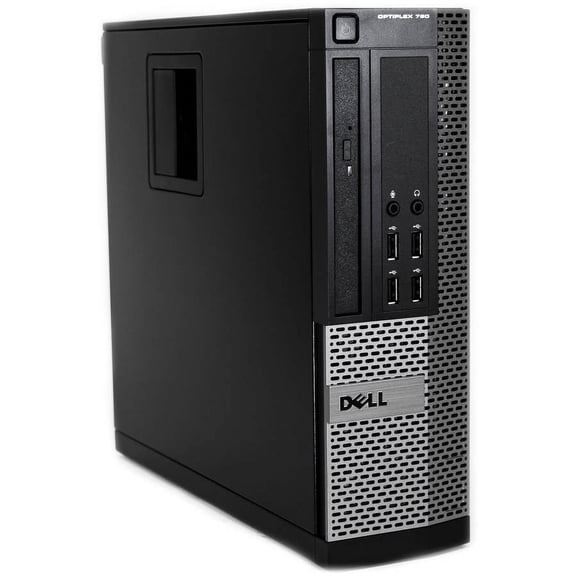
Used desktop computers can give you steady performance for everyday tasks without the limits of many thin laptops. A desktop chassis also makes it easier to add storage, swap RAM, or upgrade a graphics card later.
Many refurbished office models are built for long runtimes and constant plug-in use. That matters when your computer stays on for homework, spreadsheets, or family calendars.
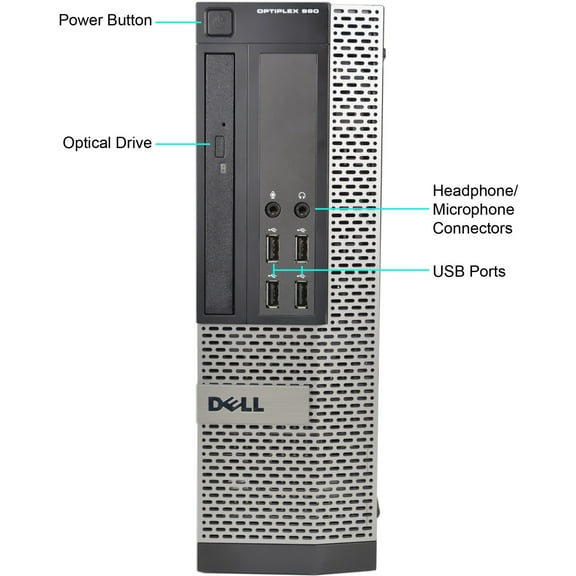
You’ll also get more connection flexibility for monitors and accessories. Multiple USB ports, Ethernet, and full-size video outputs help you build a clean, reliable workstation.
- Keep projects moving with stable performance for browsing, email, and productivity apps.
- Set up dual monitors for schoolwork, accounting, or trading dashboards with fewer adapters.
- Expand later with extra drives, RAM, or a dedicated GPU for creative tools.
- Stay organized with easy cable routing and a fixed desk location.
Features to compare before you choose
Start with the processor and RAM, since they shape everyday speed and multitasking. For smooth tabs and office apps, aim for modern Intel Core or AMD Ryzen chips with eight to 16GB RAM.
Storage type changes how fast your PC feels at startup and when opening files. An SSD boots quicker than an HDD, while an HDD can add roomy space for photos and backups.
Check ports and video outputs so your monitor setup works without extra converters. HDMI and DisplayPort are common, while older units may use VGA or DVI.
Form factor matters if you’re tight on space or want quiet airflow. Small form factor desktops fit shelves easily, while mid-towers often support more fans and full-length GPUs.
Confirm the operating system version for app compatibility and security updates. Many shoppers look for Windows 11 support, especially for school platforms and newer software.
Use cases that make desktops the smart choice
For remote work, a desktop can anchor a dedicated space with a full keyboard and large display. That setup helps you stay focused during meetings and long writing sessions.
Students often need a PC that handles research, documents, and browser-based learning tools. Pairing a desktop with a webcam and headset can make virtual classes smoother.
Creators can benefit from more upgrade paths for storage and graphics. Adding a larger SSD helps with media libraries, while a discrete GPU supports photo editing and casual content work.
Families like desktops for shared spaces like a kitchen desk or living room corner. Separate user accounts can keep school files, taxes, and photos organized.
Gamers and streamers often start with a capable used tower and upgrade over time. A stronger PSU, added RAM, and a newer GPU can extend the system’s useful life.
Confidence for your next setup
With used desktop computers, you can build a dependable workstation with the ports, screen space, and upgrade room you actually use. The right model keeps your day running smoothly, from first login to final file save.