







Nano Drones


About Nano Drones - Walmart.com
Nano drones help you enjoy quick indoor flights, easy controls, and compact storage when larger models feel impractical. You can compare camera options, propeller guards, and flight times for beginner practice, gift giving, or casual weekend flying.
How to choose nano drones for your space
When you shop nano drones, you should start with where you plan to fly frequently. If you plan to fly in tighter rooms, you may prefer an indoor toy drone with enclosed or guarded propellers.
For mixed use, you can compare indoor or indoor and outdoor designs based on your available space. You should also measure your storage needs, because a mini pocket drone fits drawers, backpacks, and travel cases easily.
Your skill level matters just as much as size. If you're new to flight controls, you may want beginner settings, one-key takeoff, and altitude hold for steadier hovering.
- You can choose no camera models when you want simple practice flights and lighter controls.
- You can pick 720p HD or 1080p HD options when you want a micro drone with camera features.
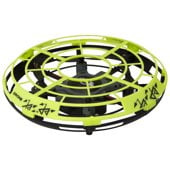
- You should look for guarded propellers when you plan to fly around furniture, hallways, or playrooms.
- You can compare remote, app, and hand-controlled styles based on how you like to steer.
Choosing camera resolution and control type
If you want to focus on flying basics, you may prefer a no camera design. You can keep your setup simpler and spend more attention on hovering, turning, and landing.
When you want a micro drone with camera functions, you should compare 720p HD and 1080p HD resolution. You can usually get clearer clips with higher resolution, which helps when you record short flights indoors.
You should also check how the video feed reaches your screen. Lower transmission delay helps you react faster when you steer through table legs, doorways, or open floor space.
Control type changes how the drone feels in your hands. You may prefer a remote controller for familiar buttons, while a smartphone app can give you compact travel convenience.
If you want a playful learning curve, you can consider hand-controlled or gesture styles. You can get simpler movement patterns that work well for younger flyers and quick indoor sessions.
Look for plain-language features that reduce setup stress. Altitude hold helps you keep a steadier hover, and one-key takeoff or landing helps you start and stop with fewer steps.
Comparing flight time, charging, and durability
Flight time can shape your whole experience with a nano drone. You should compare five to seven minutes, eight to 10 minutes, and 10 plus minutes based on how long you want each session.
If you want short practice runs between tasks, five to seven minutes may feel convenient. If you want longer turns during family play, you may prefer eight to 10 minutes or more.
You should also consider charging rhythm, not just flight duration. A quick-to-recharge battery can help you plan repeat sessions without long gaps between takeoffs.
Durability matters when you fly indoors around walls, shelves, and chair legs. You should look for propeller guards, flexible frames, and compact builds that handle small bumps more comfortably.
Propeller guards are especially useful when you want an indoor toy drone for tighter spaces. This provides extra separation between the spinning blades and nearby surfaces during takeoff and landing.
If you're shopping for a small drone for kids, you should prioritize stable controls and guarded edges. You may also want simple trim adjustments that help your drone track straighter across a room.
Matching skill level and use cases
If you're a beginner, you may benefit from light controls and forgiving response. You can start with a mini pocket drone that offers easier hovering and clear landing commands.
If you're choosing for kids, you may want simple operation and shorter learning steps. If you're choosing a small drone for kids, you should compare hand-controlled options and beginner remote models with propeller protection.
If you have some flight experience, you may want sharper control and camera features in one compact size. You can compare a micro drone with camera options when you want short clips without moving to a larger aircraft.
For apartment practice, you may want an indoor only model with guards and steady hover support. You can often find that compact dimensions help you navigate coffee tables, couches, and open corners.
For travel or mixed environments, you can consider indoor and outdoor suitability. You should check whether the frame stays light enough for packing while still supporting stable control in open spaces.
If you're buying a gift, you may want simple setup and clear age-appropriate operation. You can make a more confident choice when you compare skill level, control style, and battery expectations together.
What to look for in a mini pocket drone
A mini pocket drone works well when you want compact fun without using much storage space. You should focus on control simplicity, guard design, and flight time before you compare extra features.
When you use these decision points, you can narrow the category faster and choose a model that fits your room size and flying style. This helps you find a nano drone that feels easier to launch, steer, and enjoy regularly.