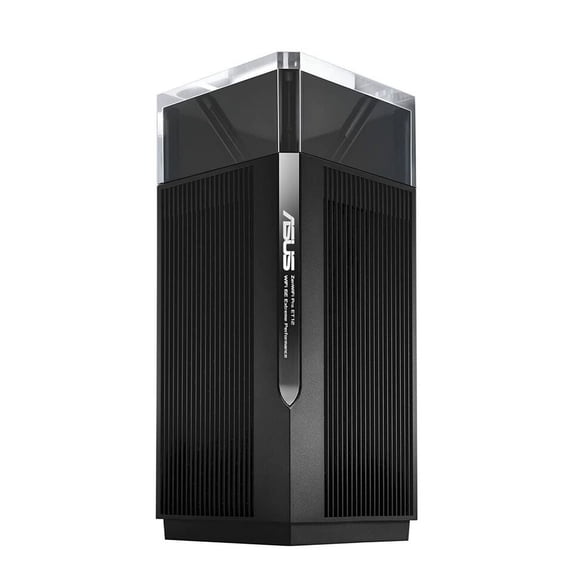
ASUS ZenWiFi Pro AXE11000 Tri-Band WiFi 6E Mesh System (ET12 1PK) - Whole Home Coverage up to 3000 Sq.Ft & 3+ Rooms, Dual 2.5G Ports, 6GHz Band, AiMesh, Included Lifetime Internet Security, Easy Setup
Hero image 0 of ASUS ZenWiFi Pro AXE11000 Tri-Band WiFi 6E Mesh System (ET12 1PK) - Whole Home Coverage up to 3000 Sq.Ft & 3+ Rooms, Dual 2.5G Ports, 6GHz Band, AiMesh, Included Lifetime Internet Security, Easy Setup, 0 of 1

ASUS ZenWiFi Pro AXE11000 Tri-Band WiFi 6E Mesh System (ET12 1PK) - Whole Home Coverage up to 3000 Sq.Ft & 3+ Rooms, Dual 2.5G Ports, 6GHz Band, AiMesh, Included Lifetime Internet Security, Easy Setup

Key item features

ASUS ZenWiFi Pro AXE11000 Tri-Band WiFi 6E Mesh System (ET12 1PK) - Whole Home Coverage up to 3000 Sq.Ft & 3+ Rooms, Dual 2.5G Ports, 6GHz Band, AiMesh, Included Lifetime Internet Security, Easy Setup
Current price is $596.99
Price when purchased online
Out of stock

How do you want your item?

How do you want your item?
Out of stock

About this item

Product details

Specifications

Warranty

Customer ratings & reviews

4.1 out of 5 stars
stars21 ratings18 reviews
How item rating is calculated

Customer photos

  • +1 image
Filtered and sorted results would be available on the new 'Customer ratings & reviews' page.
Sort by |

Showing 1-3 of 18 reviews

Jun 12, 2025
Seanie92
5 out of 5 stars review

Seller Verified Purchase

Amazing Wifi. Totally worth it

This thing is awesome. It has not only fixed the wifi problems I was having but added some pretty amazing features as well.

Review from https://www.asus.com
Helpful?0XLD9ZZ9TSC32883269608
Aug 17, 2023
LewTX
5 out of 5 stars review

Seller Verified Purchase

Outstanding system. Speed, flexibility, control.

I got the ASUS Zen Wi-Fi Pro ET 12 to set up a mesh system with the main router and two nodes to replace my previous mesh system having a router and three nodes. I found the setup to be easy and intuitive. I set it up with an Ethernet back haul, after replacing my old Cat 5 cable with new runs of Cat 6a cable. There was a noticeable increase in speed and reduction of the latency of the network. This upgrade was made necessary by the large increase in the number of devices and sensors on my network over the last year. I prefer to use the web interface, as it offers amazing control of the system with an excellent graphic display of the network. I live in rural Texas, and after 30 years of dial-up and adsl service providers, I have gotten a satellite service with 10 to 20 times the speed and bandwidth. Initially, as a residential customer, my ip was received through a CG Nat system that becomes unstable at the speeds at which the ASUS router operates. Reading the forums, many users were able to overcome the issue by putting a switch between the modem and the ASUS router. That didn't work for me, but I found that by putting one of my old routers, that had operated with the sat service, in between the modem and the ASUS router, I received normal, reliable service—although I'm sure I was paying a price in a small speed reduction. The problem was that the CG Nat system was not able to retain a stable ip address. Within a day of my finding my solution with the second router, the sat service provider changed their service, allowing standard DHCP service and public ip's for their business and their “priority data” customers. I was able to remove the additional router and enjoy a reliable, fast, conventional auto issued ip system. For rural customers on the basic data programs on CG Nat systems, try the switch or router solution. Overall, speed and coverage improvements with the ability to balance the traffic on your wireless networks. I recommend the Ethernet backhaul if you are able. Cable should be 5e or better to get the best speeds.

Review from https://www.asus.com
Helpful?0XLD9ZZ9TSC32883269608
Oct 19, 2022
Barry of Orange
5 out of 5 stars review

Seller Verified Purchase

ASUS ZenWiFi Pro ET12 Review for my 1500 Square Fo

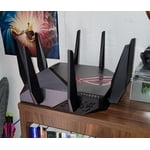
This WIFI Router is a very nice addition to my home and is working quite well. I have 15 devices on cat-6 or better cable, and 20 devices on WIFI and they also are all working well. My service provider is providing me around 470Mbps down and 22Mbps up. My home is a single story, 1500 square feet which is considered a small area for WIFI, but do to walls there are a few areas where the reception goes down, but I believe this would be the same no matter who's router I used. To minimize my reception issues, I placed my old ROG GT-AXE11000 at the other end of the house, hard wired from the new modem with cat-6 cable, configured it in AI-MESH and Ethernet Backhaul Mode. This absolutely improves the overall performance around the house. I also configured the AI-Protection and ran SCANS until everything was GREEN. You need to make sure your new router is configured correctly to provide you with the best possible security to minimize hackers from hacking into your data. Overall, I really like the ASUS AI-MESH setup using 2 or more routers to provide a nice hard-wired / WIFI network for good strong reliable connections. NOTE: when it comes to WIFI and Interference, nothing is perfect, but this is pretty close... I would recommend this product.... Thanks ASUS

Review from https://www.asus.com
Helpful?0XLD9ZZ9TSC32883269608