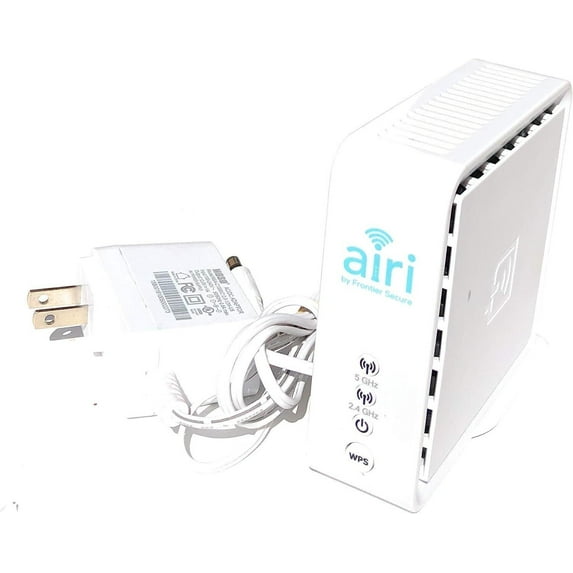
Frontier AIR4920 802.11AC 1600Mbps Smart Mesh Wi-Fi 2 Port Gigabit Ethernet. Connect Airi to your router and a standard power outlet. Plug your additional Airi device(s) into a power outlet only. Once connected, all devices work together to create your smart mesh network.
Setting up the Air 4920 as a Repeater Using WPS
- Unpack the device and remove all the protective plastic.
- Connect the access point to power and turn it on. Wait until the power symbol glows in white and the other LEDs flash in green.
- This will usually take about three minutes.
- On your router: Find and enable WPS.
- Hold the WPS button for two seconds.
- On some devices, you must log in and start WPS from the web interface. It can also be called PBC, which stands for "push-button connect".
- On the Air 4920: Hold the WPS button on the front of the device for 2 seconds. The device will now connect to the router and copy its network name/SSID and password from the 5 Ghz network.
- After pairing, wait for about 30 seconds for both the router and the repeater to come online.
Wipe out dead zones:
Expanded high-performance wireless coverage throughout your space.
Stream and surf:
Maximize your internet strength with wireless freedom.
Take the fast lane:
Seamlessly connect all your Wi-Fi devices to the fastest path to the internet.
Watch without limits:
Enjoy video streaming on mobile devices simultaneously without buffering.