
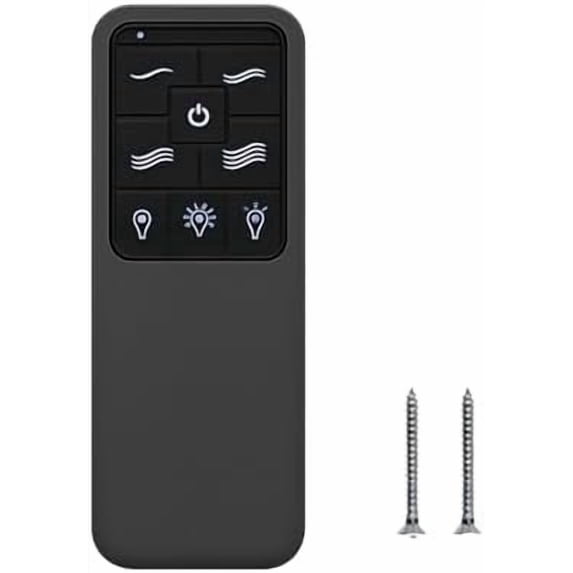
Replacement Remote for Westinghouse Ceiling Fan Remote 7787900 7788200, 4-Speed Dimming Fan Remote Control with Backlit Buttons,Easy to Set with Mount Holder-Remote only
Hero image 0 of Replacement Remote for Westinghouse Ceiling Fan Remote 7787900 7788200, 4-Speed Dimming Fan Remote Control with Backlit Buttons,Easy to Set with Mount Holder-Remote only, 0 of 7

Replacement Remote for Westinghouse Ceiling Fan Remote 7787900 7788200, 4-Speed Dimming Fan Remote Control with Backlit Buttons,Easy to Set with Mount Holder-Remote only

(No ratings yet)

Key item features

  • 【NOTE: Only Remote Included, Please Check Compatibility】Ceiling fan remote control only (receiver not included). Before purchasing, please confirm your fan uses the 304 MHz system (please check old remotes/models). Only designed for Hampton Bay Home Decorators Collection ceiling fans remote (Models: TX028C-S, A25TX028CS, A25-TX028C-S. Please note NOT the same as: A25-TX028C-(N, L, C, R, LR, LS, LC, RS, RC, LRS, LRC)
  • 【Change Color Temperature】This hampton bay ceiling fan remote offers a variety of color temperature options. It's compatible with variable color temperature lamps and can adjust multiple color temperature settings. Easily use the fan remote to switch between these options to create a different atmosphere for work or leisure. NOTE: The default temperature of the ceiling fan light is 3000k (Soft White).
  • 【Ceiling Fan Remote Function 】Power ON/0FF: Press and release the power button to turn the fan and light on or off. Fan Speed: LEDs on the fan speed button will illuminate to the coresponding speed,3-Speed (High/ Medium /Low / OFF)for fan speed control. Light ON/OFF/Dimmer : Press and release the button to turn the light on or off,Press and hold the button to activate the dimmer function
  • 【Easy to Pair】It was easy to program to ceiling fan. There are 3 ways to pair your new ceiling fan remote. 1. Match DIP switches settings from your old remote to your new remote. 2. If you don't have your old remote, try the 16 possible DIP switches combinations. 3. Find the DIP switches settings on the receiver insider your ceiling fan and match them on your new remote
  • 【Package】 Includes TX028C-S Remote Control *1, Wall Mount Holder *1, User Manual *1, Screws *2. This ceiling fan remote is NOT universal, and it use a 12V battery (NOT INCLUDE) for power supply.
Price when purchased online
Not Available

How do you want your item?

How do you want your item?
Not available
Report an issue with this seller

About this item

Product details

Specifications

Customer ratings & reviews

0 ratings|0 reviews
This item does not have any reviews yet
